
EasyManua.ls Logo

Kunft K5128X22F - User Manual

Kunft K5128X22F
164 pages
Print Icon
To Next Page IconTo Next Page
Loading...
is perfectly enough
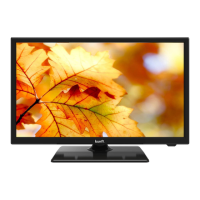
led tv 22” HD
K5128X22F
instructions manual
manual de instrucciones
manual de instruções
K5128X22F User manual.indb 1K5128X22F User manual.indb 1 2020. 02. 12. 15:57:452020. 02. 12. 15:57:45

Questions and Answers

  • J
    Julie VasquezAug 19, 2025
    How to fix a Kunft LED TV with no power?
    • D
      Dr. Kim Davis DDSAug 20, 2025
      If your Kunft LED TV has no power, first ensure the AC cord is properly plugged into the socket. If it is, disconnect the plug, wait 60 seconds, reconnect it, and then turn the power back on.
  • S
    Stephen GarciaAug 21, 2025
    What to do if my Kunft LED TV remote is not working?
    • A
      anthonycolonAug 22, 2025
      If your Kunft LED TV remote isn’t working, make sure you've removed any plastic bag that came with it. Also, try using the remote closer to the TV. Check that the batteries are correctly placed or try replacing them. The TV will enter standby mode if it doesn't receive a signal for a few minutes.
  • M
    Manuel HumphreyAug 25, 2025
    Why is there no picture on my Kunft K5128X22F LED TV?
    • B
      Bernard JenkinsAug 25, 2025
      If your Kunft LED TV has no picture, check that the antenna is properly connected at the back of the TV. You can also try viewing other channels to see if the issue persists.
  • A
    Alyssa GonzalezAug 26, 2025
    How to resolve static noise on my Kunft K5128X22F LED TV?
    • M
      msullivanAug 27, 2025
      If your Kunft LED TV has static noise affecting video and audio quality, verify that the antenna is properly connected to the back of the TV.
  • T
    Thomas AndersonAug 28, 2025
    Why is there video but no audio on my Kunft K5128X22F?
    • M
      manuelduncanAug 28, 2025
      If your Kunft LED TV has video but no audio, first try increasing the volume. Also, check to see if the TV's sound is muted.
  • B
    Bethany PetersAug 30, 2025
    What to do if my Kunft K5128X22F LED TV problems are unresolved?
    • D
      dawnriveraAug 30, 2025
      If you are experiencing unresolved problems with your Kunft LED TV, unplug the power cable, wait 30 seconds, and then reconnect it. If the issues continue, contact Customer Support Service.
  • D
    Deborah DrakeSep 1, 2025
    How to fix double images on my Kunft LED TV?
    • R
      Rose RussellSep 1, 2025
      If you see double or phantom images on your Kunft LED TV, especially if you're near high buildings or mountains, you can adjust the image manually using Vernier regulation. Alternatively, try adjusting the direction of your external antenna. If you're using an indoor antenna, adjust its direction for optimal reception or consider switching to an external antenna.
  • M
    myerscorySep 3, 2025
    Why are there broken lines on my Kunft LED TV screen?
    • M
      Mary AguilarSep 3, 2025
      If you see broken lines on your Kunft LED TV screen, it may be due to interference from electrical appliances like hair dryers or vacuums. Try switching these appliances off.
  • D
    Derek ScottSep 5, 2025
    How to fix no video in PC mode on Kunft K5128X22F LED TV?
    • C
      cody28Sep 5, 2025
      If there is no video in PC mode on your Kunft LED TV, check if the cable is correctly connected to the VGA port and that the cable isn’t bent.
  • E
    elizabethrobertsonSep 8, 2025
    How to adjust brightness on Kunft LED TV in PC mode?
    • A
      Andres RiceSep 8, 2025
      If your Kunft LED TV screen is too bright or dark in PC Mode, adjust the brightness or contrast in the main menu.

Summary

SAFETY INSTRUCTIONS

General Safety Warnings

Read instructions carefully, avoid damage, electrical safety, water hazards, proper use.

Handling and Maintenance Precautions

Cord safety, cleaning procedures, avoid humidity, general precautions.

OPERATING INSTRUCTIONS

Installation and Initial Setup

TV placement, antenna connection, stand assembly, first-time language and country setup.

User Interface and Controls

TV buttons, terminal interfaces, remote control overview.

Menu Navigation and Settings

Channel tuning, picture settings, sound settings, system configurations.

Media Playback

Accessing and playing Photo, Music, Movie, and Text files from USB.

TROUBLESHOOTING

Common TV Issues and Solutions

Covers power, signal, picture, audio, screen lines, and remote control problems.

PC Mode and Advanced Troubleshooting

Solutions for no video, tearing, brightness issues, and unresolved problems.

TECHNICAL SPECIFICATIONS & SUPPORT

Technical Specifications and Remote

Screen sizes, power consumption, battery installation, and remote operation.

Post-Sale Service and Environmental Info

Warranty, customer support contact, and environmental protection guidelines.

Kunft K5128X22F Specifications

General IconGeneral
BrandKunft
ModelK5128X22F
CategoryLED TV
LanguageEnglish