Main Menu Operation
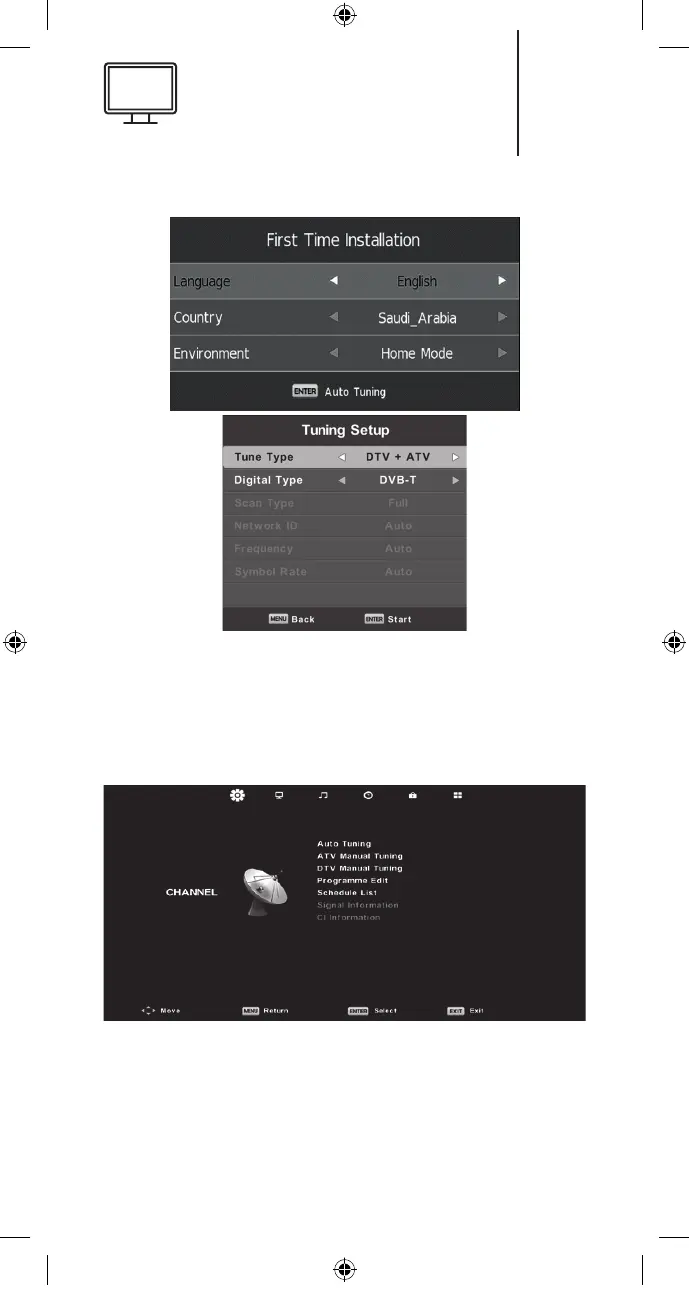
Channel Menu
Press the MENU button to display the main menu
and press the ◄/► button to select CHANNEL in
the main menu.
1. Press the ▼/▲ button to select the option that
you want to adjust in the CHANNEL menu.
2. Press the Enter button to adjust.
17
K5128X22F User manual.indb 17K5128X22F User manual.indb 17 2020. 02. 12. 15:57:462020. 02. 12. 15:57:46


 To Next Page