Lock System
Press the ▼/▲ button
to select the System
Lock and then press the
Enter button to make
the following 3 options
valid.
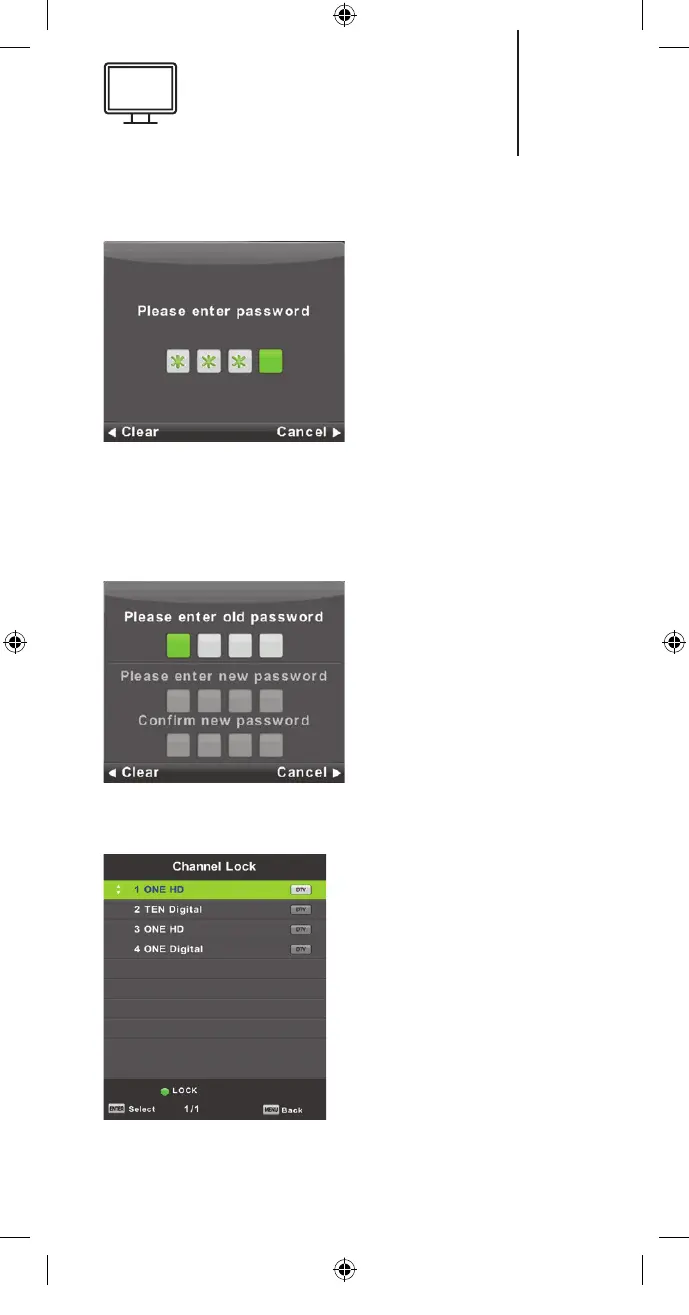
The default password is
0000. If you forget your
password, please contact the Customer Support
Service.
Set Password
Press the ▼/▲ button
to select Set Password
and then press the Enter
button to enter the sub-
menu to set new pass-
word.
Channel Lock
Press the ▼/▲ button to
select Channel Lock and
then press the Enter but-
ton to enter the sub-menu
to select.
Press the Green button to
lock or unlock the channel.
3333
K5128X22F User manual.indb 33K5128X22F User manual.indb 33 2020. 02. 12. 15:57:482020. 02. 12. 15:57:48


 To Next Page