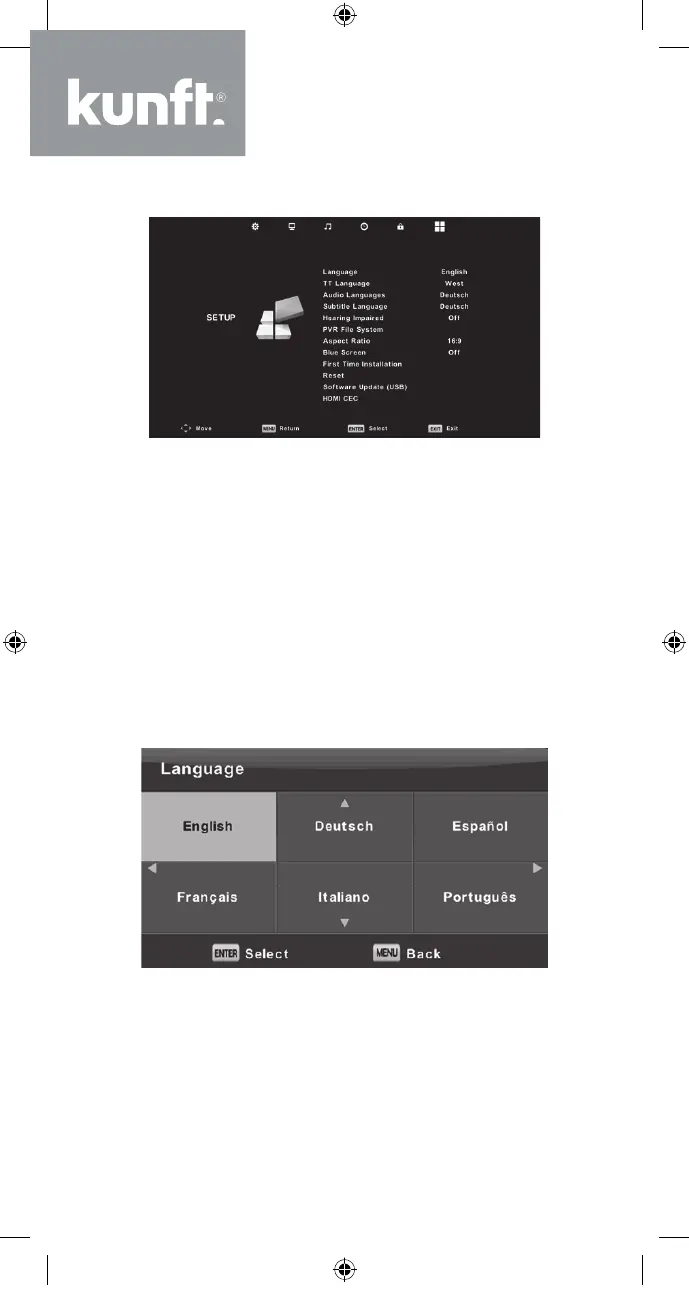
1. Press the ▼/▲ button to select the option you
want to adjust in the SETUP menu.
2. Press the Enter button to make the necessary
adjustments.
3. After finishing your adjustments, press the Enter
button to save and return to the previous menu.
OSD Language
Select an OSD menu to display the language. De-
fault English is selected as menu language. Press
the ▼/▲/◄/► button to select Language Menu.
36
K5128X22F User manual.indb 36K5128X22F User manual.indb 36 2020. 02. 12. 15:57:482020. 02. 12. 15:57:48


 To Next Page