FREQUENCY
MIDLOW HIGHGUITARMIC/LINE
GUITAR
INPUT
MIC/LINE
INPUT
LEVEL
PROGRAM
5
6
7
8
2
3
4
1
GUITAR
INPUT
MIC/LINE
INPUT
EFFECTS
ON
OFF
PASSIVE
ACTIVE
MIC
LINE
1. BRIGHT ROOM
2. MELLOW ROOM
3. BRIGHT HALL
4. MELLOW HALL
5. CHORUS
6. CHORUS/ROOM
7. CHORUS/HALL
8. SLAPBACK
4
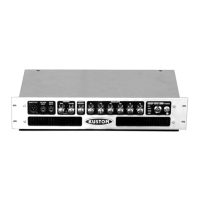
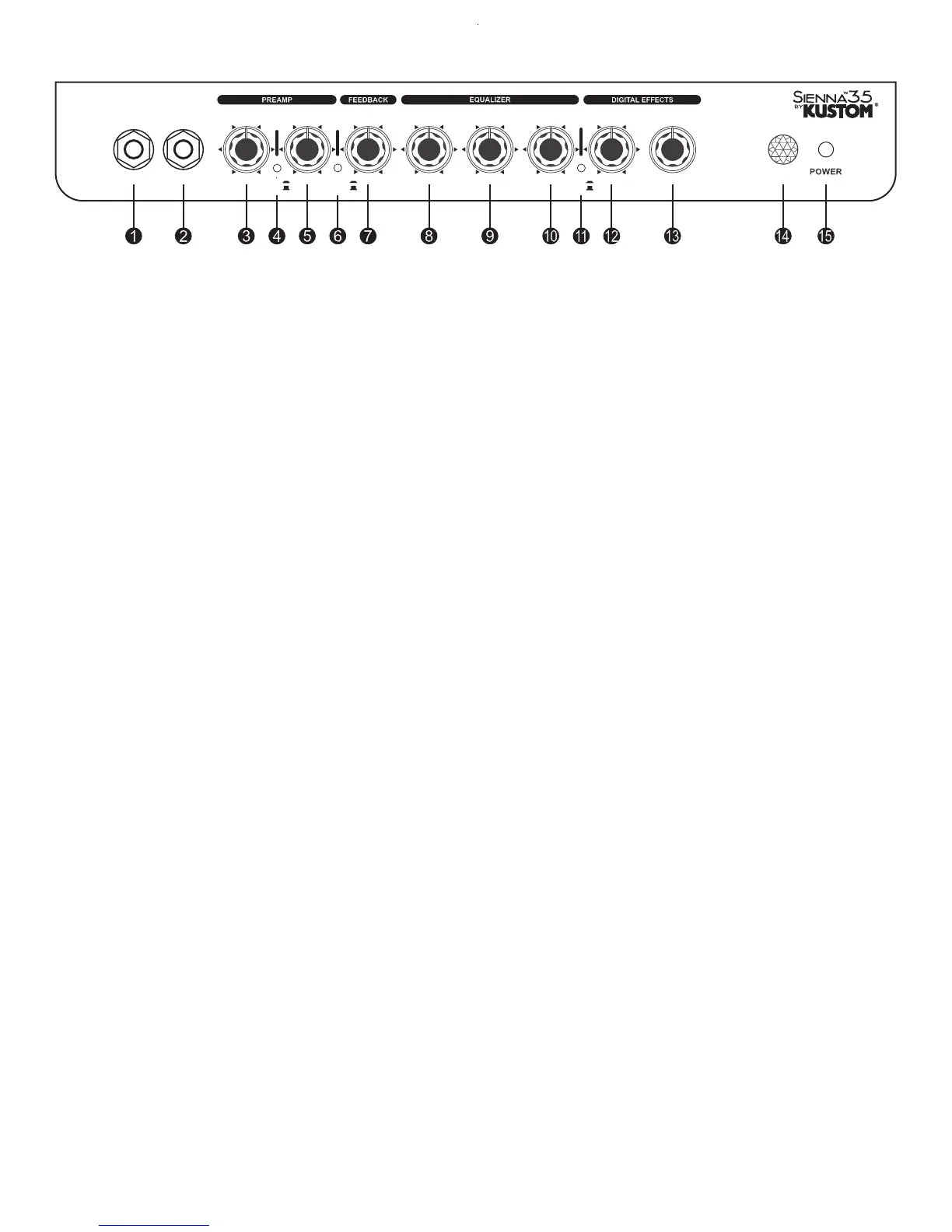
Front Panel
a
c
d
e
f
g
h
i
jMic/Line Input Jack:
Mic/Line Volume Control:
Mic/Line Input Switch:
Guitar Volume Control
Frequency Control
Low Control
Mid Control
High Control
T
This control is used to adjust the output volume for the mic/line
input. Slowly increase the control to increase the volume. If you
are using a high impedance microphone, be careful when
increasing the volume. Depending on mic position, it may
feedback if the mic is in front of the speaker.
This switch will select a mic or line input level.
This control is used to adjust the output volume for the guitar
input. If you are using a guitar with an on-board preamp, set it’s
level for a mid position before increasing this control; otherwise
distortion may occur.
This control is a tight Hi-Q cut filter notch with an extremely
narrow width. It sweeps between 50Hz and 500Hz and “fine
tunes” the midrange of the acoustic guitar. This helps eliminate
unwanted “ringing” tones. The level is preset to -10dB.
This control is the bass control. It is active and set to boost or
cut frequencies at 60Hz. This will effect the low frequency
signals. Turning it counterclockwise, the low will be rolled off -
18dB. Clockwise, it will boost +18dB. Especially good for
“cleaning up” preset patches or making thin toned guitars sound
fuller.
This control is the midrange control. It is active and set to boost
or cut frequencies at 1.5KHz. This will effect the mid-low
frequency signals.
This switch will place a -20dB pad in the circuit, which will
allow use of active on-board electronics from pre-amplified
guitars. This will help keep the signal extremely clean.
Turning it counterclockwise, the low-mids
will be rolled off -18dB. Clockwise, it will boost +18dB.
Especially good for “cleaning up” guitar overtones.
This control is the high frequency tone control. It is active and
set to boost or cut frequencies at 5KHz. This will effect the high
frequency signals. Turning it counterclockwise, the highs will
be rolled off -18dB. Clockwise, it will boost +18dB. This will
add or subtract the high end shimmer and clarity.
This switch will select any of eight different effects.
This switch turns on and off the AC power to the amp.
This is a 2 conductor 1/4” speaker output jack. This will
disconnect the internal speaker and allow an external
speaker cabinet to be employed. Rating is 8 ohms.
This is a 2 conductor 1/4” line output jack. This will allow an
external amplifier or mixing board to be supplied with the signal
from this amp. This signal is attenuated and comes from the
power amp.
This is a 1/4” 3 conductor jack for plugging headphones. It will
sum the signal and put the sound in both ears, thereby creating a
pseudo-stereo sound. Volume will be determind by the volume
control on the channel you are on. It will disconnect the internal
speaker when plugged in. This will allow quiet practicing.
This is a mono 1/4” jack. Plug a single non LED type footswitch
(optional) into this jack to turn the digital effects on and off.
:
Guitar Active/Passive Switch:
:
:
:
Effects On/Off Switch:
Effects Level Control:
Program Select Switch:
Jewel Light:
Power Switch:
:
k
l
m
n
o
Back Panel - (not pictured)
Speaker Out:
Line Output:
Headphone Jack:
Footswitch:
his is a 1/4” 2-conductor input jack for plugging in a Hi-Z
microphone or instrument. It is intended for microphones but
will accept other instruments as well.
This is a 1/4” 2-conductor input jack for plugging in your
instrument. It is intended for guitar or Hi-Z microphones but
will accept other instruments as well. This switch engages the digital effects section.
This control adds the digital effects section and mixes it into the
main signal buss. Several different effects are available.
This jewel light lets you know that the amplifier is on.
b Guitar Input Jack:


 To Next Page
 Loading...