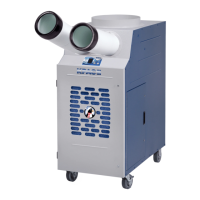
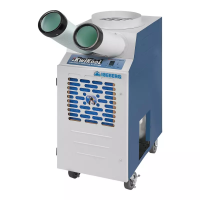
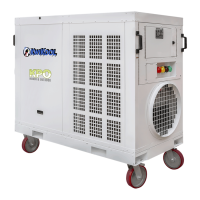
The KwiKool KPAC-II Series Portable Air Conditioner is designed to effectively remove heated air from a specific area, providing cooling and air circulation. These units are available in three models with capacities of 1.1 ton, 1.5 ton, and 2 tons, making them suitable for various cooling needs, including supplemental conditioning, process conditioning, and comfort conditioning.
Function Description
The primary function of the KPAC-II series is to cool a designated space by drawing in warm air, processing it, and then discharging cool air. The system utilizes flexible air chutes, which are standard equipment, to deliver cool air to the desired location. For exhausting hot air, an optional ceiling kit can be employed to direct the heated air up through a ceiling or into another space. This dual-duct approach ensures efficient cooling by preventing the re-circulation of hot exhaust air back into the conditioned area.
The unit's operation is managed by a microprocessor-based control panel, which allows users to select various modes and settings. When the unit is powered on, the display shows the current room temperature. Users can choose between "COOL" mode for active cooling with compressor operation or "FAN" mode for air circulation without engaging the compressor. The control panel also allows for the selection of temperature display units (Fahrenheit or Celsius) and adjustment of the desired set temperature using "Up" and "Down" selector buttons. The lowest adjustable set point temperature is 60 degrees F, and the highest is 95 degrees F.
Usage Features
The KPAC-II is designed for user-friendly operation with several built-in safeguards and convenient features.
Installation and Assembly:
- Air Chutes: Supply air flanges are installed on the front of the unit, above the control panel, using supplied fasteners. Air chutes are then attached to these collars with clamps.
- Condensate Tank: The unit includes an internal 2.5-gallon condensate tank. A float switch within the tank automatically shuts down the unit and triggers an audible alarm, displaying "CF" (Condensate Full) when the tank is full. This prevents accidental water overflow. To clear the alarm and resume operation, the tank must be removed, emptied, and re-installed. The process involves pulling back the float switch jack, pushing the bottle slightly downward to remove it, unscrewing the cap, emptying the water, re-securing the cap, and re-inserting the bottle, ensuring the drain pan nipple aligns with the angle connector. The float switch jack must be fully re-inserted for the alarm to clear.
- Ceiling Kit (Optional): For applications where hot air needs to be exhausted through a ceiling or to another space, a single-duct ceiling kit can be used. The flange included with the kit is mounted to the top of the system, and ducts connect the condenser discharge air flange to the ceiling panel. A 24"x24" space is typically opened in a drop ceiling grid for the replacement panel with the duct attached. It is crucial that the area where the discharge air is directed is well-vented or large enough to absorb the heat load without pressurizing the conditioned space. The KPAC-II requires fresh make-up air for the condenser to operate.
- Power Connection: The unit comes with an 8-foot power cable. It is essential to verify that the source power, phase, and breaker size are compatible with the unit's serial plate information and that the electrical circuit is dedicated. Extension power cables, if used, should not exceed 25 feet and must be appropriately rated. Cutting the factory-installed power plug will void the warranty.
Operational Safeguards:
- Compressor Time Delay: A 2.5-minute time delay protects the compressor from damage by allowing pressures in the mechanical system to equalize before starting. This delay activates when the unit cycles off, is turned off, loses and regains power, or changes operational mode. A flashing "C" or "F" on the display indicates this delay.
- High-Pressure Switch and Alarm: To prevent damage from excessive system pressure, the unit automatically shuts down, sounds an audible alarm, and displays a fault code "AL". The high-pressure switch, labeled "HP Reset" on the condenser inlet, is a manual reset type and must be pressed after the condition causing the trip is corrected.
- Automatic Restart: In the event of a power loss, the KPAC-II automatically resumes operation with all previous settings preserved in the microprocessor board's memory.
- Service Ports: Located in the filter access compartment, these ports allow service personnel to connect gauges to monitor the refrigeration system's operating pressures.
Application Requirements:
- Air Temperature: The unit is designed to operate with condenser make-up air temperatures between 60 and 110 degrees F. Operating above 110 F may cause the high-pressure switch to trip and diminish performance. Operating below 60 F can cause freezing and reduced performance, potentially voiding the warranty unless low-ambient temperature controls are specially ordered.
- Positioning: The KPAC-II should not be placed in direct sunlight. It should be positioned to focus cool air as close as possible to heat-generating equipment, with the front grill fully exposed to ensure unrestricted airflow. The rear of the unit, where the condenser make-up air inlet is located, requires at least 5 to 6 inches of space from any wall or fixed object to prevent decreased performance or high-pressure safety trips.
Maintenance Features
Regular maintenance is crucial for the optimal performance and longevity of the KPAC-II unit.
- Air Filters: The unit is equipped with disposable filters on the evaporator inlet to prevent dust and debris from entering the system and circulating in the conditioned space. These filters must be periodically checked and replaced based on the air quality of the conditioned environment. Failure to maintain the filters can restrict airflow and lower overall unit performance. The air filter is located on the front of the unit, below the control panel, and can be accessed by releasing two slotted fasteners on the access door.
Troubleshooting Guide:
The KPAC-II system includes a self-diagnostic system that provides fault codes and an audible alarm to indicate problems.
- CF (Condensate Tank Full): Indicates a full condensate tank or an improperly installed float switch jack. The solution involves emptying the tank, ensuring the float switch jack is fully inserted, and allowing the system to reset automatically.
- AL (High Pressure Switch Tripped): Typically caused by reduced condenser airflow. Solutions include checking for restricted ducting, verifying condenser air system ventilation, and ensuring condenser motors/blowers are operating correctly. The HP Reset button must be manually pressed to reset the switch.
- FP (Freeze Protection - Optional): Indicates freezing on the evaporator coil if a factory-installed freeze sensor is present. The solution involves checking for freezing, turning off the system to allow it to thaw, and contacting support if the unit is not equipped with a freeze sensor.
- System in Time Out (Flashing F or C): The unit is waiting for the 2.5-minute time delay to elapse.
- Control Set Above Room Temperature: The unit will not cool if the set point is higher than the current room temperature.
- Voltage Drop: If the microprocessor board detects voltage drop, it may reset the time delay. Solutions include confirming source power integrity, checking wire size and extension cable length, and ensuring the circuit is dedicated to the unit.
- No Power/Blank Control: Check the source power breaker and incoming power to the contactor.
- Display Shows "32" and No Cooling: Indicates no connection or malfunction of the temperature sensor.
- Limited Airflow/Water Dripping (from front): Suggests blocked or restricted supply/return air, or a freezing evaporator coil. Solutions include checking ducting, removing/adding ducts, checking air filters, directing return air to the highest heat load, and replacing filters.
- Evaporator Coil Freezing: Caused by low/restricted airflow, undersized capacity, continuous operation, inability to achieve set point, low return air temperature, or mechanical malfunction. Solutions include checking airflow, replacing filters, adjusting the set point, adding another unit, or installing service gauges.
- Chatter/Hum from Control Box: Indicates poor quality incoming power or a faulty low voltage component. Check incoming voltage and remove excess or undersized power cables.
- "99" Flashing: Ambient room temperature is over 99 degrees F. The unit is working properly; lowering the room temperature will stop the flashing.
- "59" or Lower Temperature Flashing: Ambient room temperature is less than 60 degrees F, indicating the unit has reached its operating limits (65-105 degrees F).
The KwiKool KPAC-II series provides a robust and reliable solution for portable cooling, incorporating essential features for both effective operation and ease of maintenance, while also prioritizing safety through its integrated safeguard systems.


 To Next Page
 General