EasyManua.ls Logo

KwiKool KPO Series - User Manual

KwiKool KPO Series
24 pages
Print Icon
To Next Page IconTo Next Page
Loading...
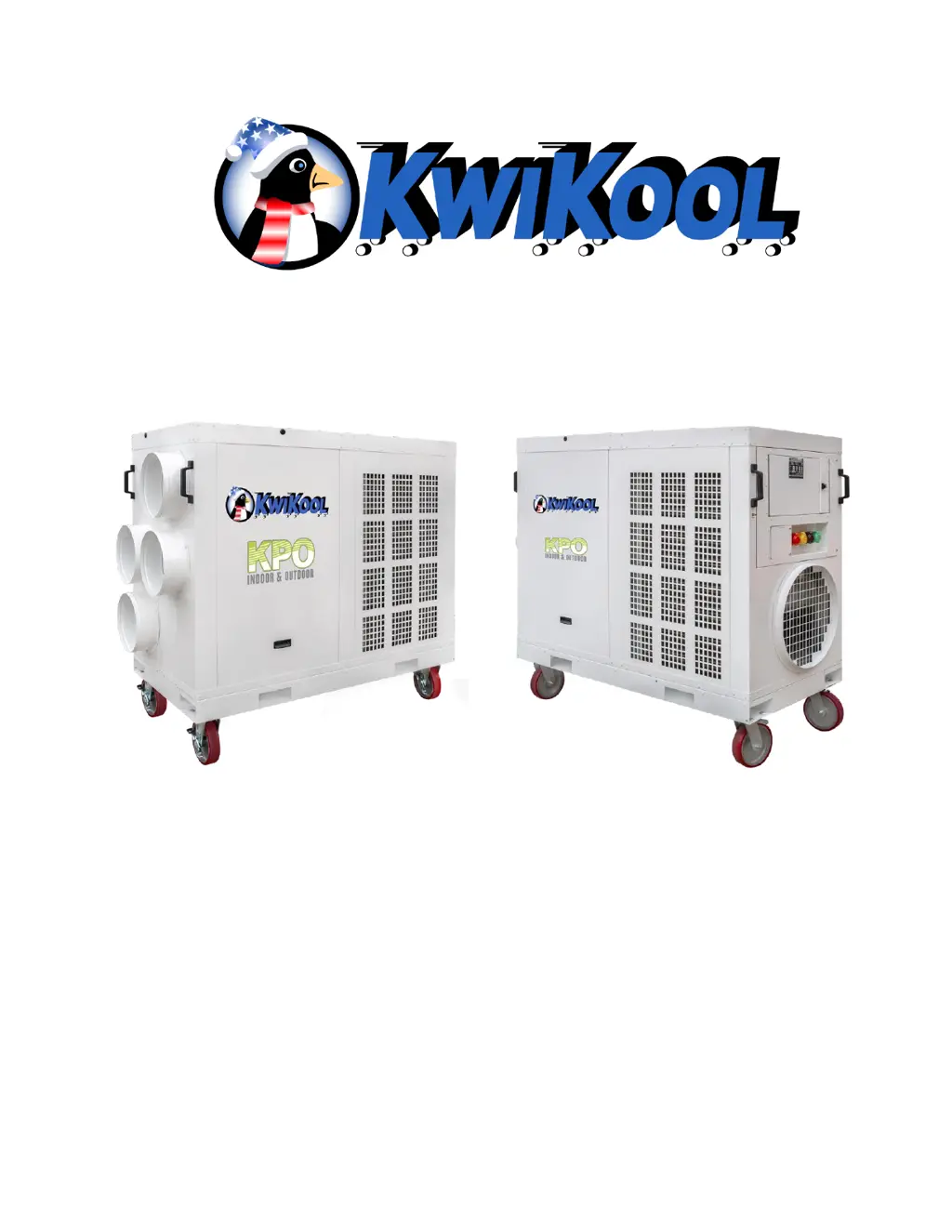
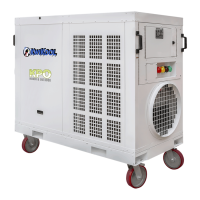
KPO PORTABLE AIR CONDITIONERS KWIKOOL
1
KWIKOOL SERIES KPOX-XX
PORTABLE AIR CONDITIONER
OPERATION MANUAL

Questions and Answers

  • C
    Connie KentAug 18, 2025
    How to fix limited cool airflow and water dripping from KwiKool KPO?
    • K
      Kathy MartinezAug 18, 2025
      If you're experiencing limited cool airflow and water dripping from the front of your KwiKool Air Conditioner, it's likely due to the supply or return duct being collapsed, blocked, or not installed correctly. It may also be that the filters need replacement, or the evaporator coil is freezing. To resolve this: * Verify that the supply and return ducts are installed according to specifications. * Remove or add duct as needed. * Check the air filter for blockage. Restart the system once it has thawed.
  • A
    Amanda CrawfordAug 21, 2025
    How to fix KwiKool Air Conditioner if red alarm light and audible alarm fails to clear on start up and displays “Front Fault Reversal”?
    • K
      Kristin LarsonAug 21, 2025
      If your KwiKool Air Conditioner shows a red alarm light and audible alarm, and the Phase/Power Monitor displays “Front Fault Reversal” on start-up, it means the Phase/Power Monitor has detected a phasing issue on the 3-phase system or improper incoming power. To solve this, turn OFF the power, then swap any line voltage wire with one of the other two. Reapply power and verify the incoming power.
  • K
    Kimberly JonesAug 25, 2025
    What to do if KwiKool KPO starts but isn't cooling?
    • V
      Victoria RoseAug 26, 2025
      If your KwiKool Air Conditioner starts up but isn't cooling, it might be in time-out mode, the control could be set above room temperature, or the control is adjusted out of operating parameters. Wait 3 minutes and set up control.
  • T
    Tammy WilliamsAug 27, 2025
    Why does my KwiKool KPO Air Conditioner show 'Front Over Voltage' and a red alarm?
    • R
      ryan76Aug 27, 2025
      If your KwiKool Air Conditioner displays a red alarm light and audible alarm, along with a “Front Over Voltage” message on the Phase/Power Monitor during start-up, it indicates that the Phase/Power Monitor is detecting voltage higher than the factory setting. Check the system for the cause of the over voltage and increase the percentage of the over voltage setting if necessary.
  • R
    Raven SteeleAug 30, 2025
    Why does my KwiKool Air Conditioner show 'Front Under Voltage' and a red alarm?
    • S
      Stephanie WilsonAug 30, 2025
      If your KwiKool Air Conditioner displays a red alarm light and audible alarm, along with a “Front Under Voltage” message on the Phase/Power Monitor during start-up, it means the Phase Monitor is detecting voltage lower than the factory setting. You should check the system for the cause of the under voltage and increase the percentage of the under voltage setting if necessary.
  • M
    Michelle CrossSep 2, 2025
    What to do if KwiKool KPO power is on but the control is blank?
    • M
      Manuel ShermanSep 2, 2025
      If your KwiKool Air Conditioner has power but the control is blank, the low voltage circuit is not engaged. For 12-ton models, turn on the built-in breaker. For all models, verify incoming power to the contactor and reset the switch on the low voltage transformer.
  • G
    Gregory RossSep 5, 2025
    What does it mean when the KPO red fault light is on and Phase Monitor displays lock out “Back Fault” on KwiKool KPO?
    • J
      Jason BakerSep 6, 2025
      If the KPO red fault light on the control panel is on and the Phase Monitor displays a lockout with “Back Fault” and 2 red lights on your KwiKool Air Conditioner, it signifies that a fault has been detected from one of the unit’s motors. You should inspect the motor components for faulty or loose connections.
  • G
    Gregory BarronSep 9, 2025
    What to do if the condensate is not pumping in my KwiKool KPO Air Conditioner?
    • T
      Troy LoveSep 9, 2025
      If the condensate is not pumping in your KwiKool Air Conditioner, it could be that the water level is below the pumping level. Allow the reservoir to fill and check for any crimping in the line.
  • A
    Anne WilliamsSep 12, 2025
    Why is there a chatter or hum from the KwiKool Air Conditioner control box?
    • M
      Monica EdwardsSep 12, 2025
      A chatter or hum from the control box of your KwiKool Air Conditioner while it's operating suggests that the incoming source power is poor, or a low voltage component is faulty. Check for proper voltage switch selection on 208/230 volt units and correct incoming power.
  • D
    Deanna DillonNov 14, 2025
    What to do if KwiKool Air Conditioner sounds an audible alarm?
    • A
      andreaedwardsNov 15, 2025
      If your KwiKool Air Conditioner sounds an audible alarm, it indicates a mechanical system issue. This could be due to: * High water level in the condensate pump: Inspect the condensate pump for overflow and proper operation. Check the condensate line for clogs or crimping. This resets automatically upon correction. * High pressure: Correct airflow issues in or out of the condenser. Inspect or replace condenser drive belts. Check the condenser motor for proper operation and the condenser drive (VFD) for trips; reset if needed. The high-pressure switch requires manual reset and is located in the service compartment on the compressor discharge line. * Low pressure: Install service gauges to view pressure readings below 20 PSI. Check for icing on the evaporator coil or low return air t...

Summary

Unit Components Overview

KPO5 Model Specifications

Detailed specifications and diagram for the KPO5 portable air conditioner model.

KPO12 Model Specifications

Detailed specifications and diagram for the KPO12 portable air conditioner model.

KPO25 Model Specifications

Detailed specifications and diagram for the KPO25 portable air conditioner model.

Installation and Assembly Guide

Site Preparation and Preview

Guidelines for selecting and preparing the installation site for optimal unit performance.

Step-by-Step Installation Procedure

Instructions for physically installing the KwiKool portable air conditioner unit.

Electrical Power Connection

Procedures and requirements for safely connecting the unit to the power supply.

Condensate Line Setup

Instructions on how to properly connect the condensate water discharge line.

Ducting for Air Supply and Return

Guidance on installing flexible ducts for conditioned air supply and return.

Operational Safety Safeguards

Critical Safety Warnings and Precautions

Essential warnings and safety precautions to prevent hazards during operation and handling.

Unit Operation Procedures

System Startup and Initialization

Steps to safely power on and initialize the KwiKool unit for operation.

Control Panel Button Functions

Explanation of the functionality of each button on the unit's control panel.

Understanding Operating Modes

Details on how to select and operate the unit in different modes (Cool, Heat, Fan).

Built-in Safety Features

Compressor Protection Mechanisms

Details on the compressor time delay and its protective function.

High-Pressure Safety Switch

Functionality and reset procedure for the high-pressure safety switch.

Low-Pressure Safety Switch

Functionality and reset procedure for the low-pressure safety switch.

Service Port Locations

Identification of service ports for pressure monitoring and diagnostics.

Sight Glass Inspection

Purpose and use of the sight glass for visual refrigerant status checks.

Automatic Restart Functionality

How the unit automatically restarts after power interruptions.

Condensate Pump High-Level Alarm

Operation of the condensate pump and its high-level alarm system.

Power and Phase Monitoring System

Explanation of the power/phase monitor and its fault indications.

Variable Frequency Drive (VFD)

Role of the VFD in optimizing condenser fan operation in COOL mode.

Application and Environmental Requirements

Cooling Mode Temperature Limits

Recommended ambient temperature ranges for effective cooling operation.

Capacity and Setpoint Adjustments

Guidelines for matching unit capacity to heat loads and setting temperatures.

Optimal Unit Placement

Recommendations for positioning the unit for efficient operation and condensate flow.

Routine Maintenance Procedures

Air Filter Maintenance

Instructions for checking, cleaning, and replacing air filters for optimal airflow.

Condenser Drive Belt Care

Guidance on inspecting, adjusting, and replacing condenser drive belts.

Utilizing the KwiKool KPO System

Technician and Staff Settings

Technician Parameter Configuration

List and explanation of parameters accessible via technician settings.

User Parameter Settings

User Parameter Configuration List

List and explanation of parameters adjustable by the user.

Alarm Codes Reference

KPO System Alarm Codes

A comprehensive list of alarm codes and their potential meanings.

KPO Troubleshooting Guide

Troubleshooting Common Faults

A table detailing common faults, causes, and solutions for KPO units.

KwiKool KPO Series Specifications

General IconGeneral
Operating Temperature Range64°F - 113°F
RefrigerantR-410A
Control TypeDigital Thermostat
PortabilityPortable
Power SupplyCorded Electric
Power ConsumptionVaries by model, refer to specific model specifications
EER (Energy Efficiency Ratio)Varies by model, refer to specific model specifications
Operating Temperature64°F - 113°F
Noise LevelVaries by model, refer to specific model specifications
Dimensions (W x H x D)Varies by model, refer to specific model specifications
WeightVaries by model, refer to specific model specifications

Related product manuals