Need help?
Do you have a question about the KWorld TV Box 1920EX and is the answer not in the manual?
Lists the advanced features and capabilities of the device.
Lists all the items included in the product package.
Details the technical specifications of the device.
Illustrates the remote control and describes each button's function.
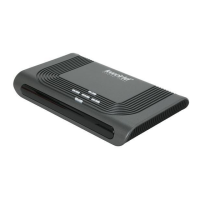
Shows the physical product and describes its front panel.
Describes the ports and connectors on the rear panel of the device.
Provides a diagram illustrating how to connect the device.
Explains initial setup and channel searching for Digital TV.
Covers power, volume, and channel changing operations.
How to display current program information.
How to switch program language and audio tracks.
Explains how to use the Electronic Program Guide (EPG).
Instructions for using the Teletext service.
How to enable and select subtitles.
Explains the main menu structure and its options.
Details the Picture menu settings like brightness and contrast.
Covers function menu options like input source and output format.
How to select the input source for the device.
How to set the output format (resolution/refresh rate).
Settings for audio effects and surround sound.
How to set up parental controls and password.
How to restore the device to factory default settings.
Accessing tuning options like installation and channel manager.
Steps for installing channels via area or manual search.
How to select an area for channel scanning.
Performing manual channel scanning by configuring parameters.
Performing automatic channel scanning with user customization.
Managing channels, including deleting, marking favorites, locking.
Organizing channels by favorite, skip, lock, or delete status.
Sorting channels based on various criteria like FTA, alphabetic order.
Grouping channels by categories like Movies, Music, Kids.
Operations for adding, deleting, and renaming channels.
Deleting all TV or Radio channels from the device.
Setting the current time, auto-off, and auto-on timers.
Customizing OSD style, language, and position.
Connecting USB devices for media playback.
Playing movie files from a USB device.
Playing music files from a USB device.
Viewing photo files from a USB device.
Steps to install and scan channels for Analog TV upon first use.
Guides on operating Analog TV features like picture and function settings.
Adjusting picture settings like contrast, brightness, and sharpness.
Managing input sources and screen settings for Analog TV.
Setting display output mode, resolution, and aspect ratio.
Accessing accessory features like calendar, calculator, and game info.
Tuning options for channel number and channel skip.
Selecting TV region and performing auto, manual, or fine tuning.
Setting up the timer for auto-on and auto-off functions.
Customizing OSD language, style, and position for Analog TV.
Steps for searching CATV or antenna TV programs.
How to use the Picture-in-Picture (PIP) function while in PC mode.
Instructions for playing the built-in Digital TV games like Box Man.
How to start and play games on Analog TV.
Lists common failures and their solutions for the TV functionality.
Lists common failures and solutions specific to the PIP function.
Specifies PC display modes compatible with the PIP function.

 To Next Page
 General