EasyManua.ls Logo

Kyocera S2150 - User Manual

Kyocera S2150
23 pages
Print Icon
To Next Page IconTo Next Page
Loading...
Get Started for the
KYOCERA Kona
Get Started 2
Important Safety Information 10
Manufacturer’s Warranty 19
End User License Agreement 21
© 2012 Kyocera Corporation. All rights reserved. All other trademarks are the property of their respective owners. KYOCERA is a
registered trademark of Kyocera Corporation.
This product contains NetFront Browser of ACCESS CO., LTD. ACCESS and NetFront are trademarks or registered trademarks of
ACCESS CO., LTD. in Japan and other countries. This software is based in part on the work of the Independent JPEG Group.
T9
®
is a registered trademark of Nuance Communications, Inc. and its affiliates in the United States and other countries. Copyright
© 2012 Nuance Communications, Inc. All rights reserved.
The
Bluetooth
®
word mark and logos are registered trademarks owned by Bluetooth SIG, Inc. and any use of such marks by Kyocera
Corporation is under license. Other trademarks and trade names are those of their respective owners.
Question and Answer IconNeed help?

Do you have a question about the Kyocera S2150 and is the answer not in the manual?

Summary

Get Started Guide

Your KYOCERA Kona Overview

Provides an overview of the KYOCERA Kona phone features and layout.

Get Your Phone Ready for Use

Guides users through initial phone setup, including battery installation and charging.

Navigating Your Phones Main Menu

Details the structure and options available in the phone's main menu.

Using Your Phone Features

Explains how to use basic and advanced phone features like calls and voicemail.

Customer Support Resources

Lists resources for obtaining customer support and assistance.

Important Usage Notes

Contains important notes and disclaimers regarding phone usage and services.

Important Safety Information

General Safety Precautions

Outlines general guidelines for safe phone operation and maintenance.

Safe Use and Access Guidelines

Covers critical safety aspects like emergency calls, driving, and hazardous area usage.

Hearing Aid Compatibility

Provides information on hearing aid compatibility and potential interference issues.

Battery Care and Charging

Offers guidelines for proper battery care, charging, and disposal.

Radio Frequency (RF) Energy Explained

Explains RF energy, safety standards, and SAR values for phone usage.

Owners Record Section

Section for recording phone model and serial number for service purposes.

Manufacturers Limited Warranty

End User License Agreement

Summary

Get Started Guide

Your KYOCERA Kona Overview

Provides an overview of the KYOCERA Kona phone features and layout.

Get Your Phone Ready for Use

Guides users through initial phone setup, including battery installation and charging.

Navigating Your Phones Main Menu

Details the structure and options available in the phone's main menu.

Using Your Phone Features

Explains how to use basic and advanced phone features like calls and voicemail.

Customer Support Resources

Lists resources for obtaining customer support and assistance.

Important Usage Notes

Contains important notes and disclaimers regarding phone usage and services.

Important Safety Information

General Safety Precautions

Outlines general guidelines for safe phone operation and maintenance.

Safe Use and Access Guidelines

Covers critical safety aspects like emergency calls, driving, and hazardous area usage.

Hearing Aid Compatibility

Provides information on hearing aid compatibility and potential interference issues.

Battery Care and Charging

Offers guidelines for proper battery care, charging, and disposal.

Radio Frequency (RF) Energy Explained

Explains RF energy, safety standards, and SAR values for phone usage.

Owners Record Section

Section for recording phone model and serial number for service purposes.

Manufacturers Limited Warranty

End User License Agreement

Overview

This document describes the Kyocera Kona (S2150), a mobile phone designed for basic communication and some advanced features, with a focus on safety and regulatory compliance.

Function Description:

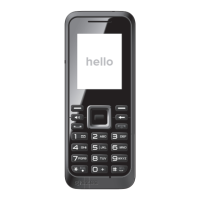
The Kyocera Kona is a flip-style mobile phone primarily designed for making and receiving phone calls, sending and receiving text (SMS) and picture (MMS) messages, and accessing voicemail. It also includes features such as a web browser, contacts list, calendar, games and applications, GPS navigation, media gallery (for photos), Bluetooth connectivity, and various tools like an alarm, calculator, stopwatch, and world clock. Voice services, including voice recognition and voice memo, are also supported. The phone operates using radio signals and is capable of determining its geographical location.

Important Technical Specifications:

  • Model: Kona (S2150)
  • SAR Values:
    • Cellular CDMA mode (Part 22): Head: 0.59 W/kg; Body-worn: 1.26 W/kg
    • PCS mode (Part 24): Head: 0.18 W/kg; Body-worn: 0.68 W/kg
    • AWS mode (Part 27): Head: 0.61 W/kg; Body-worn: 1.05 W/kg
  • FCC ID: V65S2150
  • RF Power Output: Ranges from 0.006 watt to 0.2 watt in digital mode.
  • Hearing Aid Compatibility (HAC) Rating: M4 and T4. This indicates good compatibility with hearing aids, with M4 being better for acoustic coupling and T4 for telecoil coupling.
  • Battery Type: Lithium Ion (Li-Ion)
  • Charging Temperature Range: 32° F to 113° F (0° C to 45° C)
  • Storage Temperature Range:
    • Less than one month: -4° F to 140° F (-20° C to 60° C)
    • More than one month: -4° F to 113° F (-20° C to 45° C)

Usage Features:

  • Navigation: The phone features a navigation key for scrolling through menus and selecting options. Numbered options can be selected directly using the keypad. The "BACK" key returns to the previous menu, and the "End/Power" key returns to standby mode.
  • Phone Calls:
    • Making Calls: Enter a number from standby mode and press the "Talk" key. The "BACK" key erases incorrect digits.
    • Answering Calls: Press the "Talk" key when the phone rings or vibrates.
    • Rejecting Calls: Press the "End/Power" key to send a call to voicemail.
    • Ending Calls: Press the "End/Power" key.
  • Voicemail:
    • Setup: Press and hold "1" from standby mode. Follow voice prompts to create a password and record a greeting. A voicemail password is strongly recommended for security.
    • Retrieval (from wireless phone): Press and hold "1" from standby mode, or navigate via OK > Messages > Voicemail.
    • Retrieval (from other phone): Dial your wireless number, press "*" when voicemail answers, and enter your password.
  • Contacts:
    • Viewing: Press "CONTACTS" (right softkey) from standby mode and scroll through the list.
    • Adding: Press "CONTACTS" > Add New... > New Contact. Enter name, press navigation key down, enter number, highlight number type (Mobile, Home, Work, Pager, Fax, or Other), and press "DONE" (left softkey).
    • Editing: Press "CONTACTS", highlight entry, press "OPTIONS" (right softkey) > Edit Contact. Highlight information to edit, make changes, and press "DONE".
    • Deleting: Press "CONTACTS", highlight entry, press "OPTIONS" > Delete Contact, then "DELETE" (left softkey).
  • Messaging (SMS & MMS):
    • Sending Text Message (SMS): Press OK > Messages > Send Message. Select recipient(s) from contacts, multiple recipients, or enter a new address. Enter message using keypad or "OPTIONS" for additional options, then "SEND" (left softkey).
    • Sending Picture Message (MMS): Follow SMS steps 1-3. Select and choose Picture (Take New Picture or My Photos) or Audio (Record New Audio or Recorded Data). Press "NEXT" (left softkey) and then "SEND" (left softkey).
    • Accessing Messages: When a message is received, a notification appears. Use the navigation key or "View" to open.
    • Replying to Messages: While a message is displayed, press "REPLY" (left softkey), compose reply, and "SEND" (left softkey).
  • Camera:
    • Taking Pictures: Press and hold the camera key to activate. Aim the lens, then press OK or "CAPTURE" (left softkey). Pictures are saved to My Photos. Press "CAMERA" or the camera key to take another picture.
    • Camera Options: Press "OPTIONS" (right softkey) for: Send Message, Assign (picture), Delete, Print (PictBridge or Bluetooth-enabled printer), Review Media, and Details/Edit.
  • Bluetooth:
    • Turn On/Off: Press OK > Bluetooth > On/Off. Press "ON" (left softkey) or "OFF" (left softkey).
    • Pairing Devices: Press OK > Bluetooth > Add New. Select device, press OK, enter passkey, press OK. (Optional) Edit device name and "SAVE" (left softkey). Note that compatibility and functionality may vary between devices.
  • Location Information: The phone can determine its geographical location. Privacy settings for location information can be managed via OK > Settings > Others > Location.
  • Software Updates: Kyocera reserves the right to modify software and terms of use. Users should ensure software is updated to the current version.

Maintenance Features:

  • Battery Installation: Hook fingernail into the slot at the bottom of the battery cover, lift off. Insert battery contacts first, press into place. Replace cover, ensuring tabs are seated.
  • Battery Charging: Plug the micro-USB cable's smaller end into the phone's charger/accessory jack. Plug the other end of the USB cable into the charger, then plug the charger into an electrical outlet.
  • Battery Care:
    • Use only manufacturer-approved batteries and accessories.
    • Do not disassemble, open, crush, bend, deform, puncture, shred, modify, remanufacture, immerse in liquid, or expose to fire/explosion.
    • Avoid dropping the phone or battery. If dropped and damage is suspected, take it to a service center.
    • Do not short-circuit or allow metallic objects to contact battery terminals.
    • Keep metal contacts on the battery clean.
    • Supervise battery usage by children.
    • Charge only within 32° F to 113° F (0° C to 45° C).
    • Avoid charging in direct sunlight or high humidity.
    • Replace battery when it no longer provides acceptable performance.
  • Battery Storage:
    • Avoid storing in high temperatures for long periods.
    • Less than one month: -4° F to 140° F (-20° C to 60° C)
    • More than one month: -4° F to 113° F (-20° C to 45° C)
  • Battery Disposal: Dispose of used Li-Ion batteries promptly according to local regulations. Never incinerate. Do not handle damaged/leaking batteries. Contact an authorized service center for safe disposal options.
  • General Phone Care:
    • Avoid touching the bottom portion of the phone (internal antenna area) during use for maximum performance.
    • Speak directly into the mouthpiece.
    • Avoid exposing the phone and accessories to rain or liquid spills. If wet, immediately turn off power and remove the battery.
    • Do not expose to direct sunlight for extended periods.
    • Avoid dropping, hitting, bending, or sitting on the phone.
    • Do not make unauthorized changes or modifications to the phone, as this voids the warranty and authority to operate.
    • Only Kyocera-authorized personnel should service the phone and accessories.
  • Hearing Aid Device Experience:
    • Set display and keypad backlight settings to minimum time interval (OK > Settings > Display > Main Screen or Outer Screen > Backlight > Backlight Dim or Backlight Off).
    • Position the phone so the internal antenna is farthest from the hearing aid.
    • Move the phone around to find the point with least interference.

Kyocera S2150 Specifications

General IconGeneral
BrandKyocera
ModelS2150
CategoryCell Phone
LanguageEnglish

Related product manuals