
 Need help?
Do you have a question about the L-3 Communications Office STE and is the answer not in the manual?
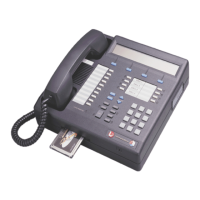
Describes the components of the STE desk set, including the STE and the Wedge.
Outlines essential safety precautions for using the STE terminal.
Details the requirements for unpacking and inspecting STE shipping containers and contents.
Lists essential requirements and considerations before installing the STE.
Covers the pre-installation requirements and configuration steps for ISDN service.
Details the pre-installation requirements and configuration steps for PSTN service.
Provides an overview of the Office and Tactical STE desk set, detailing front panel components.
Explains the alphanumeric display's rows and its use for menu selections and entries.
Details the function of control keys, indicators, and soft keys for STE operation.
Defines the two classes of STE operators: Terminal Privilege Authority (TPA) and User.
Describes the types and functions of FORTEZZA PLUS KRYPTON™ ENHANCED CRYPTOCARD.
Covers TPA exclusive parameter settings for terminal privileges and software updates.
Explains how to access and configure user settings within the STE's menu hierarchy.
Describes how users can view STE configurations set by the TPA.
Provides access to menus for crypto card management, including rekeying and zeroizing.
Details functions for updating rekey phone numbers and performing rekey operations.
Enables removal of specific keys from the STE/Crypto Card.
Covers STE call modes (Non-secure Voice, Secure Voice) and general call procedures.
Provides procedures for initiating and answering PSTN voice calls.
Details procedures for initiating and answering ISDN voice calls, including secure modes.
Covers procedures for initiating and answering BDI voice calls.
Provides an overview of controlling the STE from a DTE via the Red Serial Data Port.
Details feature settings required for enabling and configuring Remote Control operations.
Describes the STE's states and capabilities when operating in Remote Control mode.
Describes the new features available with the STE-8510 switch type setting.
Details how to perform non-secure calling using the STE-8510 switch setting.
Explains how to place and receive secure voice and data calls on a 5ESS switch with STE-8510.
Details placing and receiving secure voice and data calls on a DEFINITY switch with STE-8510.
Provides instructions for configuring the STE to work as an 8510-type terminal.
Explains how to make ACL changes from a computer connected to the STE host port.
Details the STE Toolset Program, its general information, and computer requirements.
States that all STE maintenance must be performed by trained technicians.
Explains how to initiate terminal self-test and software verification.
Lists possible terminal failures and their corresponding STE display messages.
Details the STE warranty terms, limitations, and return/repair procedures.
Provides FCC compliance information, including rules and prohibited locations.
 General
| Brand | L-3 Communications |
|---|---|
| Model | Office STE |
| Category | Telephone |
| Language | English |

 To Next Page
