STEP 2. MOUNTING HARDWARE INSTALLATION
First, remove the jack from the L-bracket by unscrewing the
end cap. Next, unscrew the L-bracket from the mounting
plate by using the hex key.
NOTE: The screws are attached to the L-bracket with E-clips,
therefore you will need to loosen each screw a little at a
time so they remain aligned with the threaded holes in the
mounting plate.
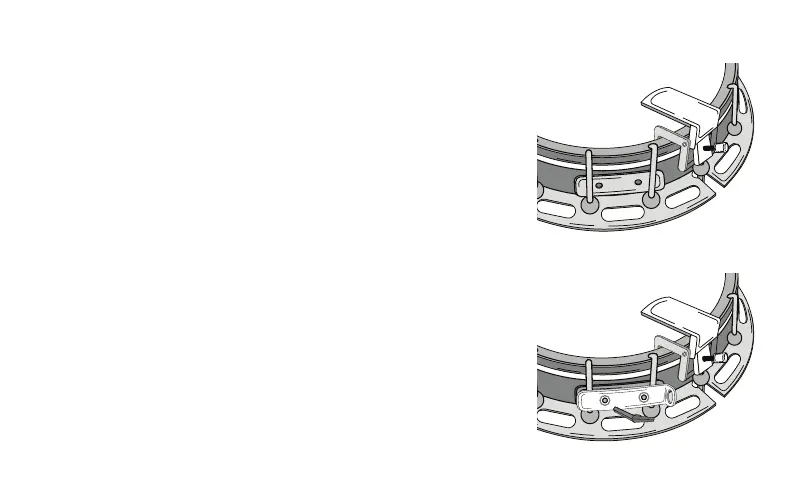
With the banjo on its back, place the mounting plate behind
two of the tensioning rods with the threaded holes between
the rods (see gure 2).
We recommend mounting on the left side of the tailpiece.
Hold the L-bracket up to the mounting plate and secure in
place with the hex screws (see gure 3). Once again, adjust
each screw a little at a time until the bracket is set in place.
g. 2
g. 3


 To Next Page
 Loading...