2.6.5
◼ Music: This mobile phone provides MP3 player,user can play MP3 you want;
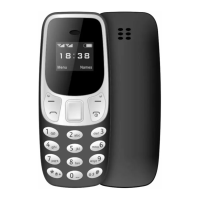
Navigation Button Definitions
---Play and pause press the number 5 key
--- 4 and 6 up and down first switch\
----Volume adjustment * and #
2.6.6
◼ Recorder:Use this function you can record or listen to your own record. The record file
format: wav.
Press left soft key and select “record”. You can also do the following.
――Start to record: Select “record” and continue the following steps;
――Records file list: Select “records list”.
Enter “record” interface, move the cursor to the record icon and press OK key to record.
During the process, press left soft key can make a pause, press it again will continue the record.
Press right soft key can stop and save the record. You can press left soft key again and do the
following.
――Audition: Audition the tape you just recorded.
――Record again
――Delete: Delete the tape you just recorded.
――Record file list: Enter the tapes list.
Prompt: Call record is saved in the tapes list.
2.6.7
◼ File manager
▪ This machine can quickly access and use all kinds of media resources. File management
enters the file management interface, which supports the following main functions.
1. set up the default folder structure tree, which is the default storage location for
other applications (such as recording, photography, video, etc.);
2. support new folder;
3. support basic file operations, such as searching, copying, deleting, renaming,
etc.;
4. support the operation of mobile phone or T_flash card, formatting and file
operation, etc.;
5. supports preview and editing of pictures.


 To Next Page
 Loading...