EasyManua.ls Logo

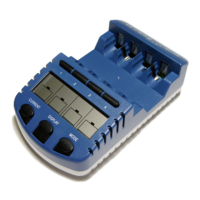
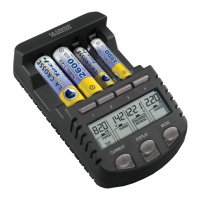
La Crosse Technology BC-1000U - User Manual

La Crosse Technology BC-1000U
48 pages
Print Icon
To Next Page IconTo Next Page
Loading...
Contents
Language
Page
English
1

Questions and Answers

  • C
    Christopher BryantJul 30, 2025
    How to store batteries for La Crosse Technology Battery Charger?
    • D
      David PriceJul 31, 2025
      Store your batteries between 40 and 80 degrees Fahrenheit. Avoid refrigeration. Batteries will self-discharge if they are left unused. After long storage, batteries that have been unused for 30-60 days may be completely depleted of power.
  • C
    Charles LarsenAug 4, 2025
    How should NiMh batteries be stored for La Crosse Technology Battery Charger?
    • M
      Michael SmithAug 4, 2025
      NiMh batteries should be stored fully charged and recharged every 30 days to maintain peak capacity. NiCd batteries should be stored fully discharged. Do not store batteries in the charger.
  • D
    Daryl WhiteheadAug 9, 2025
    Why do my new batteries not show full capacity in La Crosse Technology BC-1000U Battery Charger?
    • S
      Scott JohnsonAug 9, 2025
      New rechargeable batteries often don't show full capacity immediately due to storage and shipping. To reach their full capacity, they need to be used in a product under load, then charged, used again, and charged again. Repeat this process at least five times.
  • R
    Reginald DavidsonAug 14, 2025
    What to do if my La Crosse Technology Battery Charger reads “Null”?
    • H
      hornchristopherAug 14, 2025
      The La Crosse Technology Battery Charger requires a minimum voltage of 0.9V to charge a battery. If your battery's voltage is below this level, the charger will display “Null” and will not charge it. You can use a small charger/holder to bring the battery voltage back above 0.9V by attaching it for 20-30 seconds, after that you can charge the battery in our charger.
  • E
    Eric RussellAug 19, 2025
    Why does my La Crosse Technology BC-1000U display flash a number?
    • S
      Samantha MooreSep 12, 2025
      If the display of your La Crosse Technology Battery Charger is flashing a number, it could indicate a problem with the A/C cord. The station will flash when first plugged in, so the problem exists if it continues to flash.
  • D
    Deanna WhiteAug 25, 2025
    How to change modes on La Crosse Technology Battery Charger?
    • M
      Michelle WoodsAug 25, 2025
      To change modes on the La Crosse Technology Battery Charger, press and hold the MODE button for 5-10 seconds within 8 seconds of inserting a battery.

Summary

Cautions

Features

Function Keys

MODE Key

Key to toggle between Charge, Discharge, Test, and Refresh operating modes.

Operating Modes

Charge Mode

Start Charging

Discharge Mode

Refresh Mode

Test Mode

Display Mode Information

Care and Maintenance

Warranty Information

Quick Start Guide

Using Modes and Current Options

La Crosse Technology BC-1000U Specifications

General IconGeneral
Battery Types SupportedNiMH, NiCd
Battery SizesAA, AAA
Number of Charging Slots4
Charging Current (AA)1000mA
Charging Current (AAA)500mA
DisplayLCD
Smart ChargingYes
Power Consumption10W
Input Voltage100-240V AC, 50/60 Hz
FunctionsCharge, Discharge, Test
Discharging Current (AA)500mA
Discharging Current (AAA)250mA

Related product manuals