Quick Setup Manual - WS-2812-IT Professional Weather Station
Download product documentation and the free PC software at: www.lacrossetechnology.com/support
Carefully open the package and check that the following contents are complete:
Wind Sensor Rain Senso
Thermo-Hygro Sensor Wireless Display USB Transceive
Mast holder
Right angle adaptor
1 x U-bolts
2 Washers + 2 Nuts
Plastic Reset Rod
Base sensor,
funnel top cover
and battery cover
(pre-assembled)
Rain protection cover
Wall mount adapter
Mounting screws
Plastic anchors for screws
Foldable stand
USB wireless
interface for
PC
Wind Sensor also
Protected under U.S.
Patent: 6,761,065
All items, including Wind Sensor, are Protected under U.S. Patents:
5,978,738; 6,076,044; & 6,597,990
Setup:
IMPORTANT: Make sure to observe the correct polarity when inserting batteries. The "+" markings on the batteries must line
up with the diagrams inside the battery compartments. Inserting the batteries incorrectly may result in permanent
damage to the units. During the setup process, place the wireless display and the outdoor sensors on a surface with 3-10
feet between the sensors and the display. Only use Alkaline Batteries, rechargeable batteries may not work.
1. It is important to allow sufficient light to reach the solar panel while activating the wind
sensor. Make sure the lights are on in the setup room and the solar panel is facing a 60W
light bulb or brighter - do not cover with hands or other objects. Remove the black
protective foil on the solar panel and use the provided plastic reset rod to gently press the
reset button once in the hole on the bottom of the sensor.
2. Insert two "AA" size batteries into the rain sensor with the correct polarity.
3. Insert two "C" size batteries into the thermo-hygro sensor with the correct polarity. Allow
sensors to run for two minutes.
4. Insert three "C" size batteries into the wireless display with the correct polarity.
NOTE: Every time the wireless display receives data from the sensors, the wireless icons
will blink once and then return to solid if the last transmission was successful. A wind
speed or rainfall amount that reads "0" does not mean reception failure it means that there was no wind or rain at the
time of the last measurement. The thermo-hygro sensor syncs with the wind and rain sensors and sends all outdoor
sensor data to the display. The thermo-hygro sensor tries for 4 minutes to sync to the wind sensor and then 4 minutes
for the rain sensor. If not successful within 4 minutes, the thermo-hygro sensor will stop looking for the other sensors.
5. Setup troubleshooting: If the sensor data fails to display for any of the outdoor sensors within 10 minutes, (“- - -“ is
displayed), remove the batteries from all units for 1 minute and start the Setup procedure again at Step 1.
Mounting the sensors and placement of the wireless display:
IMPORTANT: Ensure that all of the sensor data can be received at the intended mounting locations before you drill mounting
holes. The outdoor sensors have a wireless range of 200 feet. Keep in mind that the 200 foot range equates to an open air
scenario with no obstructions. Each obstruction (roof, walls, floors, ceilings, etc.) will reduce the range.
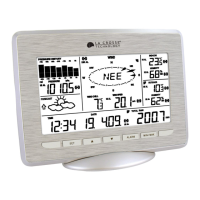
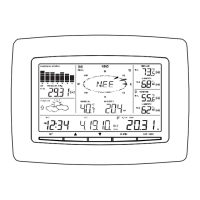
Outdoor Temperature
Outdoor Humidity
Rainfall Amount
Indoor Temperature
Indoor Humidity
Wind Direction
Wind Speed
Forecast Icon and Weather
Tendency Arrows
Wind Chill
Time and Date
Pressure Histor
Gra
h
Barometric Pressure
Press Reset Button on
Bottom of Wind Sensor
(Solar Panel Must Face
Light)

 Need help?
 General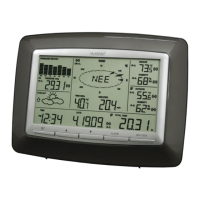






 To Next Page