
 Need help?
Do you have a question about the La Crosse 308-1425C and is the answer not in the manual?
Method for enabling or disabling specific temperature alerts.
Details on how alert sounds function and how to stop them.
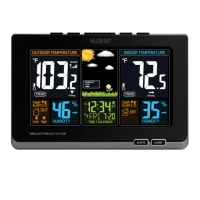
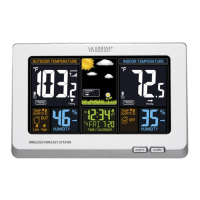
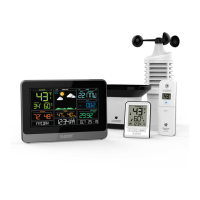
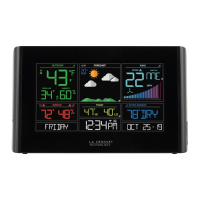
This document describes the La Crosse Technology Model 308-1425C Wireless Color Forecast Station, an advanced weather monitoring device designed to provide comprehensive environmental data and forecasting capabilities for your home. The system consists of a main forecast station and a remote outdoor sensor (TX141TH-Bv2), working together to deliver accurate temperature, humidity, and weather predictions.
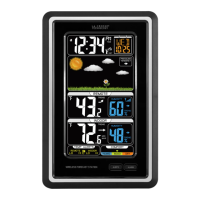
The forecast station serves as a central hub for displaying various environmental metrics. It features an animated color forecast display that uses changing atmospheric pressure to predict weather conditions for the next 12 hours with 70-75% accuracy. This "Intelligent Weather Forecast" system learns over time, requiring 7-10 days for barometric calibration to ensure a personalized and accurate forecast for your specific location. The station samples barometric pressure every twelve minutes, averaging these samples hourly and daily, and storing them in nonvolatile memory. The three-hour pressure icon change is based on the last four average hourly readings, indicating whether the weather is improving, steady, or worsening, rather than simply sunny or rainy.
Beyond forecasting, the device provides detailed temperature and humidity readings for both indoor and outdoor environments. It displays current remote temperature and humidity, along with trends, minimum/maximum values, heat index, and dew point. Similarly, indoor temperature and humidity are shown with trends and minimum/maximum values. An indoor comfort indicator, based on indoor humidity, visually represents the comfort level with five distinct indicators: Too Humid, Humid, Good, Dry, and Too Dry, each associated with a specific color and arrow.
The station also includes a WWVB radio-controlled time and calendar function, ensuring accurate timekeeping. It displays the day of the week, month, and date. A time alarm feature is integrated, allowing users to set and manage alarms, complete with a snooze function. Temperature alerts can be programmed for both high and low indoor and outdoor temperatures, providing audible warnings when thresholds are crossed.
Setting up the forecast station is straightforward. First, insert two new AA batteries into the TX141TH-Bv2 outdoor sensor, observing correct polarity. Next, plug the included 5.0-volt AC adapter into the forecast station. Optionally, three AAA batteries can be inserted into the forecast station for backup power. After a five-minute waiting period, place the outdoor sensor in a shaded location. The maximum transmission range for the sensor is 300 feet (91 meters). If the outdoor temperature area displays dashes after three minutes, hold the HEAT/DEW button on the weather station to search for the sensor, and press the TX button on the sensor to send a signal.
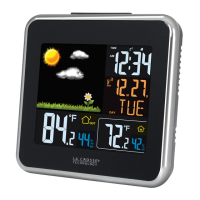
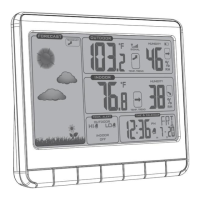
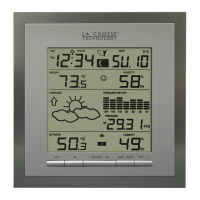
The LCD features a clear, organized layout. The top section displays WWVB time, alarm status, and calendar information. Below that, the animated color forecast icons and forecast tendency indicators are shown. The middle section is dedicated to remote temperature and humidity data, including trends, min/max values, heat index, and dew point. The bottom section presents indoor temperature and humidity, trends, min/max values, and the indoor comfort indicator. Temperature alerts for both remote and indoor environments are also displayed.
The device is operated using a set of intuitive buttons:
To set the time, date, and other preferences, hold the TIME SET button to enter the setting mode. Use the Up (▲) or Down (▼) buttons to adjust values and the TIME SET button to confirm and move to the next item. The setting order includes WWVB time signal (On/Off), Time Zone (7 options: AST, EST, CST, MST, PST, AKT, HAT), DST (Daylight Saving Time On/Off), 12/24 hour time format, Hour, Minutes, Year, Month, Date, and Fahrenheit/Celsius unit selection.
When powered by the AC adapter, the backlight offers constant illumination, and its brightness can be adjusted (HI/LOW/OFF) using the SNOOZE/LIGHT button. When operating on battery power only, pressing the SNOOZE/LIGHT button activates the backlight for 10 seconds.
The forecast station supports individual, programmable high and low temperature alerts for both indoor and outdoor environments. To set these alerts, hold the ALERT button for five seconds until the station beeps. Each alert value will flash separately, allowing adjustment with the Up (▲) or Down (▼) buttons and confirmation with the ALERT button. After setting values, press the ALERT button to toggle between Outdoor HI, Outdoor LO, Indoor HI, and Indoor LO. Use the Up (▲) button to arm a selected alert (a bell icon appears), and the Down (▼) button to disarm it (OFF appears in the Alerts area). When an alert sounds, the corresponding bell icon flashes, and the station beeps once every minute until the temperature moves out of the alert range. Pressing any button stops the audible alert, though the bell icon remains visible. To disarm an alert, select it using the ALERT button and then press the Down (▼) button.
The station automatically tracks and resets daily minimum and maximum temperatures at midnight (12:00 AM). To view minimum data, press the Down (▼) button. To clear minimum memory, hold the Down (▼) button for five seconds. Similarly, press the Up (▲) button to view maximum data, and hold it for five seconds to clear maximum memory.
The HEAT/DEW button allows you to toggle between Heat Index and Dew Point displays. Pressing it once shows the Heat Index, and pressing it twice shows the Dew Point. Each display lasts for 10 seconds before returning to the default temperature display if no further button presses occur. The Heat Index will match the temperature until the outdoor temperature exceeds 80°F (26.7°C). Dew Point is always lower than the actual temperature.
To set the time alarm, hold the ALARM button for five seconds. The hour digit will flash, allowing adjustment with the Up (▲) or Down (▼) buttons. Press ALARM again to set minutes. Confirm with ALARM to exit. A bell icon indicates an active alarm. When the alarm sounds, the bell icon flashes. To activate snooze for 10 minutes, press the SNOOZE/LIGHT button. The "Zz" icon will flash. To stop the alarm for one day while in snooze mode, press the ALARM button; the bell icon will remain solid. The alarm will automatically shut off after two minutes if no button is pressed. To deactivate the alarm completely, press ALARM once to show the alarm time, then press ALARM again; the bell icon will disappear.
The forecast station has a wide base for stable placement on a desk or table. For optimal WWVB reception, orient the station with its front or back facing Fort Collins, Colorado. It should be placed at least six feet away from other electronics like cordless phones, gaming systems, televisions, microwaves, and routers. Ensure it is within range of the outdoor sensor. The outdoor sensor should be mounted on a north-facing wall or in a well-shaded area, ideally under an eave or deck rail, to protect it from direct sunlight and ensure accurate readings.
Proper battery care is crucial for the longevity and performance of your device. Always use new batteries and ensure they are inserted with correct polarity (+ and -). Do not mix old and new batteries, nor different types (Alkaline, Standard, Lithium, or Rechargeable). Always purchase the correct size and grade of battery suitable for the intended use. Replace all batteries of a set at the same time. Clean the battery contacts on both the device and the batteries prior to installation. If the equipment will not be used for an extended period, remove the batteries to prevent leakage. Promptly remove expired batteries.
The device is designed for ease of use and durability. Regular cleaning with a soft, dry cloth is recommended to keep the display clear and the housing free of dust. Avoid using abrasive cleaners or solvents, as these can damage the plastic and electronic components. Protect the device from extreme temperatures, direct sunlight, and excessive moisture. The outdoor sensor is designed for outdoor use but should be placed in a shaded location to prevent direct sun exposure from affecting temperature readings.
 General
| Display Type | LCD |
|---|---|
| Indoor Temperature Range | 32°F to 122°F (0°C to 50°C) |
| Outdoor Temperature Range | -40°F to 140°F (-40°C to 60°C) |
| Indoor Humidity Range | 10% to 99% RH |
| Wireless Range | 330 feet (100 meters) |
| Time Display | 12/24 hour |
| Outdoor Humidity Range | 10% to 99% |
| Features | trend indicators |
| Power Requirements (Main Unit) | 3 AA batteries or AC adapter |
| Power Requirements (Sensor) | 2 AA batteries (not included) |


 To Next Page