(P/N)759.128 Rev D
EN
06/10
•
© copyright 2009-2010 Kaba Mas LLC
Page 2 of 4
Audit Records
• Lock records the last 512 events in non-volatile memory.
• Audit le cannot be deleted from the Lock.
• The Manager can audit the Lock.
• AuditGard auditing software and an Interface Adapter are
required to retrieve a Lock audit.
LOCK OPERATING CONVENTIONS
Without eKEY
• If a mistake is made while entering keystrokes, wait thirty (30)
seconds and repeat operation.
• To access lock commands, enter combination and hold down
the last digit until Lock double signals and the LED stays on.
• In Dual Mode, two combinations are required to operate
the Lock.
NOTE: In Dual Mode, a valid User combination must be entered
first, followed by the Manager combination to access the following
Manager Commands: 1, 2, 3, 7 and 9.
• Lock must be opened within 4 seconds once a valid
combination has been entered.
• To open a container with a Swing Bolt Lock, turn the container
handle to the open position and open the door.
• To open a container with a Dead or Spring Bolt Lock, turn the
keypad or dial to retract the bolt and open the door.
• When closing a container, verify that it has been secured.
With eKEY(Dual Token)
NOTE: Locks must be factory programmed with this feature
enabled. The eKEY is a 48-bit encrypted unique serial number
dual token device.
• To open the Lock, enter combination, insert and quickly
remove the eKEY. The lock will open after the eKEY
is removed.
• To access lock commands, enter combination and insert the
ekEY until Lock double signals and the LED stays on.
LOCK RESPONSES
Standard Operations
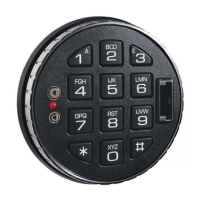
Entry Devices with LEDs (3125, 3190 and 3750-K) respond with
both LED flashes and beeps.
• Single signal - one (1) LED ash and one (1) beep indicate the
operation is complete.
• Double signal - two (2) LED ashes and two (2) beeps indicate
entry is valid or accepted.
• Triple signal - three (3) LED ashes and three (3) beeps indicate
invalid or not accepted.
NOTE: The 8130 Entry Device (no LED) responds with beeps
only.
Additional Operations
• Delay Period - The LED will ash once every second.
• Open Period - The LED will ash twice a second, and the Entry
Device will beep every 10 seconds.
• Penalty Period - The LED will ash every ten (10) seconds.
• Low Battery Warning - During a Lock opening, the LED will
flash and Entry Device will beep repeatedly.
MANAGER COMMANDS
NOTE: The Manager combination must be changed before
any Manager commands are available. Refer to CHANGE
COMBINATION section of this document.
COMMAND 1
Activate User
NOTE: Only Users added during Lock Setup will be available to
the Manager for activation.
1. Enter Manager combination and hold down last digit of
combination until Lock double signals and the LED
stays on.
2. PRESS 1.
3. Enter User number (2- 9).
4. Enter the NEW User combination.
5. Re-enter the NEW User combination to conrm.
User combination is now active.
Reinstate User
1. Enter Manager combination and hold down last digit of
combination until Lock double signals and the LED
stays on.
2. PRESS 1.
3. Enter User number (2- 9).
User is reinstated.
COMMAND 2
Disable User
1. Enter Manager combination and hold down last digit of
combination until Lock double signals and the LED
stays on.
2. PRESS 2.
3. Enter User number (2- 9).
User is temporarily disabled. The User combination is saved
and will be valid once reinstated.
COMMAND 3
Delete User
1. Enter Manager combination and hold down last digit of
combination until Lock double signals and the LED
stays on.
2. PRESS 3.
3. Enter User number (2- 9).
User is deleted.


 To Next Page
 Loading...
