EasyManua.ls Logo

La Spaziale ASTRO - User Manual

La Spaziale ASTRO
16 pages
Print Icon
To Next Page IconTo Next Page
Loading...
espresso coffee machines
MANUALE DI USO E MANUTENZIONELSC 013 - Rev. 01 - Ed. 05/2014
I
MANUALE DI USO E MANUTENZIONE
MANUAL FOR USE AND MAINTENANCE
MANUEL UTILISATION ET ENTRETIEN
HANDBUCH FÜR BEDIENUNG UND WARTUNG
MANUAL DE EMPLEO Y MANTENIMIENTO
MANUAL DE USO E MANUTENÇÃO
LSC 013 - Rev. 01 - Ed. 05/2014
espresso coffee machines
TANTI STILI...UNA PASSIONE SEVERAL STYLES...ONE PASSION
Question and Answer IconNeed help?

Do you have a question about the La Spaziale ASTRO and is the answer not in the manual?

Summary

WEEE Disposal Information

General Description of the Machine

General Advice for the Installer

General Warnings

Safety guidelines for appliance use and maintenance.

Removing the Packaging

Packaging Disposal

Instructions for the safe disposal of packaging materials.

Installation

Appliance Functions

Setting Ground Coffee Doses

Instructions for adjusting the coffee dose using the dispenser pin.

Grinding Adjustment

Stepped Regulation

Adjusting grind coarseness using the grinder pin and nut.

Micrometric Regulation

Adjusting grind coarseness using horizontal regulation knobs.

Operating Menu

Programming Menu

Programmed Doses

Guide to adjusting digital dose settings for programmed doses.

Continuous Dose

How to enable/disable and use the continuous dose function.

D.T.S. (Dose Type Selection)

Dose Counter

Password Management

Date Setting

Software Release

Cleaning

Removable Plastic Parts

Instructions for washing removable plastic parts like hoppers and trays.

Appliance Body

How to clean the main body of the appliance with a damp cloth.

Technical Data

Summary

WEEE Disposal Information

General Description of the Machine

General Advice for the Installer

General Warnings

Safety guidelines for appliance use and maintenance.

Removing the Packaging

Packaging Disposal

Instructions for the safe disposal of packaging materials.

Installation

Appliance Functions

Setting Ground Coffee Doses

Instructions for adjusting the coffee dose using the dispenser pin.

Grinding Adjustment

Stepped Regulation

Adjusting grind coarseness using the grinder pin and nut.

Micrometric Regulation

Adjusting grind coarseness using horizontal regulation knobs.

Operating Menu

Programming Menu

Programmed Doses

Guide to adjusting digital dose settings for programmed doses.

Continuous Dose

How to enable/disable and use the continuous dose function.

D.T.S. (Dose Type Selection)

Dose Counter

Password Management

Date Setting

Software Release

Cleaning

Removable Plastic Parts

Instructions for washing removable plastic parts like hoppers and trays.

Appliance Body

How to clean the main body of the appliance with a damp cloth.

Technical Data

Overview

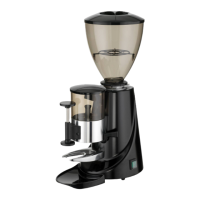
The La Spaziale Astro is a professional espresso coffee grinder designed for grinding coffee beans. It is available in several models, including Astro 8-8/A, Astro 12-12/A, Astro 8A/75, Astro 12 D, and Astro On Demand, each with slight variations in specifications.

Function Description:

The primary function of the Astro grinder is to grind coffee beans to a desired coarseness for espresso preparation. It offers both stepped and micrometric regulation for grinding adjustment. The grinder can operate in manual mode or with automatic dosing for specific models. On-demand versions feature an operating menu for programming doses and other settings.

Important Technical Specifications:

  • Flat Grinding Blades:
    • Astro 8-8/A, Astro 12-12/A, Astro 12 D: Ø 65 mm
    • Astro 8A/75, Astro On Demand: Ø 75 mm
  • Motor Speed:
    • Astro 8-8/A, Astro 8A/75: 900 rpm
    • Astro 12-12/A, Astro 12 D, Astro On Demand: 1400 rpm
  • Coffee Hopper Capacity: 1.6 Kg for all models.
  • Coffee Doser Capacity: 0.3 Kg for Astro 8-8/A, Astro 12-12/A, Astro 8A/75. (Not applicable for Astro 12 D and Astro On Demand as they are on-demand grinders).
  • Power:
    • Astro 8-8/A: 110/230 V - 50/60 Hz, 300 W
    • Astro 12-12/A, Astro 12 D, Astro On Demand: 110/230 V - 50/60 Hz, 340 W
    • Astro 8A/75: 110/230 V - 50/60 Hz, 600 W
  • Weight:
    • Astro 8-8/A, Astro 12-12/A: 11.6 Kg
    • Astro 8A/75: 15.5 Kg
    • Astro 12 D: 11 Kg
    • Astro On Demand: 11.5 Kg
  • Dimensions (P x L x H): 372 mm x 230 mm x 605 mm for all models.
  • Noise Level: Does not exceed 78 Db (A).
  • Safety: Equipped with a thermal circuit breaker for the motor. Electrical safety is ensured with proper earthing.

Usage Features:

  • Installation: Must be carried out by trained technical personnel in compliance with safety provisions. The appliance should be placed on a flat, stable surface. The coffee hopper must be firmly placed, and the fan opened to allow beans to flow.
  • Coffee Bean Filling: Never fill the coffee hopper more than 2/3rds of its capacity.
  • Dosing (Doser models): Ground coffee doses are measured by pulling a lever. The pin inside the coffee dispenser can be turned clockwise to decrease the dose or anticlockwise to increase it.
  • Grinding Adjustment:
    • Stepped Regulation: Press the grinder pin and turn the nut. "+" increases coarseness, "-" decreases coarseness.
    • Micrometric Regulation: Turn the horizontal regulation knobs. "+" increases coarseness, "-" decreases coarseness. This method does not require blocking. It is recommended to grind a few grams of coffee after adjustment to clear any residual ground coffee.
  • On-Demand Operating Menu: Accessed by pressing the select button (Pos. 12 in Fig. 1).
    • Programming Menu (7.1): Enter by pressing the select button for 10 seconds after switching on. Scroll through functions using the select button, press to enter and change parameters. Exit by turning the select button until "EXIT" appears, then press to confirm.
    • Programmed Doses (7.2): Digital dose adjustment. Turn the select button to adjust time (clockwise to increase, anti-clockwise to decrease). Press to confirm. The software supports three programmable doses; Dose No.3 can be disabled.
    • Continuous Dose (7.3): Enable/disable via the programming menu. Press the dose symbol to enter, turn the select button to toggle, then press to confirm. Continuous dose mode should not exceed one minute to prevent motor overheating.
    • D.T.S. (Dose Type Selection) (7.4): Allows selection of dose type.
      • Standard Mode: Use the select button to scroll through functions.
      • Push and Grind Mode: Use the dosing button directly (once for Dose No.1, twice for Dose No.2, three times for Dose No.3). Maximum selection time is 2 seconds.
    • Dose Counter (7.5): Displays the number of doses for timed functions ("N° 12345"). "P" indicates partial dose, "T" indicates total dose. Partial dose counters can be reset by holding the control disc for 10 seconds.
    • Password (7.6): Prevents unauthorized access to the programming menu. Set by turning the select button for each digit and pressing to move to the next. "Save" confirms, "Exit" discards changes. "ERROR!" appears for incorrect passwords.
    • Date (7.7): Store and change the date (DD/MM/YYYY) in the programming menu. Similar setting procedure to the password.
    • Release (7.8): Displays the software version, useful for technical service.

Maintenance Features:

  • General Safety: Always unplug the appliance from the main switch before any maintenance or cleaning. Do not place the appliance in water.
  • Removable Plastic Parts (8.1): Detach parts like the lid, coffee beans hopper, and drip tray. Wash them in water with mild detergent. Never clean them in a dishwasher.
  • Appliance Body (8.2): Clean with a damp cloth. Be careful to avoid exposing water-sensitive parts, such as the on-off switch (Pos. 10 in Fig. 1), to moisture.
  • WEEE Disposal: The appliance must be disposed of separately from other waste at the end of its lifetime, in compliance with European Community directives (2002/95/CE, 2002/96/CE, 2003/108/CE). Users should contact the importer/distributor for proper disposal procedures.
  • Packaging Disposal: Packaging materials should be disposed of according to local norms and kept out of reach of children.
  • Repairs: Always consult a qualified service center for repairs and maintenance.
  • Abrasive Products: Do not use abrasive products, as they can damage the glossy surfaces of the appliance.

La Spaziale ASTRO Specifications

General IconGeneral
BrandLa Spaziale
ModelASTRO
CategoryCoffee Grinder
LanguageEnglish