16
FEATURES
314/316 series control panels have a series of command keys that enable
users to enter set point values for temperature, carbon dioxide, door heat and to
calibrate a unit as required. LED readout provides users with current status
information regarding the foregoing parameters.
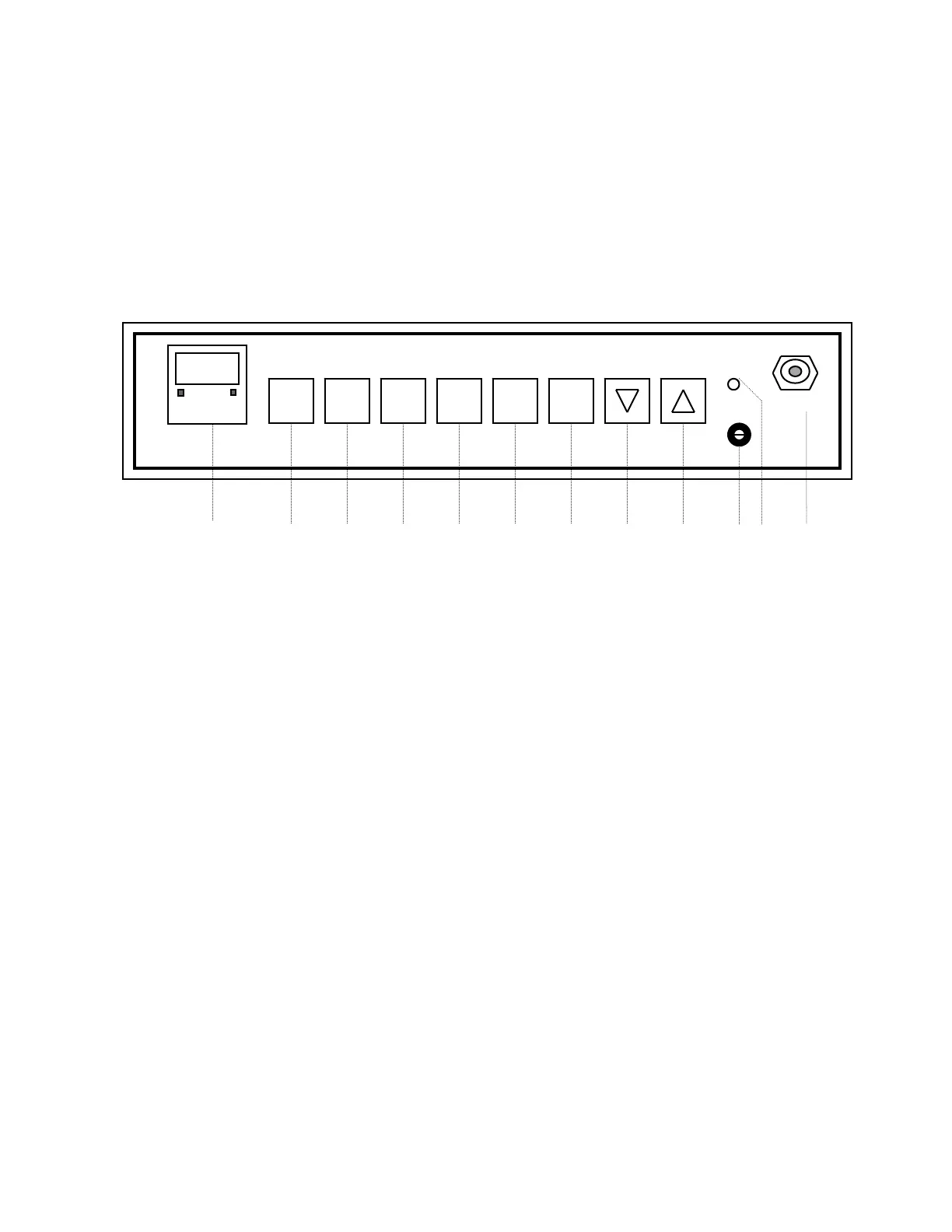
CONTROL PANEL, 314/316 SERIES AUTOMATIC CO2 INCUBATORS:
SET CAL CO2 TEMP DOOR SCAN
ºC %CO2 HEAT HOLD HI LIMIT SAMPLE
1 2 3 4 5 6 7 8 9 10 11 12
1. LED READOUT: The LED displays current CO2 tension and temperature
in the Incubator and, in the set mode, displays the set point values
for these two parameters as well as door heat setting. It also enables the
user to enter values necessary to calibrate temperature and CO2.
Indicating lights and legends serve to identify which parameter is being
displayed.
2. SET COMMAND KEY: The SET key is the beginning point for and
initiates subsequent actions of the other keys on the control panel.
3. CAL COMMAND KEY: The CAL key permits calibration of temperature
and CO2 when in this command mode. The Up and Down arrow keys are
used to change the readout to correspond with the readings obtained from
known standards of temperature or CO2 measurement. Both temperature
and CO2 calibration use the zero-point shift method.
FEATURES: (Con’t)
CONTROL PANEL: (Con’t)


 To Next Page
 Loading...