19
FEATURES: (Con’t)
CONTROL PANEL: (Con’t)
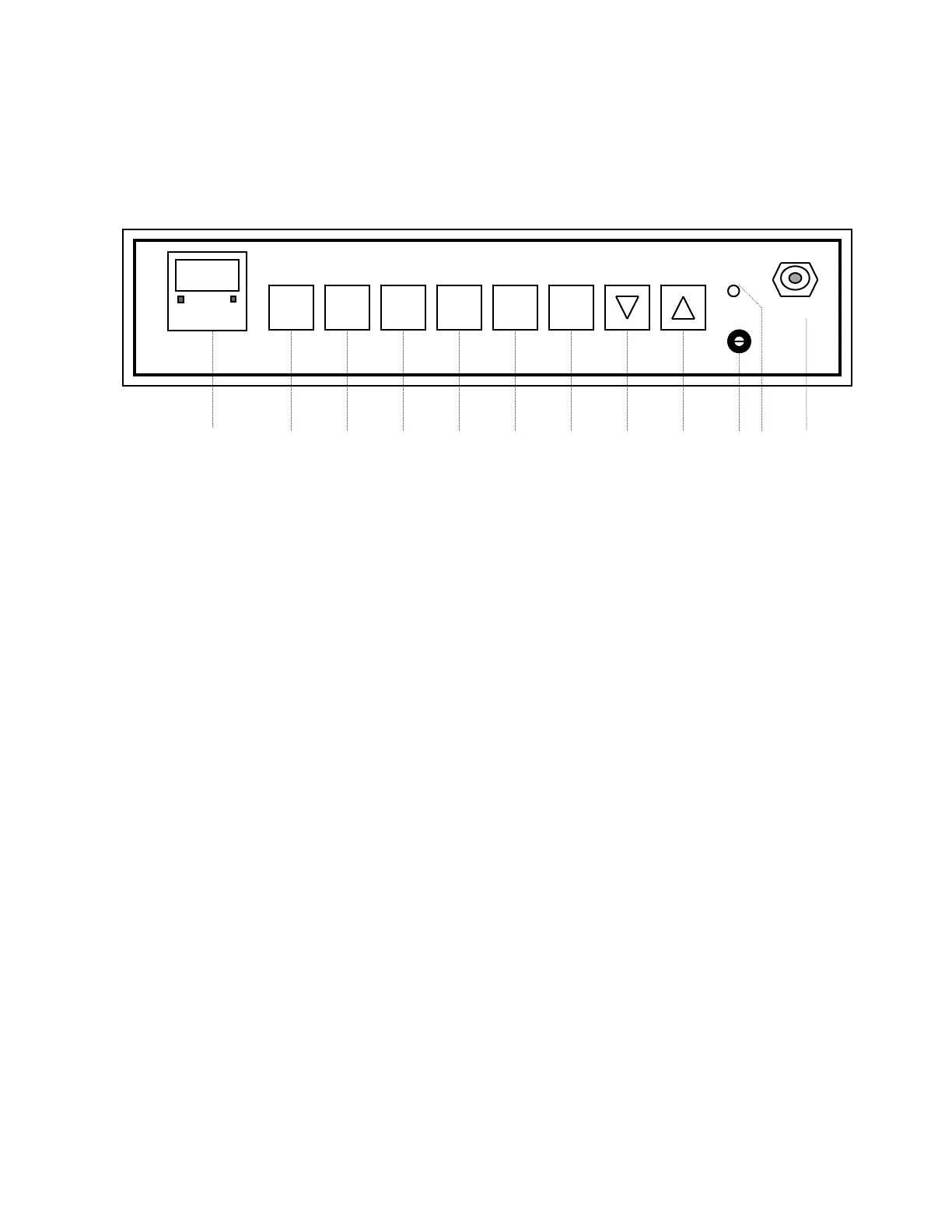
SET CAL CO2 TEMP DOOR SCAN
ºC %CO2 HEAT HOLD HI LIMIT SAMPLE
1 2 3 4 5 6 7 8 9 10 11 12
6. DOOR HEAT COMMAND KEY:
• When the SET key is pressed and then the DOOR-HEAT key, enter
the level of heat with the Up and Down keys as a percentage value
being applied to the inner glass door.
• A flashing DOOR-HEAT indicator light above the key indicates that
heat is being applied to the inner glass door.
• A good starting point for the door heat control is 35%; if fogging still
occurs, increase in 10% increments until fogging disappears.
7. SCAN/HOLD COMMAND KEY: Permits holding the value of a single
parameter for continued viewing or scans alternately between the values
of the two parameters on a 2-second interval.
8. DOWN ARROW KEY: This key decreases numerical value of the
parameter which has been accessed.
9. UP ARROW KEY: This key increases the numerical value of the
accessed parameter.
NOTE: A 5 SECOND DELAY AFTER ANY FINAL ENTRY RESULTS IN AUTOMATIC ENTRY
OF THAT CHANGE.


 To Next Page
 Loading...