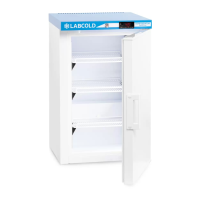
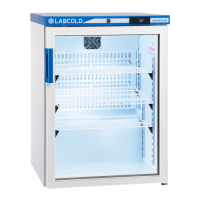
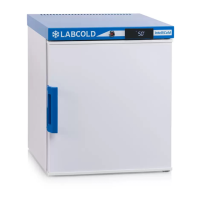
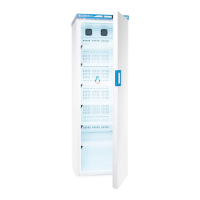
This document outlines the operating instructions for the Labcold Pharmacy Refrigerator, specifically models RLDF/G 0110, 0210, 0510, 1010, and 1510. These refrigerators are designed and precision-built for the safe storage of vaccines and other temperature-sensitive pharmaceuticals, adhering to medical and scientific refrigeration standards.
Function Description
The Labcold Pharmacy Refrigerator is a dedicated unit for maintaining specific temperature ranges required for sensitive medical and scientific products. It features a sophisticated controller that continuously monitors internal temperature, provides digital temperature display, and triggers alarms for deviations from the set point. The refrigerator also includes data logging capabilities via an SD card, allowing for comprehensive record-keeping of performance information such as door openings and temperature fluctuations. Automatic off-cycle defrosting is a standard feature, though manual defrosting may be required under certain conditions.
Important Technical Specifications
- Temperature Range: Factory set to alarm when the temperature is above 8°C or below 2°C, with a factory set point of 5°C.
- Alarm System: Includes high/low temperature alarms, door open alarms (after 90 seconds), and error code displays for various system failures (e.g., battery low, power failure, total system failure, temperature probe failure).
- Power: Operates on mains electricity. An alarm battery backup system (4 AA long-life alkaline batteries, not supplied) powers the controller in case of mains power failure, but not the fridge itself.
- Data Logging: Utilizes a proprietary Labcold SD card to record up to 13 months of performance data, including door openings and temperatures. Data can be uploaded to a PC or Mac as a CSV file for analysis.
- Connectivity: Features remote alarm and Labcold accessory sockets at the back of the fridge. The maximum rating for these connections is 1A 30Vdc; direct connection to mains voltage is strictly prohibited.
- Lighting: Equipped with an energy-saving LED light, factory set to illuminate when the door is opened and turn off when closed. Users can manually set the light to remain on or off, or return to automatic mode.
- Ventilation: Requires at least 6cm clearance around the unit for adequate ventilation, except for wall-mounted models where the cooling system is in the sides.
- Warranty: Comes with a one-year parts and labor warranty. UK customers can extend this to a five-year warranty and receive a free SD card for 24-hour temperature logging upon registration. Outside the UK, the warranty is limited to one year for parts only, and SD cards are a chargeable extra.
Usage Features
- Initial Setup: Before first use, remove all packaging, visually inspect for damage, clean with mild soapy water, and ensure the fridge is level by adjusting the feet. It is crucial to leave the refrigerator unplugged for at least two hours before connecting to power.
- Cool-down Period: After plugging in, the fridge should run for 24 hours before being filled with temperature-sensitive vaccines and pharmaceuticals to allow it to reach and stabilize at the set point.
- Temperature Display: The front panel continuously displays the internal temperature to one decimal place.
- Alarm Muting: An alarm mute button is available to silence audible alarms temporarily, for instance, when stocking the fridge. However, muting an alarm turns it off for that specific incident, and the refrigerator will not alarm again for the same event.
- Min/Max Temperature Recording: The refrigerator records the maximum high and minimum low temperatures since the last reset. This information can be viewed by pressing the 'Hi/Lo' button.
- Min/Max Temperature Reset: After checking daily temperatures, it is important to reset the min/max record by pressing and holding the 'Hi/Lo' button until the display flashes 'Hi Lo' and then reverts to normal operation.
- Door Lock: Fitted with a door lock and two keys. The key should not be left in the lock to prevent health and safety hazards or damage.
Maintenance Features
- Cleaning: Regular cleaning is recommended. Unplug the refrigerator and transfer contents to a monitored, temperature-controlled environment before cleaning. Use weak soapy water for shelves and interior; avoid strong detergents or bleach. Ensure the drain hole at the back is clear of debris and wipe door seals with a damp cloth. Gently remove dust from the back, taking care not to damage pipes.
- Defrosting: The fridge features automatic off-cycle defrosting. Manual defrosting is recommended if ice builds up, which can occur due to high humidity, prolonged door openings, overstocking, or high ambient temperatures. To defrost, unplug the unit, leave the door open for at least 6 hours at room temperature until ice melts. Do not use sharp implements to remove ice. Dry thoroughly and allow to cool for at least 6 hours before reloading.
- Loading: To ensure even temperature distribution, avoid overloading (recommended maximum 66% capacity), ensure contents are not packed too closely, do not touch walls or the bottom, and are away from the fan. When restocking, place products with the earliest expiry date at the front.
- Troubleshooting: The manual provides guidance for common issues such as the refrigerator not working, water inside, hot sides, gurgling noises, condensation on glass doors, ice buildup, and rocking. It also explains various error codes displayed on the front panel and advises on appropriate actions, including contacting Labcold service for serious issues.
- Warranty Registration: Registering the warranty is encouraged to extend coverage and receive additional benefits. Information for warranty registration and service contact details are provided.

 Need help?
 General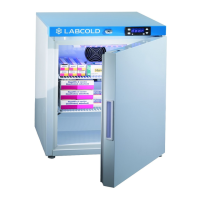


 To Next Page