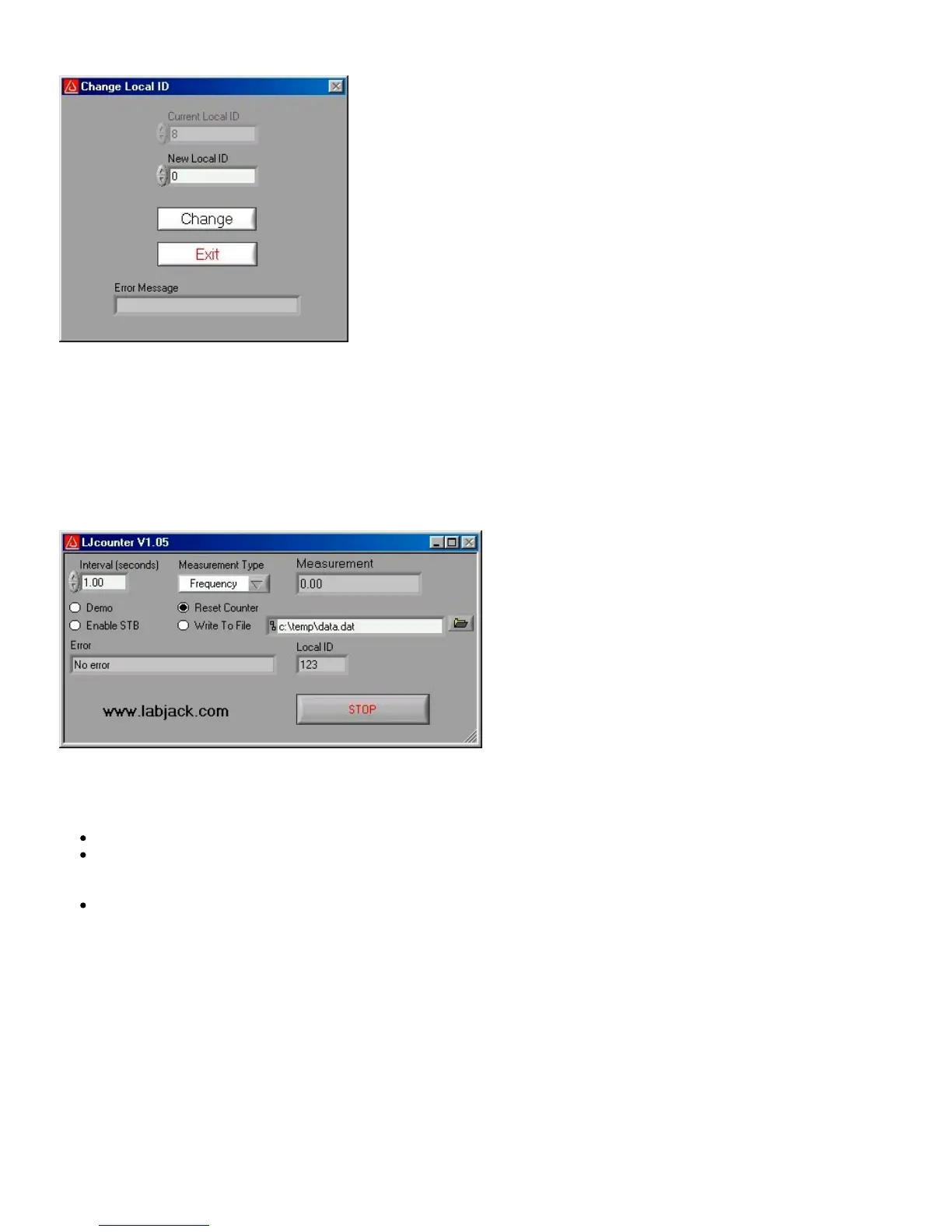
window shown in Figure 3-2 will appear.
Figure 3-2. LJconfig Change Local ID
Enter a new local ID between 0 and 255 and push the “Change” button. The new local ID will be written and the LabJack will be
forced to re-enumerate.
3.2 - LJcounter
Reads the LabJack counter and provides the current frequency or count.
Figure 3-3. LJcounter
Figure 3-3 shows the LJcounter window:
Interval (seconds): Specifies the interval, in seconds, between calls to the DLL function “Counter”.
Measurement Type: If set to “Frequency”, this application divides the count by the interval to determine frequency in Hertz,
and automatically resets the counter every read. If set to “Count”, the measurement is simply the current reading from the
counter.
Measurement: Displays frequency or count, depending on “Measurement Type”.
3.3 - LJfg
This application allows the LabJack U12 to be used as a simple function generator. The DLL function “AOUpdate” is called every
25 milliseconds providing an update rate of 40 Hz, and thus a maximum reasonable signal frequency of a few Hertz.


 To Next Page
 Loading...