1.0 General Specifications
Temperature Range Ambient +5C to 150C
Temperature display resolution 0.1C 4 digit LED
Temperature uniformity +/-0.2C (at 37C in block)
Temperature accuracy +/-0.3C
Control PI Microprocessor controller
I/O RS232 unidirectional
Dimensions (W x D x H) / Weight 20 x 26.5 x 8.3 cm 2.2 kg
Electrical requirements:
D1100 115V 115V, 50/60Hz, 0.8A, Fuse 1.5A
D1100 230V 230V, 50/60Hz, 0.4A, Fuse 1.5A
D1200 115V 115V, 50/60Hz, 1.2A, Fuse 2.0A
D1200 230V 230V, 50/60Hz, 0.6A, Fuse 2.2A
2.0 Safety Precautions:
- Do not use this product in an explosive environment
- Do not use in the presence of flammable or combustible material
- Do not heat substances that react violently when heated
- Do not touch block when hot or when unit is heating. Use block lifter.
- Do not touch area around block or block well when unit is hot.
- Do not spill liquids into the well area or into the unit side vent holes
- Connect unit only to a properly grounded outlet
Caution: HOT Surfaces that can burn or cause injury.
Use of this product in any manner not specified by the manufacturer or modifica-
tion of the product may cause injury and/or may void the warranty.
3.0 Installation
Upon unpacking Digital Dry Bath, inspect for damages. Shipping damage is the
responsibility of the carrier. Inspect that the following are present: Users manual,
Line cord, Block Lifter.
Select a location that is dry and not subject to drafts or moving air from heating or
air conditioning vents, or air blown by other equipment. Place the unit on a flat,
preferably non-flammable surface. Allow sufficient room around the unit
for access and cooling. Six inches minimum on all sides is suggested.
Plug the unit into a properly grounded outlet. Using the lifter, insert the
block(s) into the well. The unit is now ready for use.
4.0 Controls
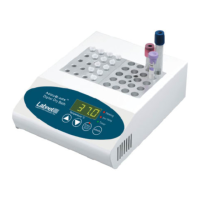
- On / Off rocker switch. Back of unit. Turns primary power on and off
- “Start” LED, red. Illuminates when unit is in heating mode, off in temperature set
mode.
- “Set” LED, green. Illuminates when unit is in temperature set mode and
off when in heating mode.
- “Heating”LED, red. Illuminates when unit is in heating mode and unit is actually
applying heat to the block. This LED is on continuously during heat-up and cycles
on and off when the unit is at the set temperature
- “UP” arrow key. Raises set temperature when unit is in set mode.
- “Down” arrow key. Lowers set temperature when unit is in set mode
- “Start / Stop” key. Switches the unit between set and heating mode.
1


 To Next Page
 Loading...