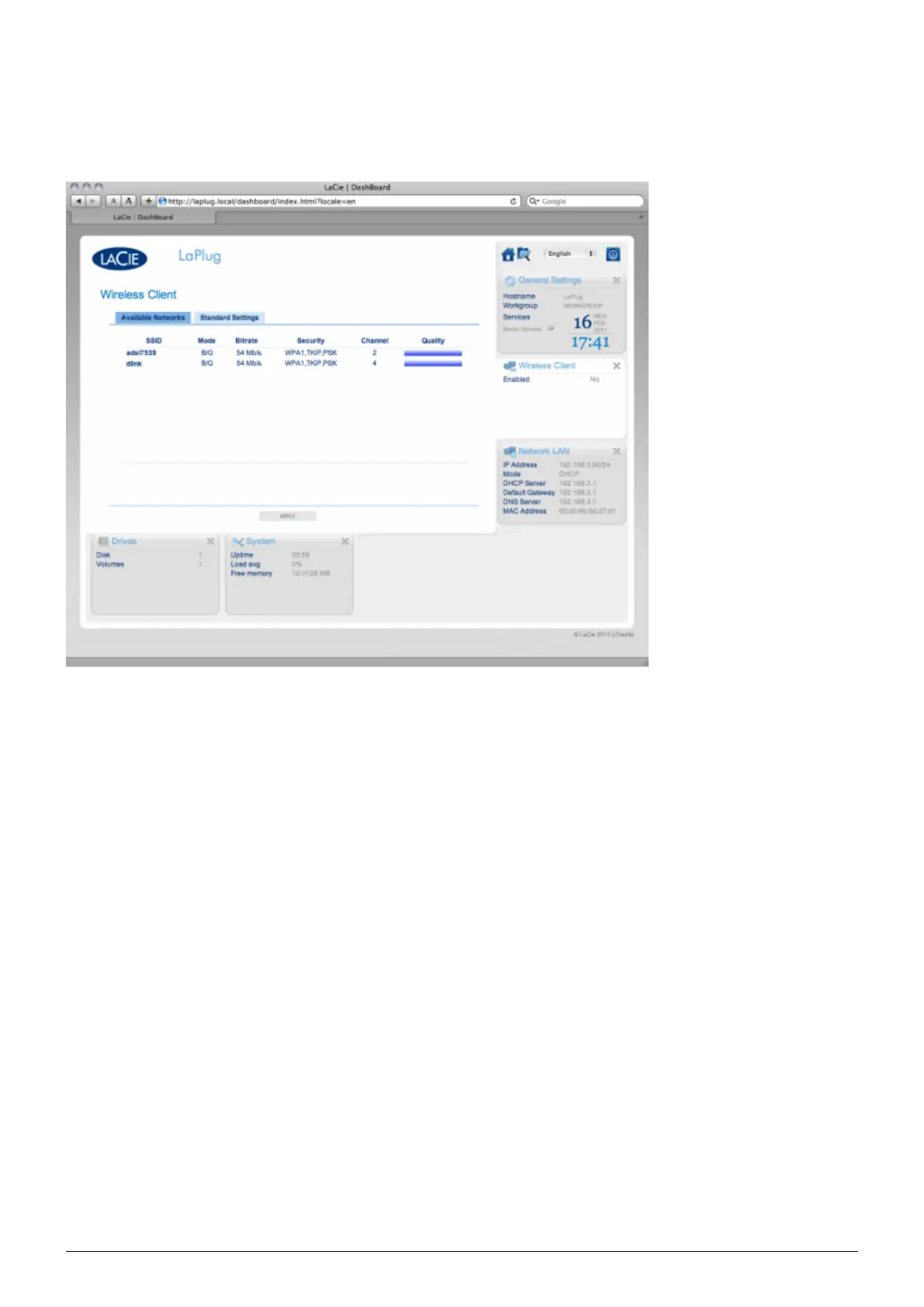
DASHBOARD - WIRELESS CLIENT
This page will allow you to connect your LaPlug to your wireless network. Note that Ethernet is the default
connection, so you must initially connect the LaPlug to your network via the Ethernet cable. After successfully
connecting to a wireless network, simply disconnect the Ethernet cable.
Available Networks Tab
All detected wireless networks will be listed as well as their technical specifications. To connect to a wireless
network:
Click an SSID to select the network. The Standard Settings tab will be displayed with connection details for1.
the selected network.
LaPlug User Manual LaCie 24


 To Next Page