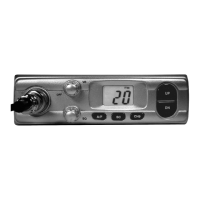
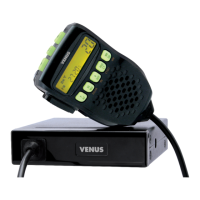
To activate this feature, press the Scan button, SCAN is displayed on the LCD.
To stop scanning, press the Scan button again or the PTT bar in the microphone.
This button is also used as channel memory input or recall when pressed after the FUN but-
ton.
How to use Memory Channel function
When you want store a channel into a memory:
Select the channel that you want to store using the channel selector.
Press the Fun button.
Press continuously the M1~M4 button you want to use as memory.
When the channel is stored you hear a beep sound and the FUN button is released.
When you want to call the channel stored into the memory
Press the Fun button.
Press the M1~M4 button corresponding to the channel you want to call.
The channel will be called and the memory number s shown on the LCD.
10 - DW/M2 (Dual Watch / Memory1) button
Dual Watch allows you to work as if you had two receivers in your CB radio. It gives you the
ability to monitor two different channels at a time
When you press the DW button, DW will appears on the LCD and you can select the two
channels you want to monitor using the Channel selector.
The two channels will then be monitored every 0.5 seconds and displayed on the LCD alternately.
If there is any signal in any of the two channels, the Dual Watch function stops and waits for
5 seconds. If you do not respond, the DW function resumes after 5 seconds, if you press the
PTT button then your CB radio moves to the last received channel.
Dual Watch function resumes 5 seconds after the transmission is closed.
To stop the DW function, press the DW button again.
11 - CH9/M3 (Emergency / Memory 3)
In case of an Emergency such as crime, fire, crash, etc, press this button for emergency calls,
CH 9 will blink on the LCD.
12 - ASQ/M4(Auto Squelch / Memory 4)
ASQ is the Automatic Squelch Control function; when you press this button AQ is displayed
on the LCD and the Squelch control function is automatically enabled.
You can use this ASQ function when there are many and irregular noises.
When ASQ is on, the manual SQ function will not work.
NB : An ASQ control button is also located on the microphone.
1
2
3
4
1
2
3
ENGLISH


 To Next Page