EasyManua.ls Logo

laguna MJOIN12X86-5-1-0130 - User Manual

laguna MJOIN12X86-5-1-0130
29 pages
Print Icon
To Next Page IconTo Next Page
Loading...
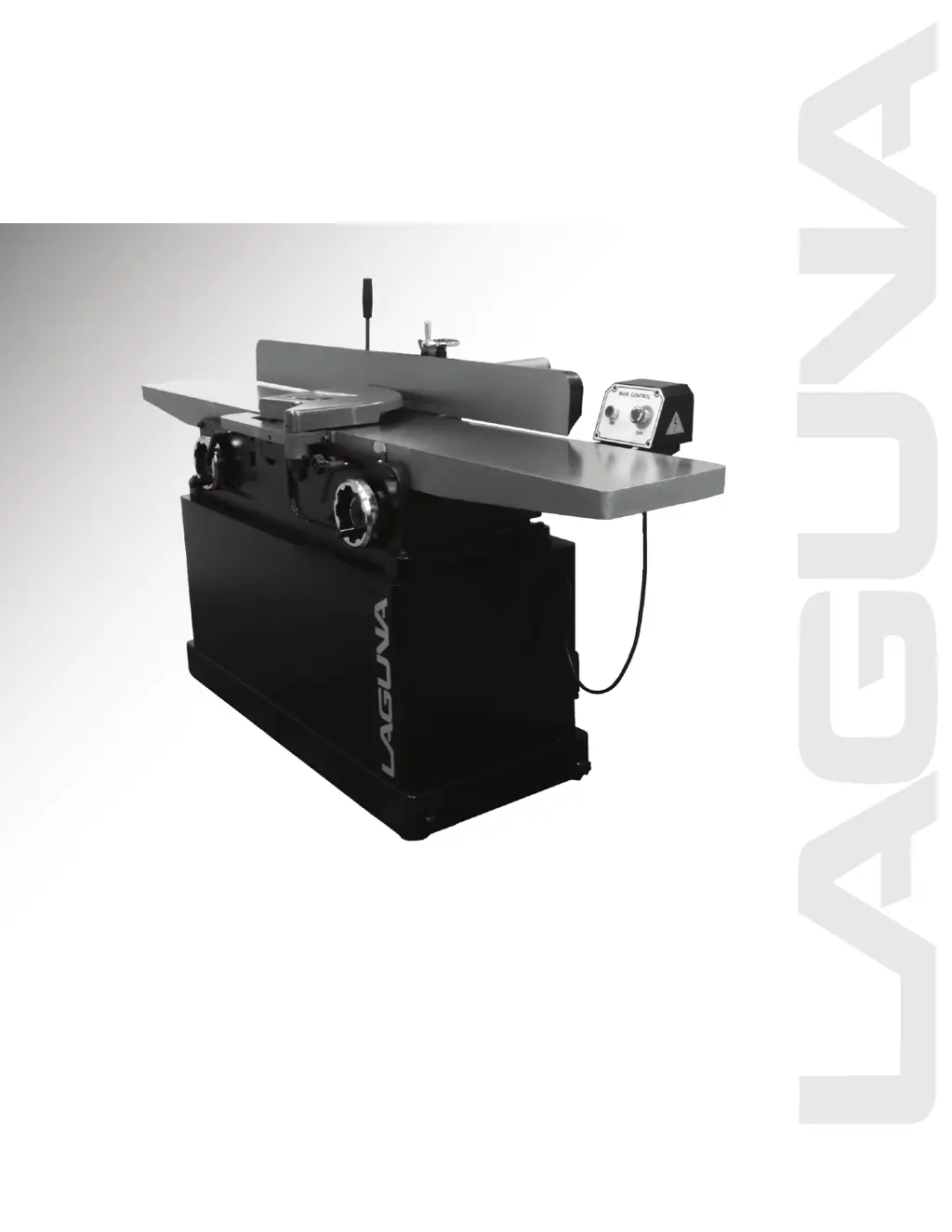
12" Jointer Parallelogram
Manual
LAGUNA TOOLS
2072 Alton Parkway
Irvine, California 92606
Ph: 800.234.1976
www.lagunatools.com
Model Number: MJOIN12X86-5-1-0130
© 2018, Laguna Tools, Inc. LAGUNA® and the LAGUNA Logo® are the registered trademarks of Laguna Tools, Inc. All rights reserved.

Questions and Answers

Summary

Safety Instructions

Personal Protection and Apparel

Wear eye protection, proper apparel, and secure work to prevent injury.

Operational Environment and Guards

Maintain a clean, well-lit area; keep children away; ensure guards are functional.

Safe Tool Handling Practices

Do not force the tool, use the right tool, and avoid overreaching.

Extension Cord Safety Guidelines

Use appropriate, heavy-gauge extension cords for safe electrical connections.

Operational Safety

Tool Maintenance and Setup

Maintain tools, disconnect before servicing, and check for damaged parts.

Safe Operating Procedures

Avoid unintentional starts, never leave unattended, and follow material size rules.

Workpiece Handling and Support

Support work adequately, maintain control, and adhere to feed direction.

Specific Safety Procedures

Hand Safety Techniques

Use proper hand placement and the 3-inch rule to avoid cutterhead contact.

Health Hazards from Dust

Understand chemical risks from dust; use ventilation and approved safety equipment.

Understanding Safety Notices

Familiarize yourself with CAUTION and WARNING symbols used in the manual.

Machine Setup and Preparation

Uncrating and Inspection

Uncrate, inspect for damage, and retain packaging materials.

Positioning and Leveling

Place jointer on a level surface in a well-lit area, ensure stability.

Cleaning and Protection

Clean rust-protected surfaces with solvent and apply oil or WD-40.

Lifting Safety

Use lifting equipment rated above the jointer's weight to prevent injury.

Dust Collection System

Connect dust collection hose to port; operation requires dust collection.

Electrical Connections

Voltage and Phase Configuration

Jointer is 1 Phase, wired for 220 volts depending on order.

Grounding Instructions

Purpose and Equipment

Grounding reduces shock risk; tool has grounding conductor and plug.

Outlet and Plug Compatibility

Use matching, properly installed, grounded outlets; do not modify plugs.

Grounding Conductor Safety

Identify green conductor; never connect to live terminals.

Extension Cord Requirements

Use 3-wire, 3-prong cords; ensure condition and gauge match product needs.

Professional Wiring for Safety

Electrical and motor wiring must be done by a qualified electrician.

Extension Cord Guidelines

Selecting the Correct Gauge

Use heavy-gauge cords; smaller gauge means heavier cord for voltage drop.

On;Off Switch

Mounting the Switch

Attach the On/Off switch to holes A using the fixed bolts.

Control Box

Key-Operated Switch

Features a key-operated power switch and ON/OFF push buttons for safety.

Key Management and Child Safety

Remove key to lock OFF; store it away from children and unauthorized users.

Workplace Safety Warning

Ensure workplace is inaccessible to children; never allow untrained visitors.

Cutterhead Guard Installation & Removal

Preparation and Disconnection

Disconnect jointer from power source before proceeding.

Guard Tension Adjustment

Turn knob to create spring tension, insert post, adjust set screw for proper seating.

Checking and Operation

Check guard tension; never run jointer without the guard.

Guard Usage Warning

Use the jointer guard for all operations.

SHEAR-TEC II Cutterhead

Knife Insert Handling

Use extreme caution with sharp inserts; rotate 90° for a fresh edge.

Insert Rotation and Nicks

Rotate all inserts or affected ones; clean dust before re-installation.

Screw Tightening and Safety

Lightly oil screw threads; tighten securely; loose inserts can be propelled.

Cutterhead Removal

Safety Precaution

Disconnect jointer from power source before starting removal.

Fence and Belt Removal

Remove fence assembly, loosen motor bolts, and remove drive belt.

Table Adjustment and Fasteners

Lower tables; remove bolts and spring washers securing cutterhead.

Cutterhead and Bearing Housing Removal

Lift cutterhead assembly; remove pulley and bearing housings.

Mounting and Cleaning

Clean cutterhead base seats before mounting; use shop productivity notes.

Fence

Installation and Alignment

Mount fence to base, aligning holes and ensuring proper alignment.

Fence Components Legend

Identifies adjustments, locks, and handles for fence operation.

Setting the 90 Degree Stop

Use a square to align fence to 90 degrees using adjusting bolt and flip stop.

Fence Angle and Width Adjustment

Tilt fence with angle handle; adjust cutting width with width adjustment handle.

Hand Safety and Placement

Safe Hand Movement

Move hands in an arc, never directly over the cutter knife.

Pressure Application

Apply pressure towards cutterhead and down to table; move hands overfeed.

Operational Warnings

Disconnect power; keep guards in place; use push sticks; avoid cutterhead.

Jointing

Purpose of Jointing

Jointing creates a straight edge and flat face for woodworking projects.

Achieving Square Stock

Plane to thickness and rip to width after jointing for square, true pieces.

Direction of the Grain

Avoiding Tear Out

Feed material in the direction of the grain to prevent tear out.

Adjusting Feed for Grain Changes

Take lighter cuts or feed the other way if grain direction changes.

Edging

Setting Fence for Edge

Set fence square to table, remove minimal material for a straight edge.

Securing Workpiece

Hold the best face firmly against the fence throughout the feed.

Facing

Eliminating Warp and Cup

Apply downward pressure to the outfeed table to correct warp/cup.

Maintaining Feed Rate

Keep a constant feed rate for a smooth cut without burn marks.

Beveling

Beveling Restrictions

Make cuts <1/16" deep; material >12" long, >1/4" thick, >1" wide.

Cradled Cut Recommendation

Tilt fence inwards for a cradled cut for safety reasons.

Narrow Stock and Push Blocks

Use beveled push blocks and apply pressure toward fence for narrow stock.

Rabbeting

Fence and Depth Adjustment

Adjust fence for rabbet width; lower infeed table for depth.

Guard Removal Warning

Rabbeting requires guard removal; use caution and replace after completion.

Adjusting the Infeed Table Height

Purpose of Adjustment

Table height determines material removal amount relative to cutting circle.

Height Adjustment Mechanism

Turn the height adjusting wheel to set desired height indicated by the gauge.

Adjusting V-Belts

Initial Check and Tension

Check V-belt tension after 20 hours; aim for approx. 1/2" deflection.

Tension Adjustment Procedure

Loosen knob, open cover, adjust tension by turning nuts on the bracket.

Lubrication

Table and Way Lubrication

Apply light grease to tables/lead screw and oil to dovetail ways for movement.

Cutterhead Bearing Care

Cutterhead bearings are permanently greased and require no care.

Table Gibs and Leveling

Initial Gib Adjustment

Lightly loosen gib adjusting screws (A) and lock nuts on the front base.

Accessing Rear Gib Screws

Remove covers (B) from the back of the base to access rear gib screws.

Leveling Procedure

Support table, snug gib screws; check level with straightedge until achieved.

Basic Operations

Practice Cuts

Make practice cuts with infeed table at "0" to learn jointer feel.

SURFACING

Depth of Cut Adjustment

Make cuts of approximately 1/64 inch for better control.

Material Size and Push Blocks

Use push blocks for pieces <12" or <3" thick; specific blocks for different lengths/widths.

SURFACING: Long Boards

Push Block Technique

Use push blocks to prevent hand contact with cutterhead during surfacing.

Hand-Over-Hand Method

Feed stock using hand-over-hand motion, moving hands to outfeed side.

Support for Extended Stock

Use helper or support table for stock longer than twice the table length.

JOINTING (or EDGING)

Material Size Restrictions

Do not edge boards <3" wide, <1/4" thick, or <12" long without push block.

Support for Long Workpieces

Use infeed or outfeed support for workpieces twice the table length.

Edging Technique and Safety

Feed with right hand, use push block, lap fingers over stock for safety.

BEVELING

Beveling Restrictions

Make cuts <1/16" deep; material >12" long, >1/4" thick, >1" wide.

Cradled Cut Recommendation

Tilt fence inwards for a cradled cut for safety reasons.

Narrow Stock and Push Blocks

Use beveled push blocks and apply pressure toward fence for narrow stock.

CROSS GRAIN

Beveling Order

Make cross grain cuts first when beveling round edges to prevent chipping.

Push Blocks

Purpose and Necessity

Push blocks are essential tools for jointing thin or short stock safely.

Types of Push Blocks

Illustrated are three common types; jointer supplied with two push blocks.

Trouble shooting

Machine Will Not Start

Lists possible causes (fuse, switch, connection) and corrective actions.

Cutterhead Speed Issues

Addresses causes like cable, voltage, or wiring for slow cutterhead speed.

Unsatisfactory Finish

Identifies dull or gummed knives as causes for poor finish quality.

Excessive Vibration

Covers machine level, belts, pulley, mounting, and hardware as causes.

Adjustments Not Moving Freely

Attributes stiff adjustments to sawdust and debris in mechanisms.

Stock Dimension Issues

Addresses concave/convex stock related to table or knife height.

PARTS DIAGRAMS

Main Assembly and Details

Illustrates the main assembly and specific component views.

PARTS DIAGRAMS

Sub-Assembly Views

Provides diagrams of various sub-assemblies and component groups.

PARTS DIAGRAMS

Frame and Support Components

Diagrams of main frame, wheel, base, guard, and support parts.

PARTS DIAGRAMS

Motor and Accessory Components

Illustrations of motor, drive, and accessory parts.

PARTS LIST

Parts List (1-38)

Lists parts with key, part number, description, and quantity from 1 to 38.

PARTS LIST

Parts List (39-74.1)

Lists parts with key, part number, description, and quantity from 39 to 74.1.

PARTS LIST

Parts List (75-150)

Lists parts with key, part number, description, and quantity from 75 to 150.

PARTS LIST

Parts List (152-166)

Lists remaining parts with key, part number, description, and quantity.

laguna MJOIN12X86-5-1-0130 Specifications

General IconGeneral
Brandlaguna
ModelMJOIN12X86-5-1-0130
CategoryPower Tool
LanguageEnglish

Related product manuals