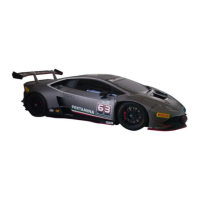
The document is a quick guide for the Lamborghini Huracán EVO, providing an overview of its main controls, features, and basic operations.
Cockpit Overview
The cockpit features a range of controls for various vehicle functions.
- Wing mirror controls (1): Adjust the side mirrors.
- Central locking switch (2): Locks and unlocks the vehicle's doors.
- Tow-away alarm - interior monitoring system button (3): Activates or deactivates the alarm system.
- Buttons for turn signals and full-beam headlights (4): Controls indicators and high beams.
- Automatic lights switch (5): Adjusts lighting based on ambient conditions.
- Parking lights switch: Activates parking lights.
- Dipped headlights switch: Turns on low beam headlights.
- Rear fog light switch: Activates the rear fog light.
- Instrument cluster lighting regulating switch: Adjusts the brightness of the instrument cluster.
- Gearshift paddles (6): Used for manual gear changes.
- Instrument cluster (7): Displays vehicle information.
- Steering wheel (8): Main control for steering.
- Windscreen wiper system buttons (9): Controls wiper speed and functions.
- Vehicle computer switches (10): Accesses vehicle computer functions.
- Cruise Control buttons (11): Manages cruise control settings.
- Key detection system (12): Detects the presence of the vehicle key.
- Power windows, left side (13): Controls the driver's side window.
- Lifting System: Activates the front-end lifting system.
- Electronic Stability Programme (ESC OFF): Deactivates the Electronic Stability Programme.
- Hazard warning lights: Activates hazard lights.
- Parking assistance system (P ON): Turns on the parking assistance system.
- Start & Stop (A OFF): Deactivates the Start & Stop system.
- Power windows, right side: Controls the passenger's side window.
- Lamborghini Infotainment System controls/Air conditioning controls (14): Manages infotainment and climate control.
- Front storage compartment in the centre console/ashtray (15): Storage area.
- STRADA, SPORT, CORSA driving mode selector (16): Selects driving modes.
- START ENGINE STOP button (17): Starts and stops the engine.
- MANUAL mode gearshift button (M) (18): Engages manual gearshift mode.
- Reverse gear engagement lever (R) (19): Engages reverse gear.
- PARKING mode engagement button (P) (20): Engages parking mode.
- Parking brake engagement lever (P) (21): Engages the parking brake.
- Door opening lever (22): Opens the vehicle doors.
- Sun visors (23): Provides sun protection.
- Ceiling light (24): Interior lighting controls, including operating mode selector, left/right reading lights, HomeLink® buttons, and speech dialogue system audio.
- Inside rear view mirror (25): Interior mirror.
- Telemetry camera (26): Records telemetry data.
- Glove compartment on passenger side with lock (27): Lockable storage.
- Cup-holder (28): Holds beverages.
- Rear storage compartment in the centre console (29): Additional storage.
- USB sockets (30): For connecting USB devices.
Locking and Unlocking the Vehicle
The vehicle can be locked and unlocked using the remote control key.
- Locking: Press the lock button for about 1 second.
- Unlocking: Press the unlock button for about 1 second.
- Opening luggage compartment lid: Press the luggage compartment button for about 1 second.
Opening and Closing Doors
- From the outside: When unlocked, handles open to facilitate entry. Handles can be closed by pressing them, but the vehicle remains unlocked. Push doors to close.
- From the inside: Pull the door release handle (1) to open. Pull the handle (2) to close. When opening, the window lowers slightly.
Starting the Engine
The vehicle defaults to AUTOMATIC STRADA mode with Start & Stop active.
- START ENGINE STOP button:
- Starting: Key in vehicle, press brake pedal fully, then press START ENGINE STOP button. If pressed without brake, instrument cluster switches on/off.
- Shutting off: Engage neutral (N) or parking mode (P), then press START ENGINE STOP button.
- Starting in event of a fault: If the key battery is flat or there's interference, hold the key in the marked position, press the brake pedal fully, then press START ENGINE STOP button.
- Safety: Always engage PARKING mode and set the electromechanical parking brake before leaving the vehicle.
Start & Stop System
This system reduces fuel consumption and CO2 emissions by turning off the engine when the vehicle is stationary.
- Activation/Deactivation: Activated by default when the instrument cluster is on. Can be deactivated using the (A) OFF button on the centre console.
- Operation conditions: Operates in AUTOMATIC STRADA mode (first gear, neutral, or parking), with the driver door closed, seat belt buckled, engine bonnet closed, vehicle speed exceeded 3 km/h for 10 seconds since last stop, and steering wheel straight.
- Engine shut-off: Occurs when the vehicle stops with the brake pedal pressed. The (A) warning light turns on.
- Engine restart: Occurs when the foot is taken off the brake pedal. The (A) warning light turns off.
- Engine will not turn off if: Minimum engine temperature not reached, internal temperature not met climate control setting, outside temperature very low/high, windscreen defrost on, parking assistance system on, battery charge low, steering wheel turned, reverse gear engaged, or on steep slopes.
- Engine restarts without driver intervention if: Interior temperature differs from climate control setting, windscreen defrost is on, battery charge level drops too low, or current required from battery is high.
Seats
- Correct seating position: Adjust seatback straight, maintain 10 inch (25 cm) minimum distance from steering wheel/instrument panel. Adjust steering wheel if necessary.
- Unlocking the seatback: Lift lever (4) to tilt seatback forward for rear compartment access.
- Power seat adjustment:
- Lumbar support (1): Adjust curvature and height.
- Height and front-to-back (2): Raise/lower and move forward/backward.
- Backrest tilt (3): Adjust greater/lesser tilt.
- Adjusting sports seats:
- Front-to-back (5): Lift handle to move seat.
- Height (6): Use lever.
- Backrest tilt (7): Turn knob.
Steering Wheel Controls
- Turn signals and full-beam headlights:
- Activating turn signals: Move selector (1) left or right.
- Activating full-beam headlights: Hold button (2) to turn on/off. Press briefly to flash.
- Windscreen washer/wiper system:
- Automatic wiping: Set via multimedia system based on rain sensor.
- Changing interval: Move selector (3) right to increase speed, left to decrease.
- Pulsed wiping: Press button (4) briefly.
- Automatic wiping: Press button (4) for 4 seconds of wiping.
- Wipers off: Press selector (3).
- Vehicle computer switches:
- MENU button (5): Scrolls through Driver information system functions, enters/exits Chrono, resets memories.
- UP button (6): Scrolls up menu items.
- DOWN button (7): Scrolls down menu items.
- Cruise Control Commands:
- Button (8): Activates/deactivates cruise control.
- RES+ button (9): Reactivates cruise control after deactivation, increases set speed.
- SET- button (10): Stores cruise control speed, decreases set speed.
Using the Gearshift
- AUTOMATIC and MANUAL mode: Vehicle defaults to AUTOMATIC STRADA. Change to MANUAL by pressing button (1) on centre console.
- Gearshifting: Pull paddle (2) to upshift, paddle (3) to downshift. Pull both paddles for neutral.
- Selecting reverse: With vehicle stationary, depress brake pedal and pull lever (4) on centre console.
- Engaging Parking Mode (P): With vehicle stationary, press button (6) on centre console. Locks wheels mechanically.
- Disengaging Parking Mode (P): Switch instrument cluster on, press brake pedal, start engine, engage driving gear or neutral (N).
- Automatic Parking Mode (P): Engaged after 20 minutes if vehicle is left in neutral (N).
- Towing: Parking lock must be deactivated using the provided tool.
- Electromechanical parking brake:
- Activating: With vehicle stationary, pull lever (5) on centre console.
- Automatic deactivation: Press brake or accelerator pedal and pull lever (5) simultaneously. With seat belt fastened, it deactivates automatically when the vehicle starts moving.
Operating Modes
- STRADA, SPORT, CORSA: Use button (1) to select. Mode shown on indicator (2) and instrument cluster.
- STRADA and SPORT: Can use AUTOMATIC and MANUAL gearshifting.
- CORSA: Only MANUAL gearshifting.
Safety
- Seat belts: Always fasten seat belts. Insert tongue (1) into buckle (2). Press release button (3) to unfasten.
Mirrors
- Adjusting wing mirrors: Turn knob (1) to q (passenger-side) or p (driver-side), then move knob in desired direction.
- Retracting wing mirrors: Turn knob (1) to p to retract. Turn to heated mirrors position to return.
Instrument Cluster
Features three displays: STRADA, SPORT (blue/yellow indicators), and CORSA (dedicated display).
- Analogue rev counter (1)
- Digital speedometer (2)
- Fuel gauge (3): In CORSA, it's in the right driver information system.
- Coolant temperature gauge (4): In CORSA, it's in the right driver information system.
- Engaged gear indicator (5)
- Driving mode indicator (6)
- Total mileometer (7)
- Driver information system (8)
- Longitudinal and lateral acceleration indicator (CORSA) (9)
- Fuel range (CORSA) (10)
- Clock (CORSA) (11)
- Outside temperature indicator (CORSA) (12)
- Chrono (timer) (CORSA) (13)
- Cruise control indications (CORSA) (14)
- CHK button (15): Displays last message for driver (press), sets speed warning 1 (hold).
- 0.0 button (16): Resets trip memory (press), displays dual speed unit (hold).
Instrument Cluster Warning Lights
A comprehensive list of warning lights indicating various system statuses and malfunctions:
- Airbag system
- Seatbelt not fastened
- Electromechanical parking brake
- Brake system
- Gearbox malfunction
- 4WD system failure
- Engine oil pressure and/or level - fault
- Engine oil temperature - fault
- Engine management fault
- Cooling system faults
- Power steering malfunction
- Rear-wheel steering system fault
- Alternator/Charging system
- Lifting System - Front-end lifting system malfunction
- Gearbox in neutral
- ESC CORSA - Electronic Stability Control system in CORSA mode
- NO ESC - Electronic stability control system disabled in CORSA mode
- Brake pad wear
- Low fuel
- Low engine oil level/Engine oil level sensor faulty
- Engine oil level too high
- Engine rpm limitation
- Engine compartment overheating
- Engine management fault
- EPB - Electromechanical parking brake - fault
- Gearbox malfunction
- 4WD system overheating
- Low washer fluid
- Low external temperature
- Full-beam headlights
- Parking lights/dipped headlights
- Turn indicators
- Speed warning 1
- Speed warning 2
- Speed warning 1 reset
- Speed warning 2 reset
- Cruise control on (passive)
- Cruise control on (active)
- Cylinder deactivation system
- Engine stop with START & STOP system active
- Engine failed to stop with START & STOP system active
- Manual deactivation of START & STOP system
Lamborghini Infotainment System (LIS)
- Components:
- Multimedia system interface (1): Touchscreen for managing multimedia.
- USB sockets 1 and 2 (2): Play multimedia, import/export telemetry, recharge/connect devices (USB 2 for smartphones).
- Telemetry camera (3): For recording telemetry data.
- Starting up: Displays vehicle logo during loading. Requires reading and accepting Driver's distraction disclaimer. If instrument cluster is off, system activates in limited mode; press START ENGINE STOP button (without brake) to turn on cluster and full system.
- Switching ON/OFF and Restarting:
- Shut down without turning off completely: Press and hold Home button (1) on lower bar. Climate control remains accessible. Reactivate by pressing any screen point.
- Screen off when cluster off: Pressing screen turns it on in limited mode (vehicle control settings disabled).
- Turn off multimedia screen: Press and hold Home button (1), then press OFF button (2) on lower bar.
- Note: System cannot be completely turned off manually. Automatically turns off after preset time when cluster is off. Full functionality requires vehicle stopped, parking brake engaged, and transmission in neutral (N) or park (P).
- Air conditioning controls (1)
- Status Bar (2): Displays connection type, GPS signal, USB connection, internet signal strength, Bluetooth®, phone battery level, smartphone connection/call status, Privacy Mode status, and Amazon Alexa status.
- Lower bar:
- Back (3): Returns to previous screen or closes app.
- Volume button (4): Opens volume regulation panel. Volume adjustable by sliding fingers on screen or via pop-up.
- Home button (5): Returns to main screen. Press and hold to shut down system.
- Media/Parking sensor graphic display button (6): Opens Media function pop-up if parking sensors inactive. Shows/hides graphic display if parking sensors active.
- Voice/phone button (7): Activates voice commands for Bluetooth® connected phone or Apple CarPlay™/Android™ Auto. Opens main call screen during a call.
- Apps:
- VEHICLE (8): Vehicle functions menu.
- MEDIA (9): Manages audio, photo, video.
- PHONE (10): Bluetooth® phone management.
- TELEMETRY (11): Telemetry management.
- SETTINGS (12): General vehicle settings.
- RADIO (13): Radio management.
- PHONE APPS (14): Apple CarPlay™/Android™ Auto management.
- SOUND (15): Sound management.
- NAVIGATION (16): Satnav management.
- ALEXA (17): Activates Amazon Alexa or login.
- CONNECTED SERVICES (18): Lamborghini Connect settings.
Bluetooth® Connection for Mobile Phone
- Requirements: Vehicle stopped, parking brake engaged, transmission in neutral (N) or park (P), multimedia system and mobile phone on, Bluetooth® activated.
- Note: If Apple CarPlay™ is active, Bluetooth® is disabled. If Android™ Auto is active, Bluetooth® remains active or reactivates.
- Procedure:
- Access phone app. If no phones, a pop-up prompts to begin pairing.
- Confirm to open phone management screen.
- Pairing: If no phones found, deactivate/reactivate Bluetooth®. Select phone from Available Devices, confirm security code. Phone moves to Paired Devices.
- Connecting: Select phone from Paired Devices list.
Setting a Navigation Destination
- Search: Fill search field (1). Possible destinations (2) appear, filtered by settings.
- Other options: Use Home (3), Work (4), Favourites (5), Service stations (6), Parking (7), and Restaurants (8) buttons.
- Route guidance: Press "Select as destination".
- Note: Home and Work addresses must be set if not saved.
Playing Back Multimedia Content
- Initial state: When media player opens, audio is set to media type and internal storage.
- Display: Currently playing file (1), selected from list (2).
- Filtering content: By data source (3), storage medium (4), or internal memory (6).
- Control bar: Choose playback type (7), go forward/back (8), mute volume (9), full-screen (10).
Listening to the Radio
- Display: Station listened to (1), selected from list (2).
- Filtering stations: By radio source (3).
- Searching: Manually (4) or in favourites/recent (5).
- Control bar: Add station to favourites (6), go forward/back (7), mute volume (8), full-screen (9).
Air Conditioning System
Functions are switched on/off by pressing buttons (instrument cluster must be on). Active functions have a light under the button.
- Defrost (1): Defrosts/demists windscreen and side windows rapidly.
- Automatic mode (AUTO) (2): Enables A/C, adjusts fan power and air distribution automatically.
- Air conditioning system regulation (3): Displays set temperature. Opens/closes regulation panel. Press and hold to switch off A/C. Press for any function to switch back on.
- Cooling (A/C) Function (4): Cools and dehumidifies air, works only with fan on.
- Air recirculation mode (5): Filters and recirculates air in passenger compartment.
- +/- Temperature (6): Sets temperature between +16°C and +28°C. Hold for rapid adjustment. Displays LOW/HIGH outside range.
- +/- Fan (7): Sets fan speed (12 levels). Hold for rapid adjustment.
- Air Distribution (8): Regulates which air vents are active.
- Seat heating (9): Three levels. Press once for highest, again to adjust. Light off means deactivated.
- Maximum Cooling Function (MAX A/C) (10): Sets all functions for maximum cooling with temperature set to LOW.
- Luggage compartment: Press button (1) below instrument panel on driver's side to release lid.
- Engine compartment: Press button (2) below instrument panel on driver's side to release bonnet.
- Tyre Pressure: Indicated on a label affixed to driver door pillar (visible when door is open).
- Fuel filler hatch: Locks/unlocks automatically with central locking.
- Opening: Press rear corner of hatch.
- Closing: Close hatch and press until it locks.
- Interior monitoring system and tow-away alarm: Press button (3) to activate/deactivate.
In an Emergency
- Emergency opening of doors from the outside:
- Remove emergency key (1) by pressing button (2).
- Remove door lock protection plate (3).
- Insert emergency key in lock and turn anticlockwise (4).
- Open door using handle (5).
- Turn on instrument cluster within 15 seconds to avoid alarm.
- Note: Window will not lower, requiring greater effort to open.
- Vehicle breakdown: Contact roadside assistance service.

 Need help?
 General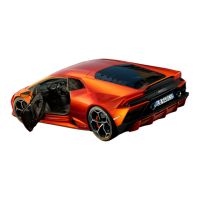

 To Next Page