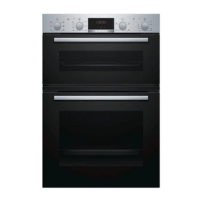
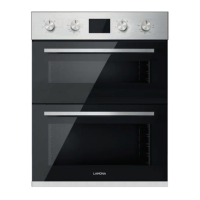
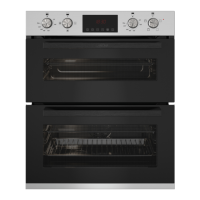
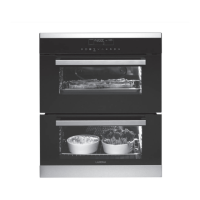
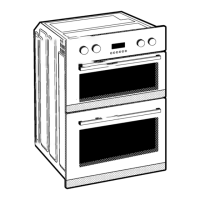
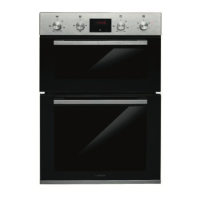
This document is a user manual for the Lamona LAM4403 Built-Under Double Oven, an appliance designed for household cooking purposes.
Function Description:
The Lamona LAM4403 is a double oven, featuring a top oven and a main oven, each with distinct functions and capacities. The appliance is controlled via an electronic programmer with sensor fields and a digital display. It offers various cooking functions for both ovens, including:
- True Fan Cooking: For baking on multiple shelf positions and drying food.
- Pizza Setting: For intensive browning and a crispy bottom.
- Slow Cooking: To prepare tender, succulent roasts.
- Turbo Grilling: For roasting larger meat joints or poultry with bones, making gratins, and browning.
- Fast Grilling: For grilling flat food in large quantities and toasting bread.
- Grilling: Similar to Fast Grilling for flat food and toast.
- Defrost: For defrosting frozen foods like vegetables and fruits.
- Bottom Heat: For baking cakes with a crispy bottom and preserving food.
- ECO Roasting: Functions designed to optimize energy consumption during cooking, requiring a set cooking time.
- Conventional Cooking (Main Oven only): For baking and roasting on one shelf position.
- Frozen Foods (Main Oven only): To prepare convenience foods like French Fries, Wedges, and spring rolls.
- Keep Warm (Main Oven only): To keep food warm.
The electronic programmer allows users to:
- Activate and deactivate the appliance.
- Set oven functions, cleaning functions, or automatic programs.
- Switch between the top and main oven.
- Set and examine cavity temperature or core temperature (if present).
- Activate/deactivate the Fast Heat Up function.
- Navigate menus (UP/DOWN).
- Confirm selections (OK).
- Activate/deactivate the oven lamp.
- Set clock functions (Clock, Minute Minder, Duration, End).
Important Technical Specifications:
- Number of cavities: 2
- Heat source: Electricity
- Top oven volume: 39 liters
- Main oven volume: 46 liters
- Type of oven: Built-Under Oven
- Mass: 54.2 kg
- Energy Efficiency Index: Top oven: 105.6, Main oven: 106.8
- Energy efficiency class: Top oven: A, Main oven: A
- Energy consumption (standard load, conventional mode): Main oven: 0.85 kWh/cycle
- Energy consumption (standard load, fan-forced mode): Top oven: 0.75 kWh/cycle, Main oven: 0.79 kWh/cycle
- Lamp type: 300 °C heat-resistant oven lamp.
- Electrical connection: All connections should be made by a qualified electrician, ensuring the appliance is earthed and connected to a shockproof socket. Isolation devices with a contact opening width of minimum 3 mm are required.
Usage Features:
- Display: Shows current settings, oven function symbol, top/main oven indicator, temperature/time of day, clock/residual heat/minute minder, residual heat indicator, clock function indicators, heat-up/fast heat up indicator, and oven function/program number.
- Heat up indicator: Bars on the display show temperature increase/decrease; they go off when the set temperature is reached.
- Setting the time: Initial setup involves setting hours and minutes after first connection. Time can be changed when the appliance is off.
- Selecting an oven: Use the oven selection sensor field to switch between the top and main oven.
- Changing temperature: Temperature can be adjusted in 5 °C steps. An acoustic signal sounds when the set temperature is reached.
- Fast heat up function: Decreases heat-up time for applicable oven functions.
- Clock functions:
- Count Up Timer: Shows how long the appliance operates (no effect on operation).
- Time of Day: Displays current time.
- Duration: Sets how long the appliance operates.
- End: Sets when the appliance deactivates.
- Minute Minder: Sets a countdown (max 23 h 59 min), does not affect oven operation.
- Time delay function: Combines Duration and End to automatically switch the appliance on and off later.
- Accessories: Includes wire shelf, grill-/roasting pan, and trivet. Telescopic runners facilitate easy insertion and removal of shelves and trays.
- Child Lock: Prevents accidental operation. Activated when the appliance is deactivated and no oven function is set.
- Function Lock: Prevents accidental changes to the oven function while the appliance is operating.
- Settings menu: Allows activation/deactivation of functions like Residual Heat Indicator, Key Tone, Faulty Tone, and Restore Settings. Accessible when the appliance is deactivated.
- Automatic Switch-off: For safety, the appliance deactivates automatically after a certain time if no settings are changed during an oven function.
- Display Brightness: Two modes: Night brightness (lower, 10 PM - 6 AM) and Day brightness (when activated or a sensor field is touched during night mode).
- Cooling fan: Activates automatically during operation to keep surfaces cool and continues until the appliance cools down after deactivation.
- Baking and Roasting Tables: Detailed tables provide recommended temperatures, times, and shelf positions for various foods in both ovens, including cakes, casseroles, pastry, vegetables, pork, veal, lamb, game, poultry, and fish.
- Grilling: Always use maximum temperature, preheat the empty oven for 5 minutes, and keep the oven door closed.
Maintenance Features:
- Initial Cleaning: Remove all accessories and shelf supports, clean the appliance before first use, then reinstall.
- General Cleaning: Clean regularly to prevent deterioration of surface material and fat accumulation. Use a moist soft cloth and neutral detergents. Avoid abrasive products, sharp metal scrapers, steam cleaners, and aggressive agents on nonstick accessories.
- Oven Door Cleaning: The door and internal glass panels can be removed for cleaning. Glass panels should be cleaned with water and soap.
- Shelf Supports Removal: Shelf supports can be pulled away from the side walls for cleaning the oven interior.
- Catalysis (Self-cleaning): The walls and top of the cavity are catalytic-coated, absorbing fat and food particles at high temperatures. Heat the appliance regularly without food to support this process. Do not clean catalytic surfaces with oven sprays or abrasive agents.
- Replacing the lamp: Disconnect from power supply. Turn the lamp glass cover counterclockwise, clean it, replace with a suitable 300 °C heat-resistant oven lamp, and reinstall the cover.
- Troubleshooting: A section provides common problems, possible causes, and remedies, such as issues with cooking zones, oven heating, clock settings, automatic switch-off, child lock, blown fuses, and lamp operation.
- Service Data: Recommends noting the model, product number, and serial number from the rating plate for service inquiries.
- Guarantee: The product comes with a manufacturer's guarantee covering breakdown repairs, valid with proof of purchase. It requires correct installation and operation for normal domestic purposes and does not cover accidental damage, misuse, or unauthorized tampering.
- Environmental Concerns: Encourages recycling packaging and disposing of the appliance at local recycling facilities, not with household waste.

 Need help?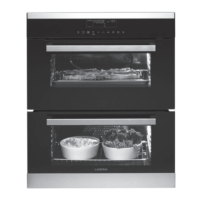

 To Next Page
 General