
 Need help?
Do you have a question about the Landi E850 and is the answer not in the manual?
Guidance on the safe operation and maintenance of rechargeable lithium-ion batteries to prevent hazards.
Details on European standards compliance for RF equipment and telecommunications terminals.
Declaration of conformity with European analogue Public Switched Telephone Network standards.
Information regarding FCC compliance, including device operation and interference guidelines.
Instructions for checking the terminal and accessories for damage after unpacking.
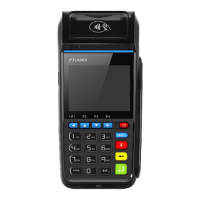
Overview of the POS terminal's physical appearance and its various interface ports.
Detailed specifications of the POS terminal's hardware, software, and capabilities.
Description of the POS terminal's features, supported configurations, and functionalities.
Information about the external ports available on the POS terminal, including the Micro USB port.
Step-by-step instructions for inserting and removing the SAM card from the POS terminal.
Instructions for installing and removing the SIM card, noting similarities with SAM card slots.
Guide on how to insert and remove the MicroSD card into the POS terminal.
Procedure for opening the back cover and installing the battery into the POS terminal.
Instructions on how to open the printer cover and load the print paper roll correctly.
Description of the POS terminal's keyboard layout and the function of each key.
Guide on how to properly power the POS terminal on, off, and manage screen display.
Instructions for swiping magnetic stripe cards bi-directionally for reading.
Guidance on horizontally inserting IC cards with the chip side up into the reader.
Instructions for using RF cards by placing them near the sensing area for successful swiping.
Precautions regarding cleaning the magnetic card reader and IC card reader to avoid damage.
Guidelines for maintaining the printer, including paper handling and cleaning the printer head.
Advice on handling, storing, and disposing of Li-ion batteries for safety and environmental protection.
Important notes and precautions regarding the use of WCDMA and other wireless communication features.
 General
| Brand | Landi |
|---|---|
| Model | E850 |
| Category | Payment Terminal |
| Language | English |

 To Next Page