1
1. Network Scanner
Outline
By installing the printer/scanner controller, the machine can be used as a net-
work scanner.
The network scanner offers three functions: operation as a network TWAIN
scanner, network delivery scanner, or storing scan data in the Document Server.
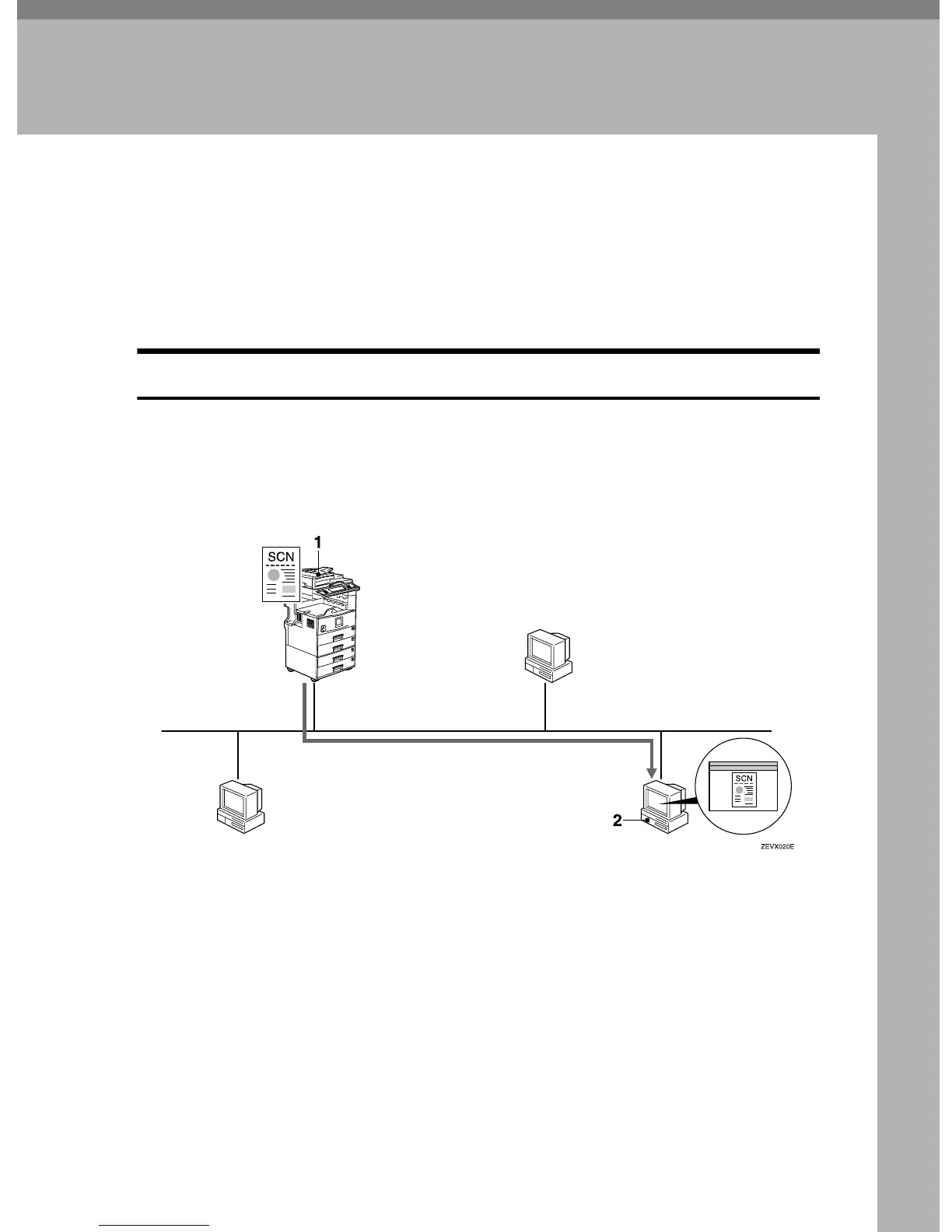
Network TWAIN Scanner
The scanner of this machine is used from the computer via a network. The orig-
inals can be read in the same operation as for SCSI and USB-connected scanners.
For more information, see p.39 “Scanning Originals Using Network TWAIN
Scanner”.
1. This machine
The scanner of the machine is used from
the computer via a network.
2. Computer
Originals are scanned by TWAIN driver
for the machine from an application.


 To Next Page