03 04
Install Front Camer
03 Installation
a
Instal
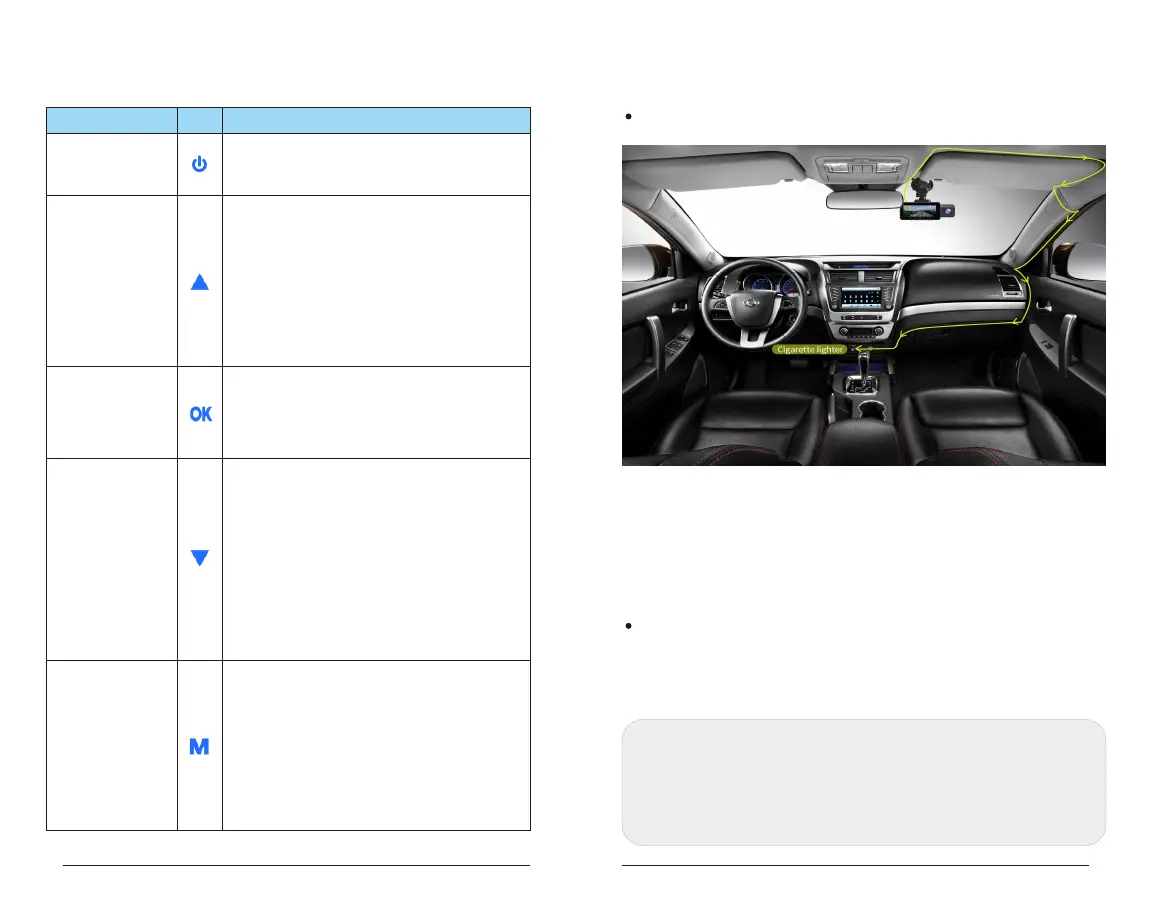
1. Connect the device with suction cup, then install it on windshield
and make sure the dash cam will not distract drivers' view.
2. Connect the device with cigarette lighter for power supply, and
hide the rest cable into the edge of car.
3.Start the engine of car, t he device will be powere d on
automatically.
l Rear Camera
1. Connect the device and rear camera with the cable.
2. Stick the rear view camera to the rear window with 3M glue, and
hide the rest cable into the edge of car.
Note:
1. The rear view camera is not waterproof, please do not install it outside the car.
2. The length of rear camera cable is about 6 meters. The red wire on
extended cable can be connected to the reversing lamp positive,then dash
cam will be switched to the rear camera when reversing the car.
Resolution
Icon
Function Explanation
Power Button
【turn on/off screen】
Up Button
【scroll up/lock/
W
iFi】
Ok Button
【confirm/video】
【scroll down/switc
Down Button
h
camera/audio】
/photo mode
M Button
【menu/mode switch
】
1.Menu/Video playback: short-press to
confirm the selection
2. Video mode: short-press to start/stop
recordin
1. Menu/video playback: short-press to scroll
down
2. On video recording mode/video playback:
short-press to switch the
cameras/front/inside/rear/front+inside/front
+ rear/front+inside+rear
3. On video recording mode: long-press to
turn on/ off audio
4. On video playback: short-press to fast
forward
1. When stop recording, short-press to
enter/exit the menu setting
2.When stop recording, long-press to switch
the video recording mode/playback page
3.Video recording mode:short-press to take
photo
4.Video play back mode
: short press to set up
the video or back to previous step
the video
g
1. On Menu/playback page, short-press to
scroll up
2. On video recording mode, short-press the
button to lock/unlock video
3. On video recording mode/playback page,
long-press to turn on/off WiFi
4. On playback page, short-press to fast
backward the video
1.Press 2 seconds to power on/off
2.When the device is on, short-press to turn
on/off the screen



 To Next Page