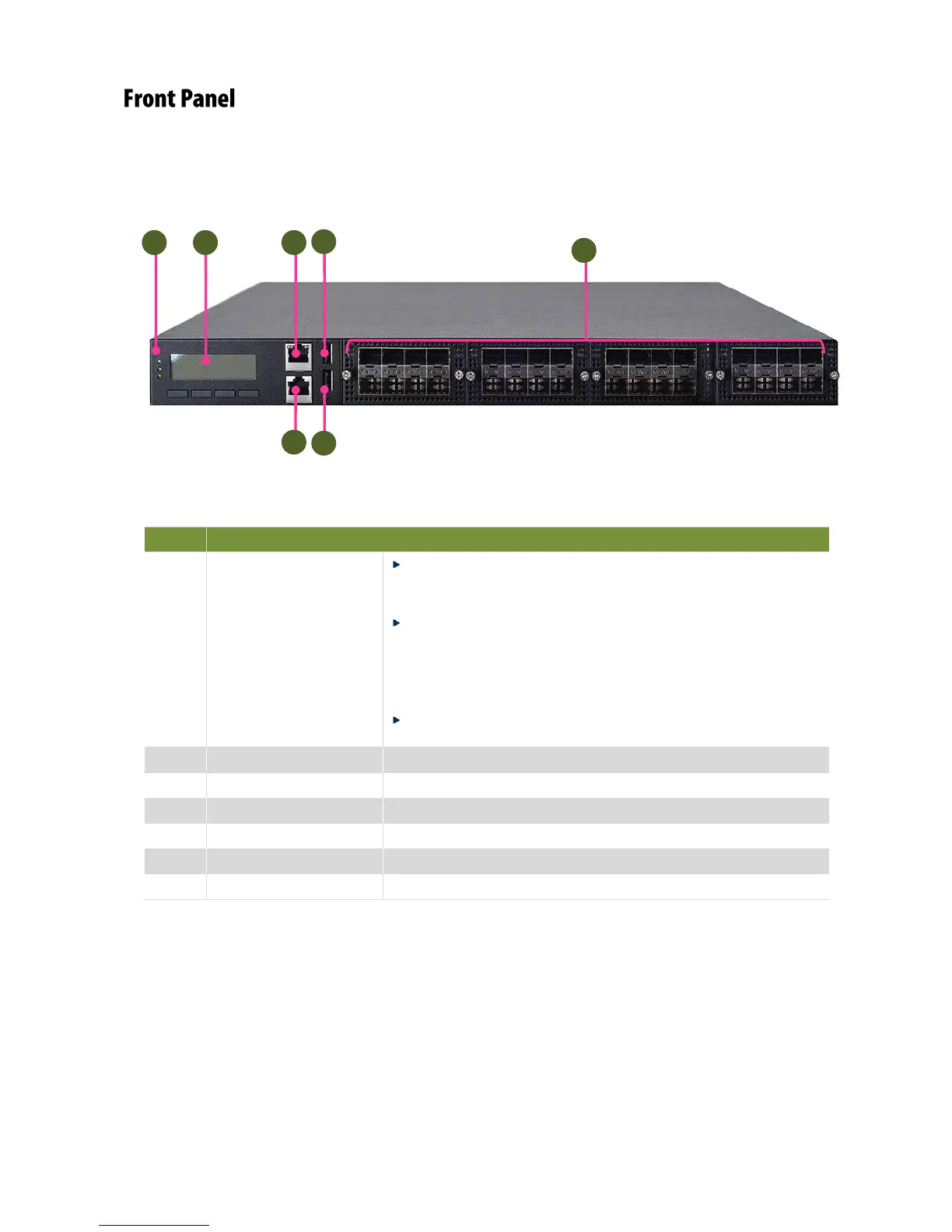
Power LED: If the LED is on, it indicates that the system is
powered on. If it is off, it indicates that the system is powered
off.
Status LED: This LED indicator is programmable. You could
program it to display the operating status with the behaviors
as followed: If the LED is green, it indicates that the system’s
operational state is normal. If it is red, it indicates that the
system is malfunctioning.
HDD: If this LED blinks, it indicates data access activities;
otherwise, it remains off.



 To Next Page