When you download and install the app, power on the drone, and wait until
you see the LED start to flash. This means that the drone is waiting for the
connection with your device. On your phone open Settings, go to WiFi, and find a
network on the list that is named “WiFi_FPV_XXX”. Connect to that network, open
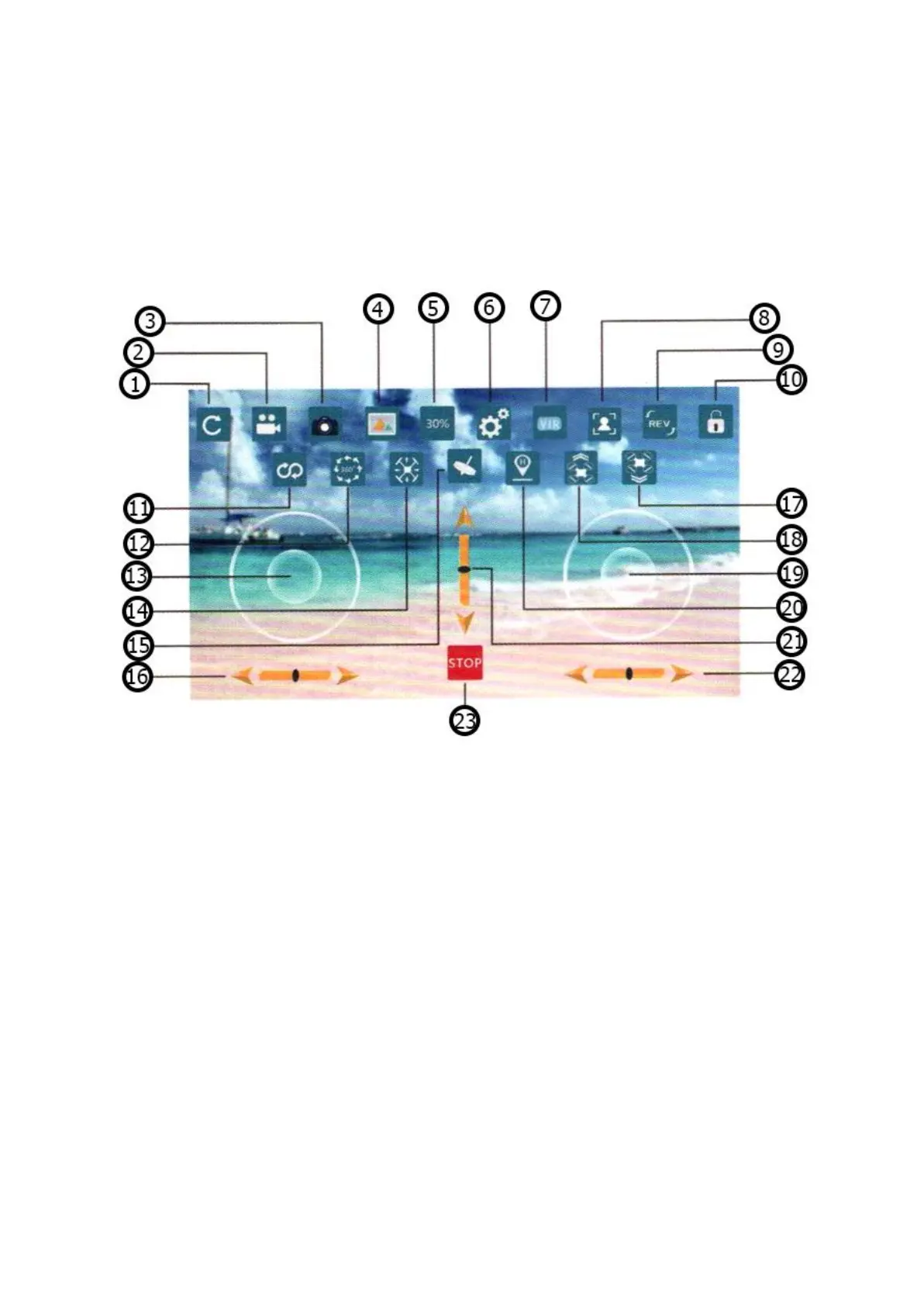
the WiFI_CAM app and click “Start”. The picture below shows the controls that you
can use in the app.


 To Previous Page