EasyManua.ls Logo

Lascar Electronics EL-USB Series - User Manual

Lascar Electronics EL-USB Series
4 pages
Print Icon
To Next Page IconTo Next Page
Loading...
www.lascarelectronics.com
This help document offers guidance on battery passivation and driver installation issues.
EL-USB range (Includes EL-GFX range) Troubleshooting
Issue 1_06-2022
Page 1 of 4
TROUBLESHOOTING
Content
01 - Message appears in the EasyLog Software that no EL-USB data logger can be found.
02 - Using a known good logger to help identify a battery issue.
03 - Checking and manually installing the EL-USB driver.
04 - Battery Passivation issues and resolving this.
01 No EL-USB data Logger found
Message appears in the EasyLog Software that no EL-USB data logger was found.
If the logger has not been used for a period of time, a power cycle may be useful, this can be done
by removing the battery and re-inserting it after a few seconds. When the battery is inserted, you
shouldgetanLED(lamp)ashingsequenceforafewsecondsfollowedbynoLEDs.(Somemodels
maynothavevisibleLEDs)
IfthereisnoLEDashingsequence,theremaybeabatteryissueorpassivation.GotoSection04
about passivation and resolving this.
WhentheEL-USBloggerispluggedintotheUSBportthereshouldbenoLEDsonorashing.The
exceptiontothisisastatusLEDashevery10secondsifthedeviceislogging.
IfthereareLEDsonorashingcontinually,jumptoSection02.
IftherearenoLEDsonorashingandnoEL-USBdataloggersareworkingonthisPC,gotosection
03 to check the driver.
Otherwise please see the bottom of this document for sales and technical support contact information.
02 If you have other known good loggers
If you have other EL-USB data loggers that have been logging and working ok on this computer, you
couldborrowthebatteryfromaworkingloggerasatesttoeliminateorconrmthebatteryasanissue.
Ensure the logger is set up again once the battery has been inserted. Alternatively, see Section 04
about passivation and resolving this.
Question and Answer IconNeed help?

Do you have a question about the Lascar Electronics EL-USB Series and is the answer not in the manual?

Overview

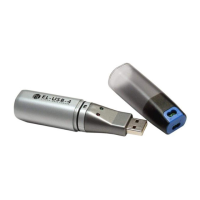
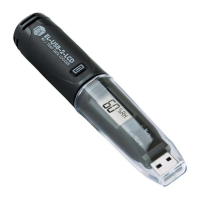
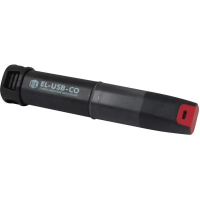
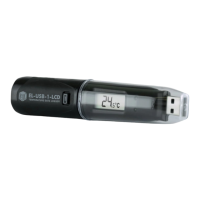
The EL-USB range (including EL-GFX range) comprises data loggers designed for various monitoring applications. This document provides comprehensive troubleshooting guidance, focusing on common issues such as device detection, driver installation, and battery-related problems, particularly battery passivation.

Function Description

These data loggers are designed to record and store data, which can then be downloaded and analyzed using the EasyLog Software. They are equipped with a USB interface for connection to a computer, facilitating data transfer and device configuration. The loggers are powered by a battery, and their operational status is often indicated by LED flashing sequences, though some models may not have visible LEDs. The EL-USB range is versatile, catering to a variety of monitoring needs, and the EL-GFX range likely offers enhanced graphical display capabilities or additional features.

Important Technical Specifications

While specific technical specifications like measurement ranges, accuracy, and memory capacity are not detailed in this document, the troubleshooting guide implies several key aspects of the device's design and operation:

  • Power Source: The loggers are battery-powered, specifically using lithium metal batteries. The document mentions "BAT 3V6 1/2AA" as a battery type, indicating a 3.6V 1/2AA size battery. This suggests a focus on long-term, low-power operation.
  • Connectivity: USB interface for data transfer and communication with the EasyLog Software.
  • Software Compatibility: Designed to work with EasyLog Software for configuration, data download, and analysis. Driver installation is crucial for proper communication between the logger and the PC.
  • Status Indicators: Many models feature LEDs to indicate operational status, such as flashing sequences upon battery insertion or a status LED flash every 10 seconds when logging. Some models may lack visible LEDs.

Usage Features

  • Ease of Use: The loggers are intended for straightforward operation, with data logging initiated and managed through the EasyLog Software.
  • Data Retrieval: Data is retrieved by plugging the logger into a computer's USB port and using the EasyLog Software.
  • Status Monitoring: Users can monitor the logger's status through LED indicators (where present) to confirm operation or identify issues. A flashing sequence upon battery insertion confirms the device is powering up correctly.
  • Troubleshooting Support: The provided guide offers step-by-step instructions for common problems, making it easier for users to diagnose and resolve issues independently. This includes checking for proper connection, battery status, and driver installation.
  • Battery Management: The document highlights the importance of battery health and provides guidance on addressing battery passivation, a common issue with lithium batteries that can affect device functionality.

Maintenance Features

  • Battery Replacement: The loggers use replaceable lithium metal batteries (e.g., BAT 3V6 1/2AA). The document advises on replacing the battery as a troubleshooting step, suggesting that users can perform this maintenance.
  • Battery Passivation Resolution: A significant portion of the document is dedicated to explaining and resolving battery passivation. This involves a process of temporarily shorting the battery terminals to break the passivation layer, allowing the battery to deliver power again. This is a key maintenance procedure for ensuring the longevity and reliability of the logger's power supply.
  • Driver Installation and Updates: The document provides detailed instructions for checking, installing, and updating the USB driver, which is essential for the logger to communicate with the PC. This is a critical software maintenance task.
  • Self-Diagnosis: The troubleshooting guide encourages users to perform self-diagnosis by checking LED sequences, trying known good loggers, and systematically verifying connections and software settings.
  • Technical Support: For issues that cannot be resolved through the provided guidance, contact information for sales and technical support is available, ensuring users can get professional assistance when needed.
  • Power Cycling: A simple maintenance step involves power cycling the device by removing and re-inserting the battery after a few seconds, which can resolve minor operational glitches.

In summary, the EL-USB and EL-GFX data loggers are designed for reliable data acquisition, with a focus on user-friendly operation and comprehensive troubleshooting support to ensure continuous functionality. The emphasis on battery maintenance, particularly passivation resolution, underscores the importance of power management for these devices.

Lascar Electronics EL-USB Series Specifications

General IconGeneral
BrandLascar Electronics
ModelEL-USB Series
CategoryData Loggers
LanguageEnglish

Related product manuals