SETTINGS
Tap the desired NETWORK name. If this
NETWORK connects successfully,
“Connected” will appear. If the NETWORK
is encrypted, enter the password then tap
“Connect”.
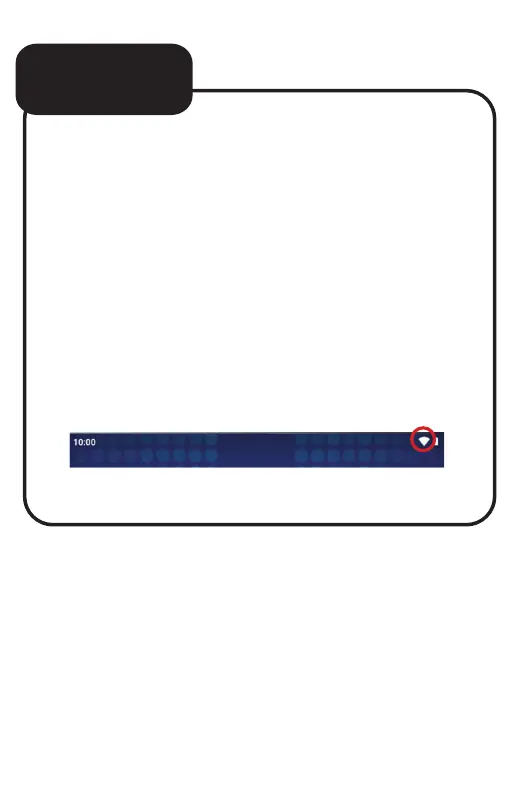
Your Tablet will indicate when the
NETWORK connection is ready for use
when the WiFi icon appears on the top right
notification bar.
continued...


 To Next Page