User Manual
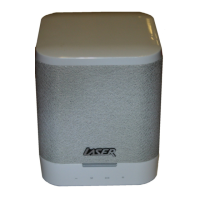
Portable Mini Speaker
SP-1224
WHAT’S IN THE BOX:
• Portable Speaker
• USB-A to USB-C charging cable
• AUX cable
• User manual
OVERVIEW
Play/Pause button:
Music playback:
• Press to play/pause.
Phone calls:
• Press to answer.
• Press to hang up.
• Press and hold to reject.
• Press twice to ring last number.
TWS pairing:
• Press and hold until beeps.
Press to skip to next track.
Press and hold to increase volume.
Press to go back to previous track.
Press and hold to decrease volume.
Power button
• Press and hold to power on/o.
• Press to switch modes (BT USB/
microSD/Aux.)
Light button
• Press and hold to turn on/o
ashing lights.
• Press to switch light modes.
microSD card slot
USB port
AUX. In jack
USB-C charging
port
CHARGING:
• Fully charge the speaker before you start using it.
• Use the included cable to connect to a 5V USB wall charger, computer or power bank. A red
light next to the charging port shows it’s charging. When fully charged, the light goes o.

 Need help?

 To Next Page
 General