Need help?
Do you have a question about the Laser SPK-SB125-088 and is the answer not in the manual?
Details physical controls on the side of the soundbar, including power, mode, volume, and USB ports.
Details connection ports at the back of the soundbar, including optical, AUX, and power input.
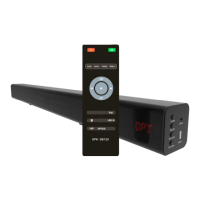
Explains the functions of each button on the soundbar's remote control for various operations.
Step-by-step guide for connecting the soundbar to a TV using an optical cable, including TV settings.
Instructions for pairing the soundbar with a TV via Bluetooth for wireless audio streaming.
Guide for connecting the soundbar to a smartphone, tablet, or computer using Bluetooth.
Steps for connecting the soundbar to a TV or other device using an AUX cable.
Covers inserting batteries, connecting cables, power connection, and turning the soundbar on.
Specifies the need for a USB flash drive with MP3 files (up to 32GB) for USB mode functionality.
Provides solutions for soundbar issues, including checking input mode, connections, volume, and mute.
Offers troubleshooting steps for soundbar not connecting to Bluetooth devices, including range and pairing.
Addresses issues with sound playing from both the soundbar and TV, recommending TV volume adjustment.
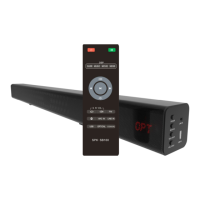
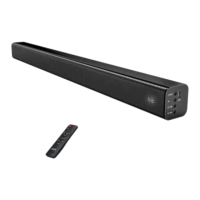
This document is a user manual for the LASER SPK-SB125-088 Bluetooth Soundbar with Optical Input.
The LASER SPK-SB125-088 is a Bluetooth soundbar designed to enhance audio output from various devices, primarily TVs, smart devices, and computers. It offers multiple input options including Bluetooth, Optical, USB, and AUX, providing versatility in connectivity. The soundbar aims to deliver improved sound quality for movies, music, and news, with dedicated EQ settings for each. It can be controlled via on-device buttons or a supplied remote control.
Method 1 (Recommended): Optical
Method 2: Bluetooth (TV)
Method 3: Bluetooth (Smart Device/Computer)
Method 4: AUX
No Sound:
Bluetooth Not Connecting:
Echo Effect / Sound from Both Soundbar and TV (Optical):
The manual does not explicitly detail maintenance features beyond basic operational checks and troubleshooting. It implies that proper connection and setting adjustments are key to maintaining optimal performance. No specific cleaning or hardware maintenance instructions are provided.
 General
| Brand | Laser |
|---|---|
| Model | SPK-SB125-088 |
| Category | Speaker System |
| Language | English |

 To Next Page