
 Need help?
Do you have a question about the Laserco KBX-5WKBMCOM-L and is the answer not in the manual?
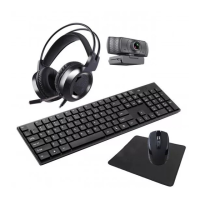
Details the battery requirements for the keyboard and mouse, noting batteries are not included.
Lists key features, dimensions, and physical attributes of the keyboard.
Outlines audio, connectivity, and physical features of the headset.
Describes button functions, DPI settings, dimensions, and physical attributes of the mouse.
Details video format, sensor, focus, auto controls, and mounting options for the webcam.
Provides size and weight information for the included mouse pad.
Offers guidance on operating conditions and common troubleshooting steps for the devices.
 General
| Model | KBX-5WKBMCOM-L |
|---|---|
| Category | Computer Accessories |
| Type | Keyboard |
| Color | Black |
| Interface | Bluetooth, 2.4GHz Wireless, Wired (USB) |

 To Next Page