18
GB
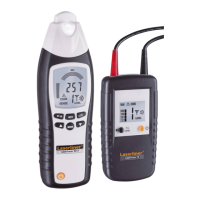
Sender TX
LC display sender TX
1 Connecting socket, red +
2 Connecting socket, black -
3 LC display
4 Sender code button:
Settings output power trans-
mission signal / illumination
LC display (hold button
down for 2 seconds) / set
sender code
5 ON/OFF buttonOFF: hold
button down for 2 seconds
6 Battery compartment (rear)
7 Test prod, red +
8 Test prod, black -
9 Optional: Test clamp, red +
10 Optional: Test clamp, black -
11 Connecting cable, red +
12 Connecting cable, black -
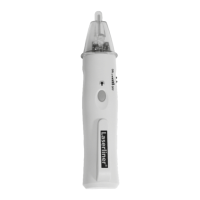
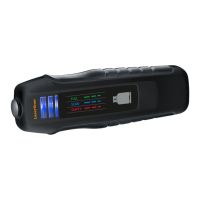
Receiver RECV
13 Sensor head
14 Flashlight
15 LC display
16 Toggle measurement mode: Locate cables (SIG) / Locate
mains voltage (NCV)
17 ON/OFF button ash light
18 Reduce sensitivity
19 Toggle manual / automatic search mode
20 Illumination LC display /Turn on/off acoustic signal
(hold button down for 2 seconds)
21 Increase sensitivity
22 ON/OFF button - OFF: hold button down for 2 seconds
23 Battery compartment (rear)
A Sender code (1,2,3,4,5,6,7)
B External voltage warning
C Display external voltage
(12, 50, 120, 230, 400V)
D Low battery charge
E Display output power
transmission signal
(level I, II, III)
16
15
14
13
17
18
19
20
21
23
22
3
A
BC
D
E
4
5
6
7
1
8 9 10
11
12
2
Description
1




 To Next Page