DistanceMaster Vision
19
+–
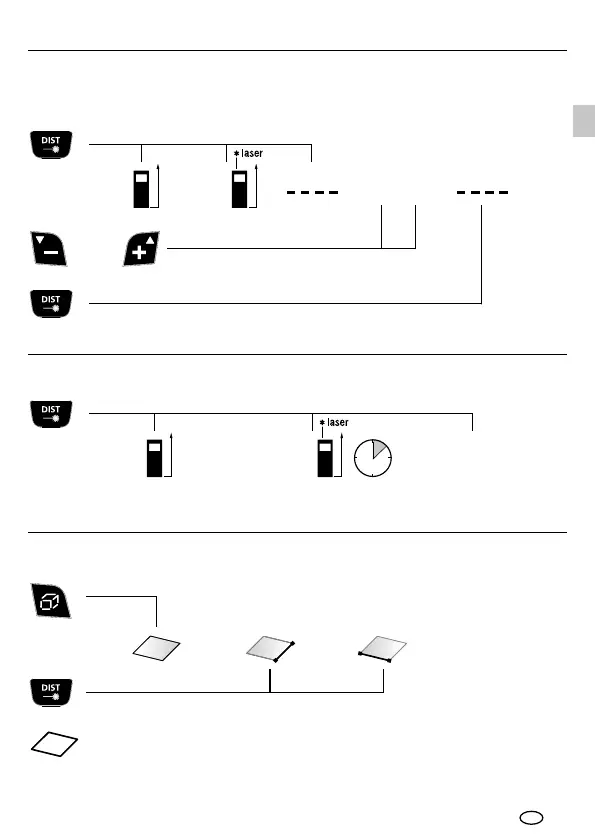
1x 3x
1x 1x
2x
2x
1x 2x 3x
2 sec
1x 2x
1x
Area measurement:
area 2. measurement1. measurement
The LC display shows the max value, the min value, the differential value and
the current value.
Further lengths are added by pressing the DIST button.
The room perimeter is additionally shown on the LC display.
Addition and subtraction of lengths:
or
Length
(device on)
laser on
1. length +/- result etc.
min/max continuous measurement:
device on
stop
Continuous measurement ON
EN






 To Next Page