22 • LMH Series Rotary Lasers
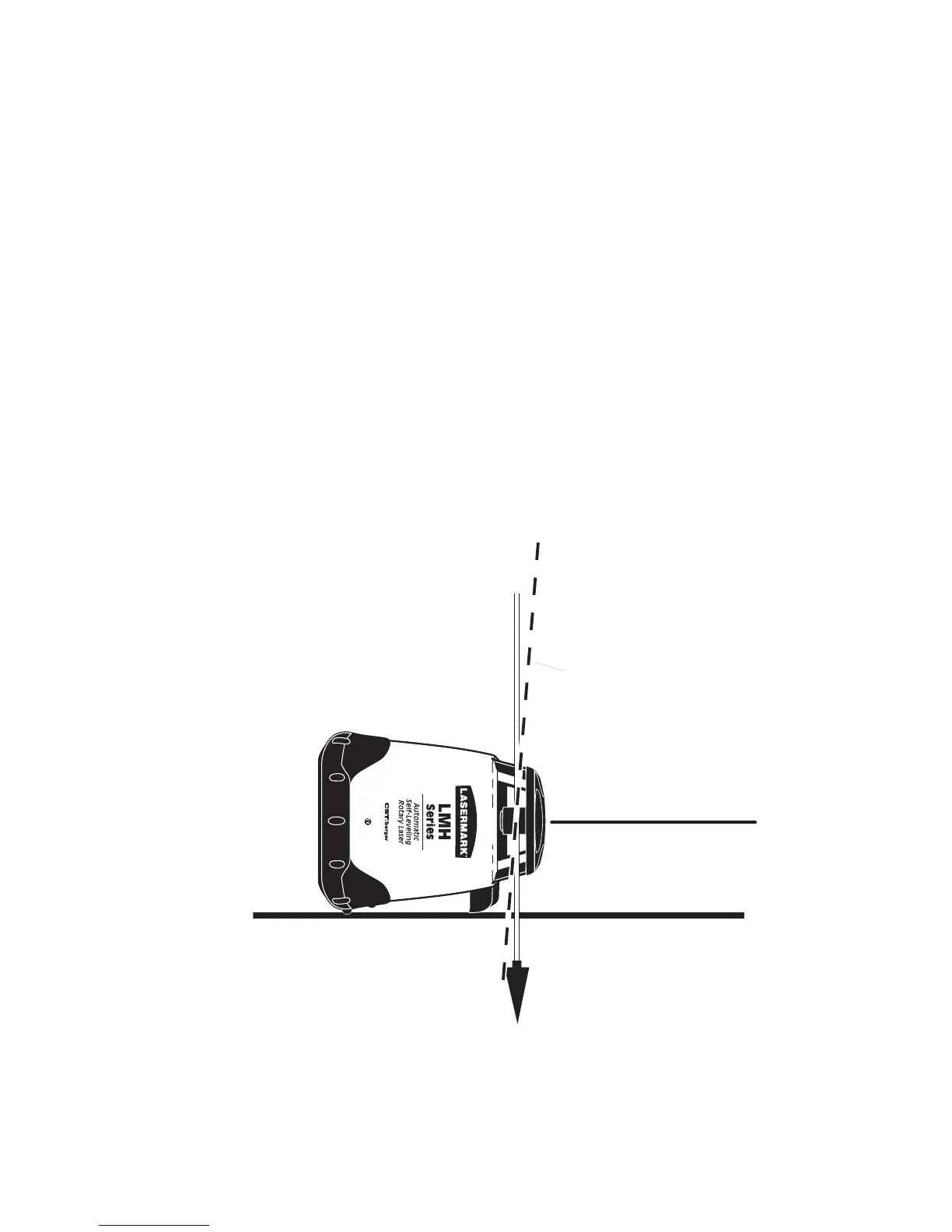
Plumb Beam
Plumb Line
Rotating Beam (Dashed Line) is
shown NOT in-line with plumb
line
Fig. 18
6.2.2 Laydown Position Calibration (LMH600)
1: Place the unit in the laydown position on a fl at, level surface 100
feet (30 meter) from a wall (Fig. 18).
2: Press and hold the Clockwise Button, and then press the Power
Button. Release both button at the same time.
The Out-of-Level LED and Battery Low indicators blink together, Then
the Power indicator illuminates.
Note: For the most accurate check, allow the unit to operate for at
least 30 seconds before continuing.
3: Place a plumb line at the wall (Fig. 18).
4: Have the rotating beam scan the wall and physically adjust the unit
so the beam is in-line with the plumb line.
5: If the beam is not in-line with the plumb line, use the UP ARROW
and DOWN ARROW buttons to adjust the beam, until it intersects the
plumb line.
6: Press the POWER button. This will exit
Calibration Mode.


 To Next Page