LaserPoint s.r.l. - Plus 2 - Quick Start Guide - All Rights Reserved 7
2.12.
S
ETTING THE STATISTICAL ELABORATION OF MEASUREMENT
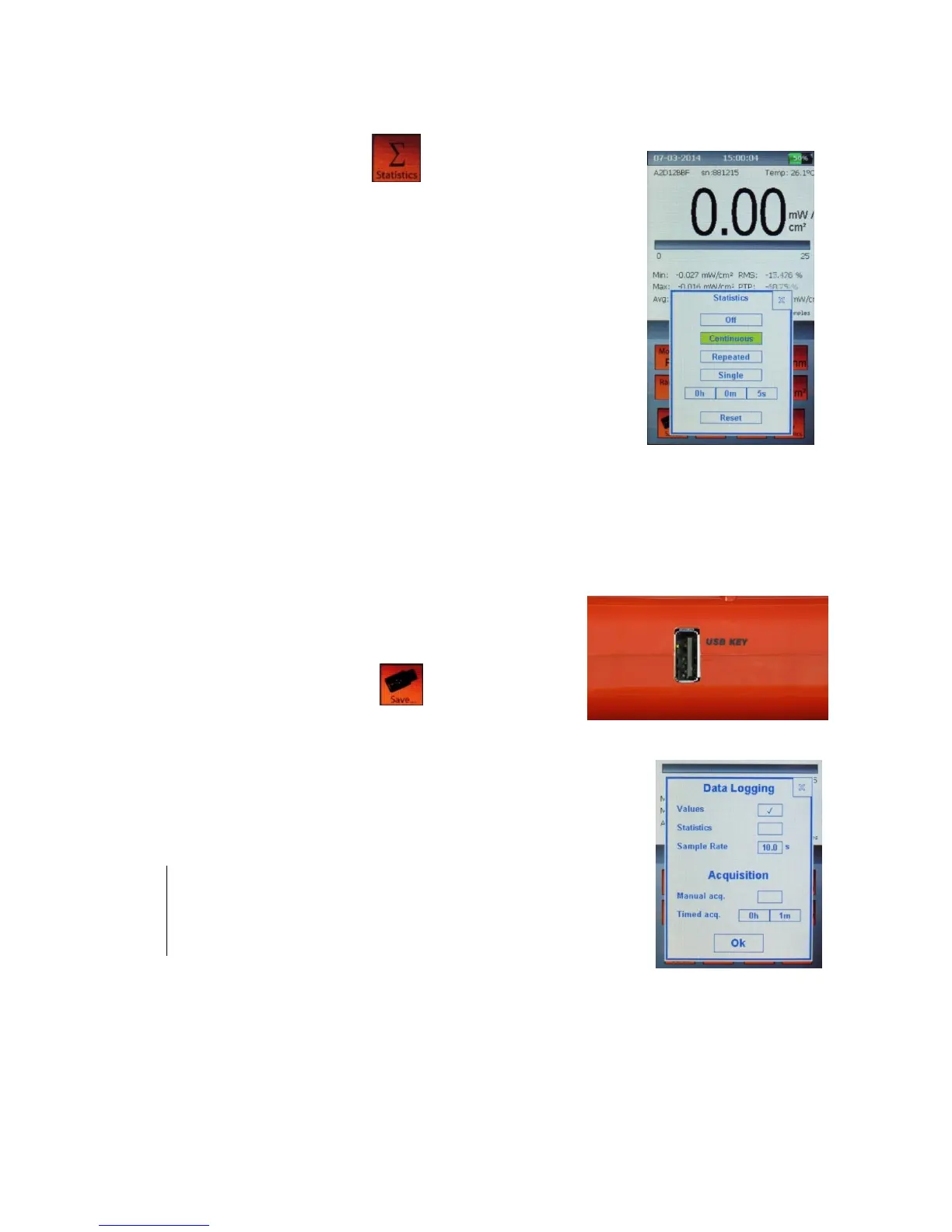
a) Touch the Statistics button on the screen of the Plus 2
and the Statistics window will be displayed (Figure 13).
b) Select one of the four processing options. The options are:
Off: no statistics.
Continuous: the data elaboration is done on a continuous
data collection basis.
Repeated: the data are repeatedly collected and elaborated
within a user’s defined time period.
Single: the data are collected and elaborated only once
within a user’s defined time period.
c) To confirm the selection, press the “Reset” button.
2.13.
S
ETTING
D
ATA LOGGING TO
USB
MEMORY STICK
a) Insert the USB memory key into the connector on the
left side of the Plus 2.
b) Touch the "Save…" button . The Data Logging
window will be displayed.
c) Select which data are to be saved: values, statistics or both.
d) Select the Sample Rate value: it must be between 0.5 - 99 s.
Note:
The sample rate value may refer to Values and Statistics (when
Continuous statistics is selected) or to Values only (when Single or
Repeated statistics is selected, because in these cases Statistics are
saved every time they are refreshed).
e) Select the acquisition mode:
- Manual acquisition: check this box to start and stop the acquisition manually
- Timed acquisition: uncheck “Manual acquisition” box and input the duration after which
the acquisition will be stopped.


 To Next Page