13
EN
Operation Guide
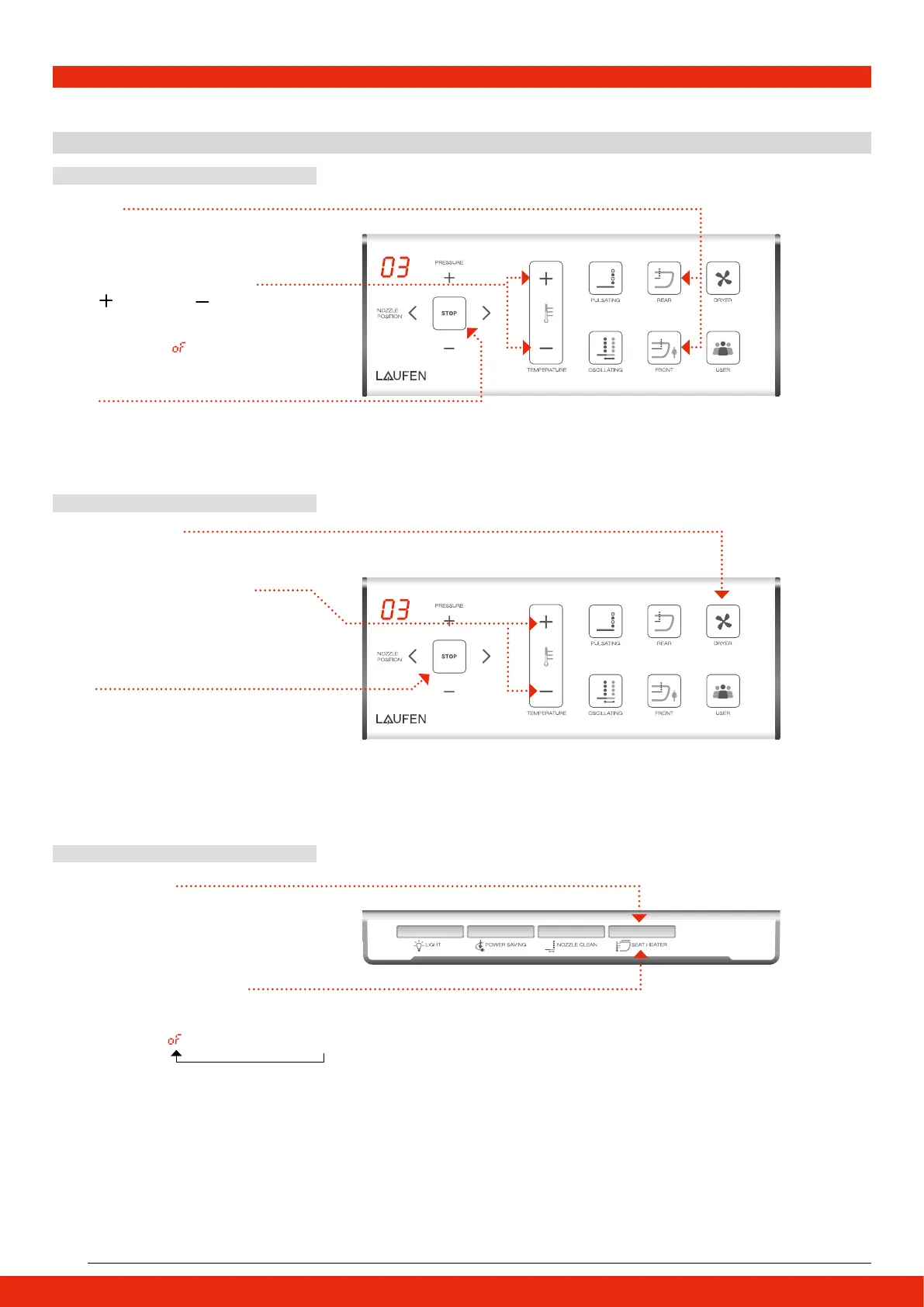
3 Temperature Adjustment Function
Adjust Water Temperature
Adjust Air Dryer Temperature
Adjust Seat Temperature
FRONT
FRONT
BOTTOM
↔01↔02↔03↔04↔05
01↔02↔03↔04↔05
1 Seat Temperature
2 Seat Temperature Adjustment
Press SEAT HEATER button to activate.
Press SEAT HEATER button again to adjust
temperature until desired setting.
5-level adjustment:
Note: It will take a few minutes to heat the seat.
The setting of desired temperature will be saved
and locked in memory.
→ 01→ 02→ 03 → 04→ 05
Temperature: OFF Low Medium High
Temperature: Off Low Medium High
Temperature: Low Medium High
1 Cleaning
1 Dryer Temperature
2 Dryer Temperature Adjustment
3 Stop
3 Stop
2 Water Temperature Adjustment
Select REAR or FRONT cleaning
to activate the cleaning function.
Press DRYER button to activate.
Press DRYER button again to adjust
temperature until desired setting.
5-level adjustment:
STOP the dryer.
STOP rear or front cleaning.
Press
to increase or to decrease
water temperature while cleaning
function activated.
5-level adjustment:
Note: For the first time it will take some seconds to heat the water.
Note: Do not insert finger or any objects into the fan.
Dryer function will stop automatically after 5 minutes.
Please push the button again to stop the function.
(To change the 5 min go to page 14.)


 To Next Page