17
LAUNCH CRP 429HD User's Manual
EN
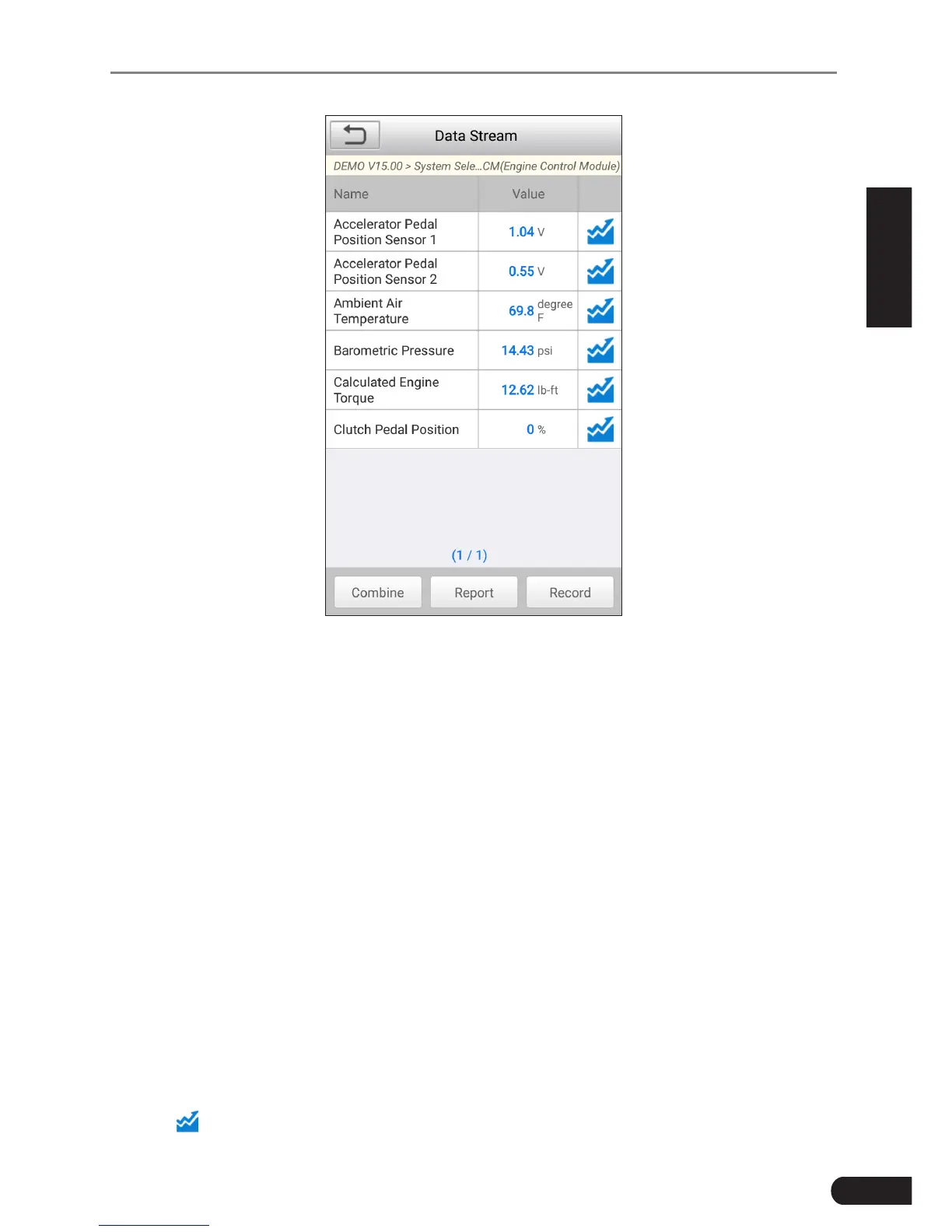
Fig. 5-4
(This screenshot is for illustrave purpose only. All data shown is cous in
nature.)
*Notes:
1. If the value of the data stream item is out of the range of the standard (reference)
value, the whole line will display in red. If it complies with the reference value, it
displays in blue (normal mode).
2. The indicator 1/X shown on the boom of the screen stands for the current page/
total page number. Swipe the screen from the right/left to advance/return to the
next/previous page.
There are 3 types of display modes available for data viewing, allowing you to
view various types of parameters in the most suitable way.
• Value–thisisthedefaultmodewhichdisplaystheparametersintextsand
shows in list format.
• Graph–displaystheparametersinwaveformgraphs.
• Combine–thisoptionismostlyusedingraphmergestatusfordata
comparison. In this case, different items are marked in different colors.
On Fig. 5-4, the following operations are available:
• Tap to view the waveform graph of the current data stream item.



 To Next Page