EasyManua.ls Logo

Launch Creader 319 - User Manual

Default Icon
16 pages
Print Icon
To Next Page IconTo Next Page
Loading...
LAUNCH
CReader 319 User’s
1
Launch Creader 319 Manual
Question and Answer IconNeed help?

Do you have a question about the Launch Creader 319 and is the answer not in the manual?

Summary

End User License Agreement

General Notice

Disclaimer

Safety Precautions and Warnings

Diagnostic Trouble Codes (DTCs)

Location of the Data Link Connector (DLC)

OBD II Readiness Monitors

OBD II Monitor Readiness Status

OBD II Definitions

Product Descriptions

Specifications

Details the screen, input voltage, operating current, power consumption, temperature, dimensions, and weight.

Power Supply

Explains how the Creader 319 is powered via the vehicle's Data Link Connector (DLC).

Tool Setup

Guides users on how to access and use the Tool Setup menu for adjustments.

Operation

Connecting the Device

Steps to connect the Creader 319 to the vehicle's Data Link Connector (DLC).

Diagnostic Functions

Overview of the diagnostic menu options including reading codes, erasing codes, and I/M readiness.

Warranty Information

Order Information

Customer Service

Overview

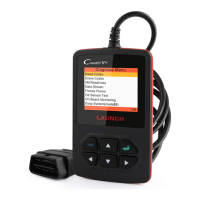
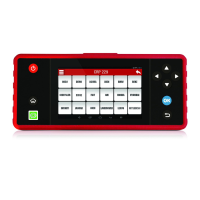
The Launch Creader 319 is a compact, handheld diagnostic tool designed for automotive testing, specifically for vehicles compliant with OBD II standards. Its primary function is to read and clear Diagnostic Trouble Codes (DTCs), monitor various vehicle systems, and provide essential information for diagnosing engine and emissions-related issues.

Function Description:

The Creader 319 allows users to perform several key diagnostic functions:

  • Read Codes: Retrieves current, pending, and permanent DTCs from the vehicle's onboard computer. DTCs are five-digit alphanumeric codes that identify specific problem areas within the vehicle's control systems (Powertrain, Body, Chassis, Network). The tool provides definitions for these codes, helping users understand the nature of the fault.
  • Erase Codes: Clears DTCs from the vehicle's memory, which also turns off the Malfunction Indicator Light (MIL) or "Check Engine" light. This function is typically performed after repairs have been made to confirm the issue is resolved.
  • I/M Readiness: Checks the status of the vehicle's Readiness Monitors. These monitors are indicators used to determine if all emissions components have been evaluated by the OBD II system. The tool reports whether components are "Ready" (Complete) or "Not Ready" (Not Complete). This is crucial for emissions inspections.
  • Data Stream: Displays real-time operating parameters of the vehicle's engine and other systems. This live data can include engine RPM, vehicle speed, air flow, engine load, fuel pressure, fuel trim values (short-term and long-term), engine coolant temperature, ignition timing advance, and closed-loop status. Monitoring these parameters helps in identifying intermittent problems or verifying sensor readings.
  • Freeze Frame: When an emissions-related fault occurs, the OBD II system records a "snapshot" of the vehicle's operating parameters at the moment the fault was detected. The Creader 319 can retrieve this Freeze Frame Data, which provides valuable context for diagnosing the problem by showing the conditions under which the fault occurred.
  • O2 Sensor Test: Allows for retrieval and viewing of O2 sensor monitor test results for the most recently completed tests from the vehicle's on-board computer. This helps in diagnosing issues related to the oxygen sensors and the vehicle's fuel-air mixture.
  • On-Board Monitoring: Accesses the results of on-board diagnostic monitoring tests for specific components/systems that are not continuously monitored.
  • Evap System (Mode $8): Initiates a test of the Evaporative Emission Control System (EVAP) to check for leaks or other faults.
  • Vehicle Information: Retrieves the Vehicle Identification Number (VIN), Calibration ID (CALID), and Calibration Verification Number (CVN) from the vehicle.

Important Technical Specifications:

  • Screen: 2.8" TFT 262K true color, 320x240 QVGA LCD display. This provides a clear display for navigating menus and viewing data.
  • Input Voltage Range: 8-32V. This wide range ensures compatibility with various vehicle electrical systems.
  • Operating Current: <100mA@12V (Typical). The low current draw makes it energy efficient.
  • Power Consumption: <1.2W (Typical).
  • Operating Temperature: 32°F~122°F / 0°C~50°C. Allows for use in a variety of environmental conditions.
  • Storage Temperature: -4°F~158°F / -20°C~70°C @ RH60%.
  • Outline Dimension: 4.7"x3.2"x1.0" / 121x82x26 mm (LWH). Its compact size makes it easy to handle and store.
  • Weight: <17.6 oz (500g). Lightweight for portability.

Usage Features:

  • User-Friendly Interface: The device features a simple button layout with UP, DOWN, OK, and ECS (Escape) buttons, making navigation intuitive. The LCD screen displays menus and data clearly.
  • Multi-Language Support: The Creader 319 allows users to select their preferred language from a list including English, French, Spanish, German, Russian, and Italian, enhancing accessibility for a global user base.
  • Plug-and-Play Operation: The tool is powered directly from the vehicle's Data Link Connector (DLC) via the included OBD II cable, eliminating the need for external batteries or power sources during operation.
  • DTC Lookup Function: Beyond reading codes, the device includes a DTC Lookup feature where users can manually input a DTC and view its definition directly on the screen, aiding in quick diagnosis without needing a separate reference.
  • OBD II Compliance: Designed to work with all 1996 and newer vehicles (cars and light trucks) sold in the United States that are OBD II compliant, including American, Asian, and European models. It also supports a small number of 1994 and 1995 models that are OBD II compliant.
  • Safety Precautions: The manual emphasizes critical safety measures, such as wearing eye protection, keeping hands and clothing away from moving engine parts, operating in well-ventilated areas, and ensuring the vehicle is in a safe state (e.g., parking brake engaged) during testing. It also warns against connecting or disconnecting the tool while the ignition is on or the engine is running.

Maintenance Features:

  • Durability: The device is designed for automotive environments, with specifications for operating and storage temperatures.
  • Cleaning: For general maintenance, the manual suggests keeping the Creader 319 dry, clean, free from oil/water or grease, and using a mild detergent on a clean cloth to clean its exterior when necessary.
  • Warranty: The product comes with a one-year (12 months) warranty against defects in materials and workmanship from the date of delivery. The warranty does not cover abuse, alteration, or misuse.
  • Customer Support: Users can contact their local dealer or LAUNCH TECH. CO., LTD. via email for questions regarding the unit's operation, ensuring support is available for troubleshooting or technical inquiries.
  • Replaceable Parts: Information on ordering replaceable and optional parts is provided, allowing users to maintain or upgrade their device as needed.

Launch Creader 319 Specifications

General IconGeneral
BrandLaunch
ModelCreader 319
CategoryMedical Equipment
LanguageEnglish

Related product manuals