
 Need help?
Do you have a question about the Lava HDTV-2100V and is the answer not in the manual?
FCC compliance statement for digital devices, outlining requirements and user actions.
Crucial guidelines for safe operation, installation, and maintenance of the device.
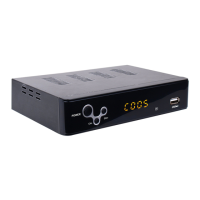
Description of the device's front panel controls and indicators.
Description of the device's rear panel connections and ports.
Displays information banner while viewing TV programs.
Manages multilingual audio language options for programs.
Controls multilingual subtitle display options for programs.
Navigates programs during playback (Previous/Next, Fast Forward/Rewind).
Accesses the on-screen electronic program guide for broadcast schedules.
Displays all TV or radio channels, allowing selection of preferred channels.
Allows setting up favorite TV or radio channels and managing them.
 General
| Brand | Lava |
|---|---|
| Model | HDTV-2100V |
| Category | Media Converter |
| Language | English |

 To Next Page