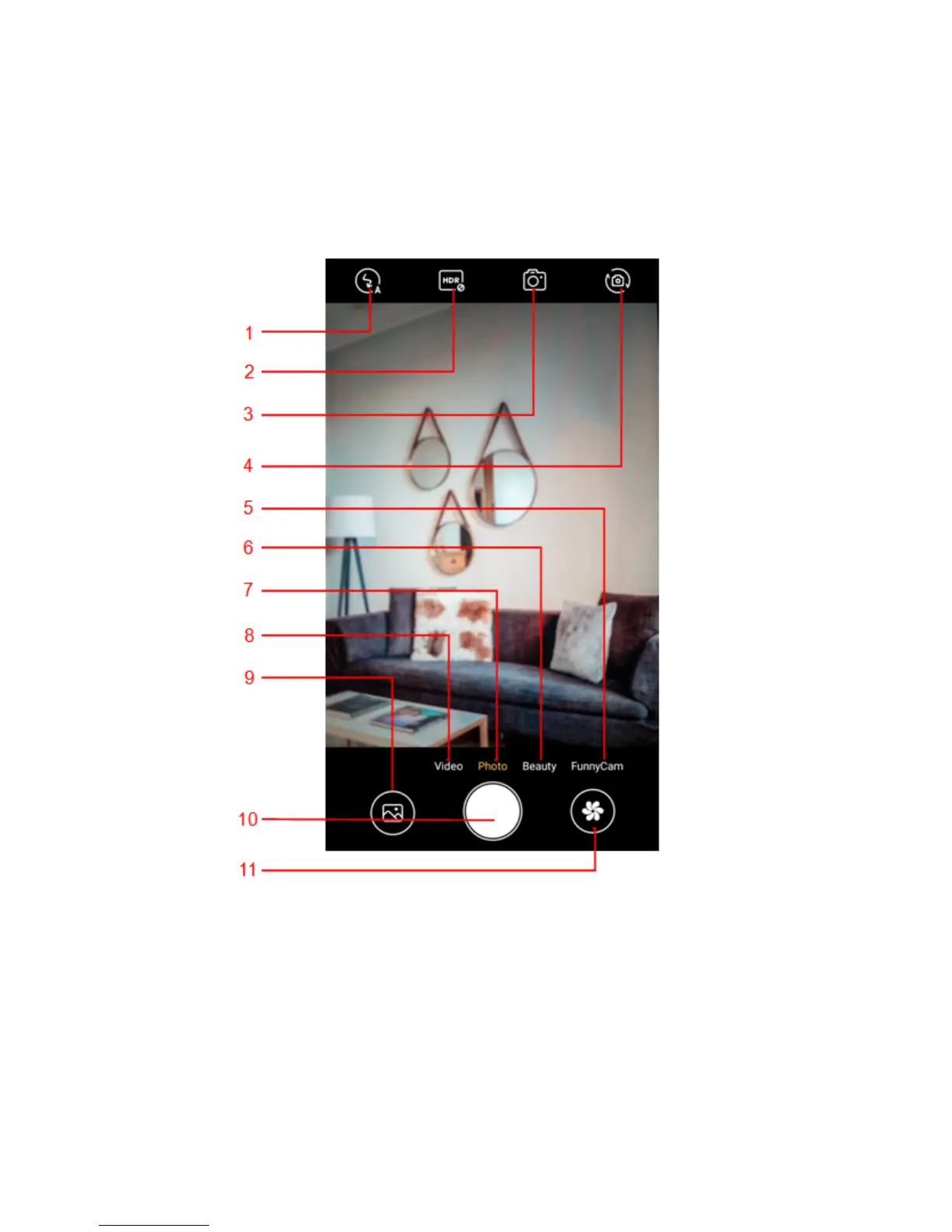
6
5——Funny camera mode
6——Face beauty mode
7——Photo mode
8——Video mode
9——Thumbnail icon shows the currently captured picture or video
10——Press the Capture icon to take a picture/video
11——camera menu mode
3.8. Music
Use the Music player to play music files. The songs saved in your phone can be
played using the Music Player of the device.
3.9. Gallery
Gallery Application pick images and videos from mobile internal memory and SD
card to show all images and videos in managed form. The Gallery allows you to
view pictures and videos you have captured.



 To Next Page