Description of the appliance
14
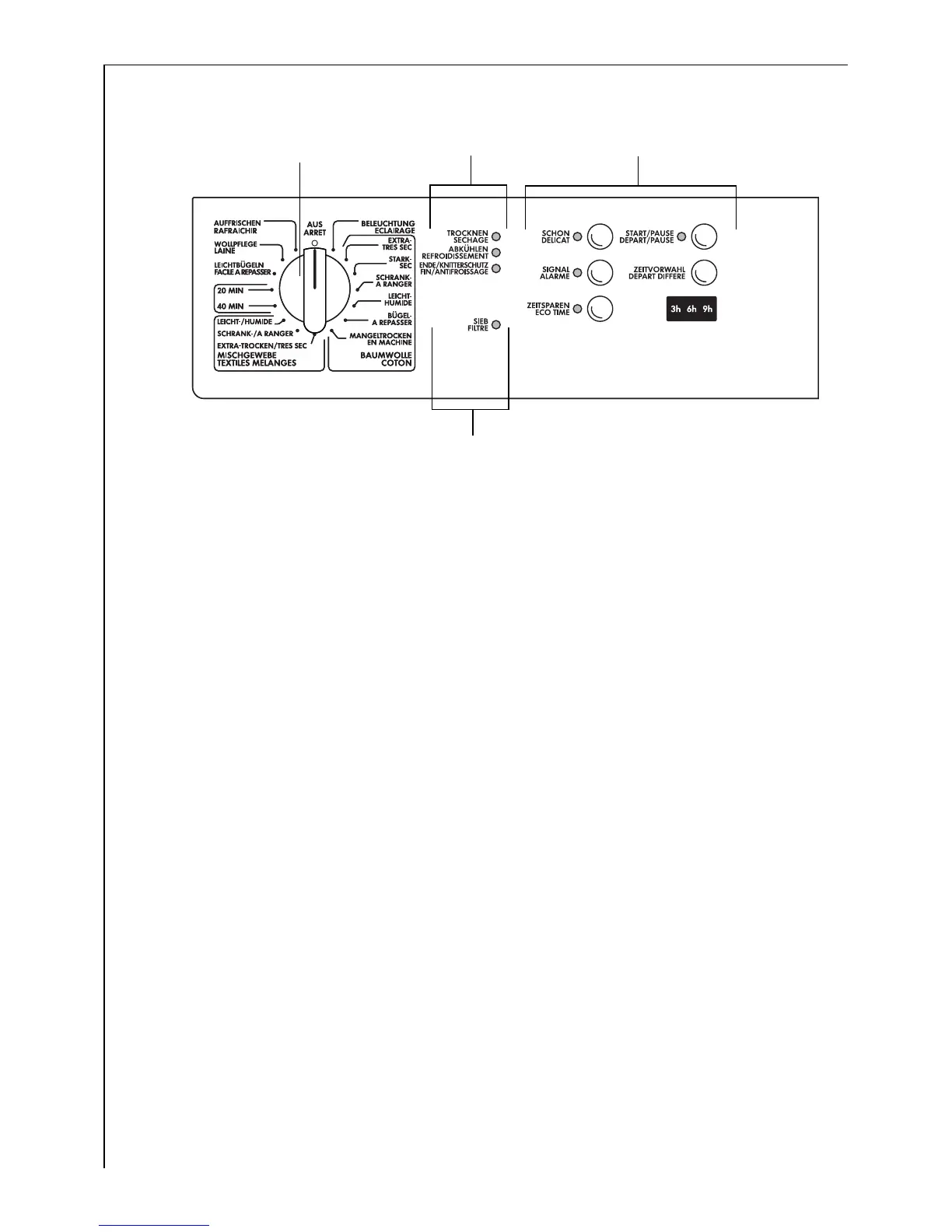
Control panel
A Program selector: for setting the drying program
B Program run display: The currently running phase of the drying process
is indicated.
C Buttons and display block
– SPECIAL CARE (SCHON) button: For sensitive fabrics. This button has
no effect if the QUICK DRY (ZEITSPAREN) button has already been
pressed.
– AUDIBLE SIGNAL (SIGNAL) button: When switched-on, an audible
signal is sounded at the end of the drying program; then take-out the
laundry
– QUICK DRY (ZEITSPAREN) button: for quicker drying. Cannot be used
with COTTONS DAMP (BAUMWOLLE LEICHTTROCKEN), HAND IRON
(BÜGELTROCKEN) and MACHINE IRON (MANGELTROCKEN)
programmes or with the DELICATES DAMP (MISCHGEWEBE LEICHT-
TROCKEN) programme. If the SPECIAL CARE (SCHON) button has
already been pressed, pressing the QUICK DRY (ZEITSPAREN) button
has no effect.
– START/PAUSE (START/PAUSE) button: To start or interrupt a pro-
gramme.
– DELAY TIMER (ZEITVORWAHL) button: to pre-set the delay start time
within a range of 0, 3, 6 and 9 hours; display in display panel
– Display: displays the hours until the drying programme begins.
D Instructions for the user:
– CLEAN FILTER (SIEB) display: Clean the fluff filter!
A
B
D
C


 To Next Page