7
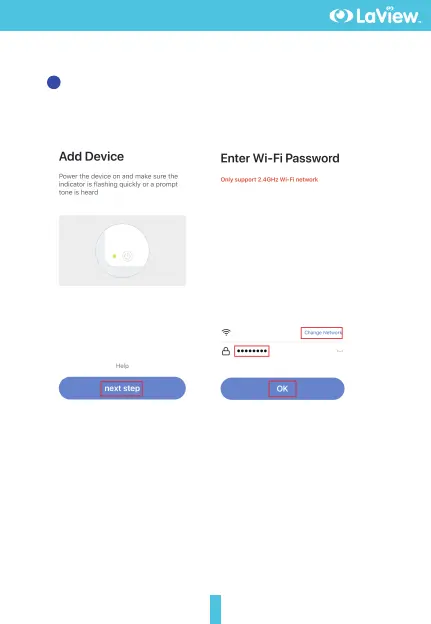
In "Add Device" this interface,continue to click "next step",and then
you should input your WiFi's passwords.
3
Note:
1) Camera only supports 2.4GHz WiFi network.
2) The number of bits in the ssid and passwords of the router
should not exceed 24 digits.
LaView Meeting Room
Set up Mobile App


 To Next Page