Notice
To reset the device, press and hold the reset button for 5s.
The camera beeps when the operation is completed.
LED indicator of camera:
Flashing red light (slow)
Flashing red light (fast)
Fixed red light
Fixed blue light
Wait for network config
Connecting the network
Camera is malfunctional
Camera is working correctly
EN
support@arenti.com
3. Installation
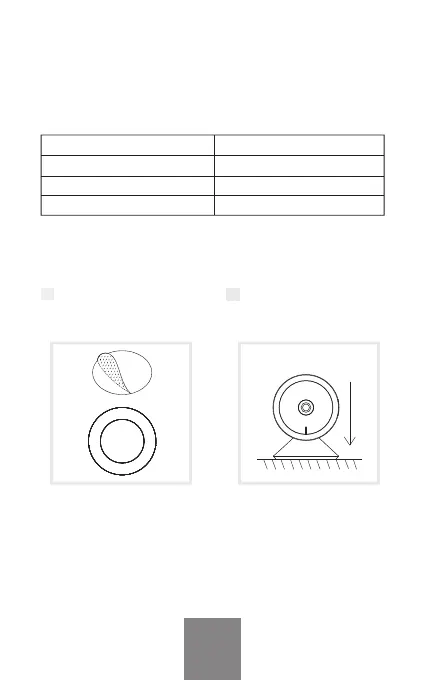
1 Stick the 3M tape in the
middle of camera
bottom.
2 Put the camera on the
clean plane.



 To Next Page