Created for Smart Laziness
SETUP METHODS
WPS SUPPORT
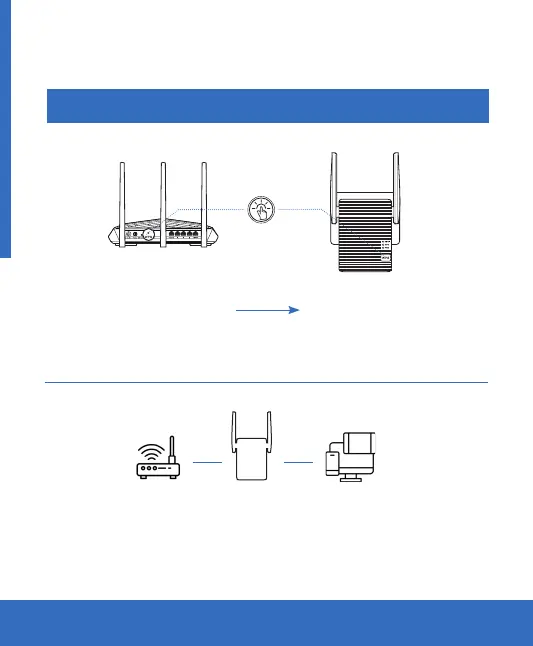
Press the WPS button
on your router
The name of the new extended network will be your original network
name plus «_EXT» at the end. And shares your router’s Wireless
Password.
1. Connect via WPS
2. Enjoy WIFI
Press and hold the WPS
button on the repeater
for 3 seconds
NOTE: Wait until the Signal LED on the repeater turns solid blue which means that the repeater
has successfully connected to your router.
Press
Repeater Terminal deviceWiFi router


 To Next Page